Accessories included - QSG (Quick Start Guide) Warranty Card Safety Instructions
ACinputfrequency -
ACinputvoltage - 100 - 240 V
Adjustableheightmax - 11 cm
AMDFreeSync -
Antiglarescreen - Yes
Aspectratio -
Aspect ratio - 16:10
Audioinput -
Audiooutput -
Auto Pivot - Yes
Backlighttype -
Bluetooth - No
Brand - BenQ
BrandPartCode - 9H.LLXLA.TBE
Brightness - 300 nits
Builtincamera - No
BuiltinKVMswitch -
Builtinmicrophone -
Builtinspeakers - Yes
BuiltinUSBhub - Yes
Bundledsoftware - Display Pilot 2
Cablelockslot - No
Cablesincluded -
Category - Computer Monitors
Category - Root/Electronics/PC peripherals/Monitors
Category 1 - Displays
Category1 - Monitors
Category 2 - Monitore
Certificates - Energy Star
Certificates - EPEAT
Certificates - TCO
Code - 9H.LLXLA.TBE
Color - Gray
Colourdepth -
Colourgamut - 95%
Colourgamutstandard - DCI-P3
Contrastratiodynamic -
Contrastratiotypical - 1000:1
Dane fizyczne: Głębokość - 228.6 mm
Dane fizyczne: Kolor obudowy - czarno-srebrny
Dane fizyczne: Standard VESA - 100 x 100
Dane fizyczne: Szerokość - 533.6 mm
Dane fizyczne: Waga - 7.6 kg
Dane fizyczne: Wysokość - 412.1 mm (412.1-522.1 mm)
Dane techniczne: HDR - yes
Dane techniczne: Czas reakcji - 5 ms
Dane techniczne: Częstotliwość odświeżania - 60 Hz
Dane techniczne: Grupa produktowa - Monitory BenQ
Dane techniczne: Gwarancja - 2 lata w serwisie zewnętrznym
Dane techniczne: Głośniki - yes
Dane techniczne: Jasność - 300 cd/m²
Dane techniczne: Możliwość regulacji - obrotowy ekran (pivot)
Dane techniczne: Możliwość regulacji - obrót na podstawie (swivel)
Dane techniczne: Możliwość regulacji - pochył
Dane techniczne: Możliwość regulacji - wysokość
Dane techniczne: Powłoka matrycy - antyrefleksyjna
Dane techniczne: Producent - BenQ
Dane techniczne: Przekątna - 24.1 cali
Dane techniczne: Rodzaj podświetlenia - LED
Dane techniczne: Rozdzielczość ekranu - 2560 x 1600 piksele
Dane techniczne: Standard portów wideo - DisplayPort 1.4
Dane techniczne: Standard portów wideo - HDMI 2.0
Dane techniczne: Standard portów wideo - USB-C
Dane techniczne: Typ - do biura i domu
Dane techniczne: Typ ekranu - płaski
Dane techniczne: Typ matrycy - IPS
Data Act - Link
Depth - 228.6 mm
Depthwithoutstand - 71.3 mm
Depthwithstand - 228.6 mm
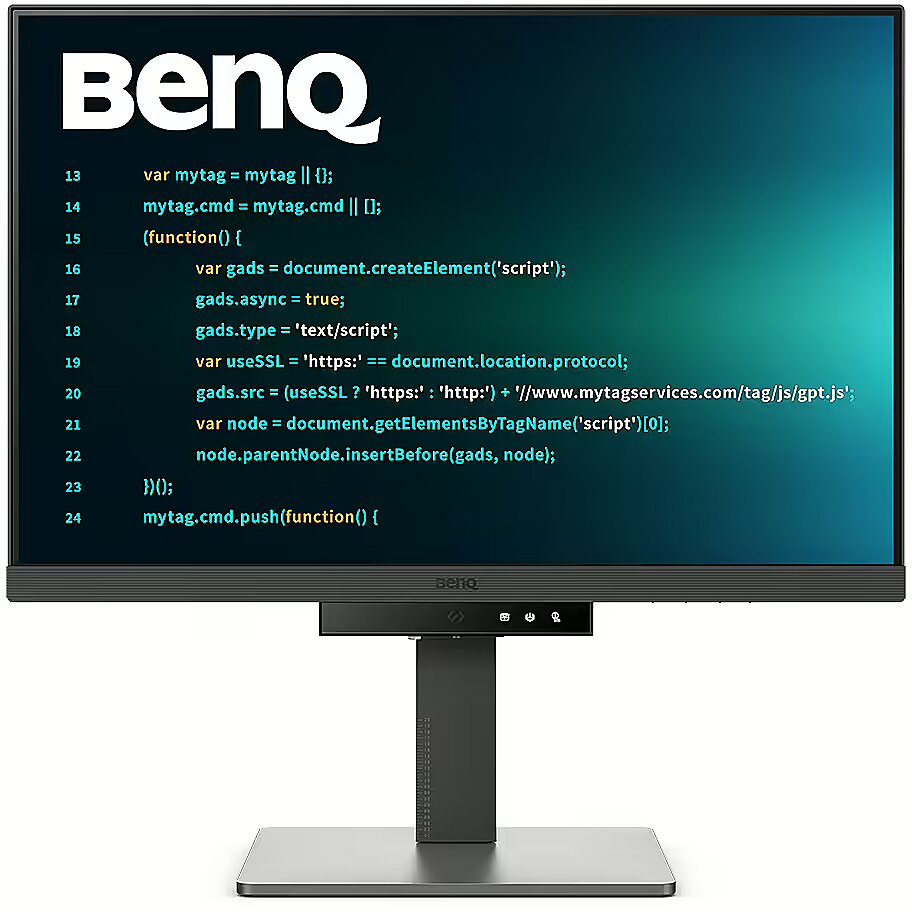
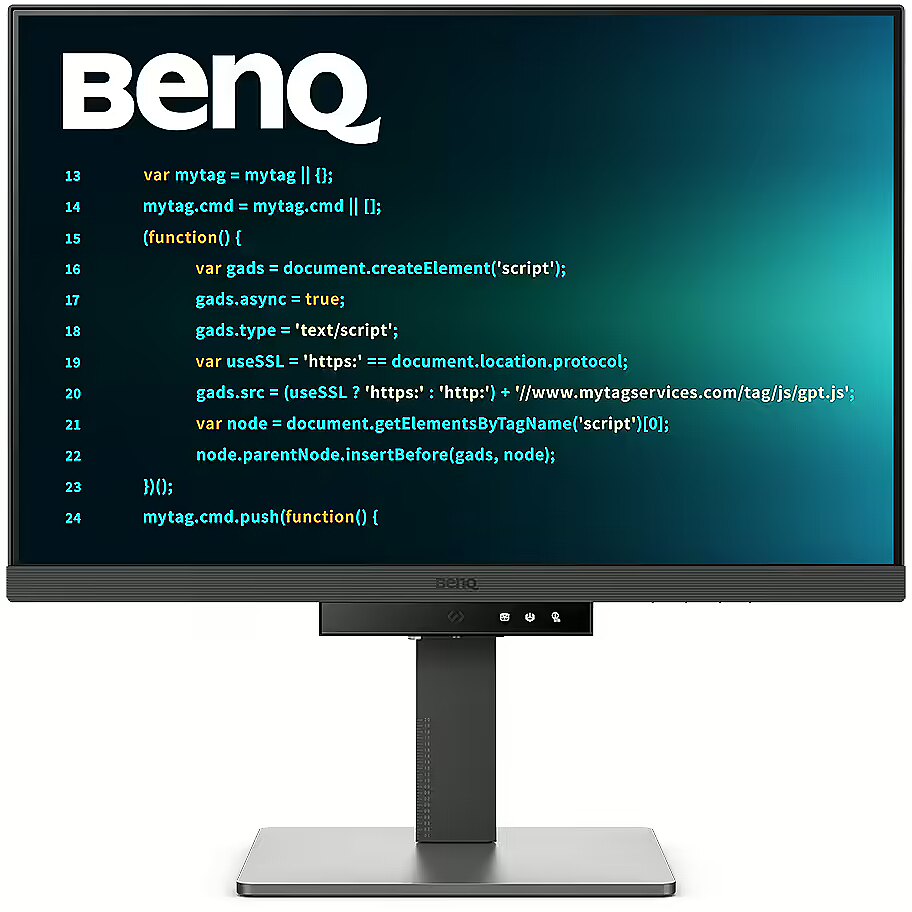
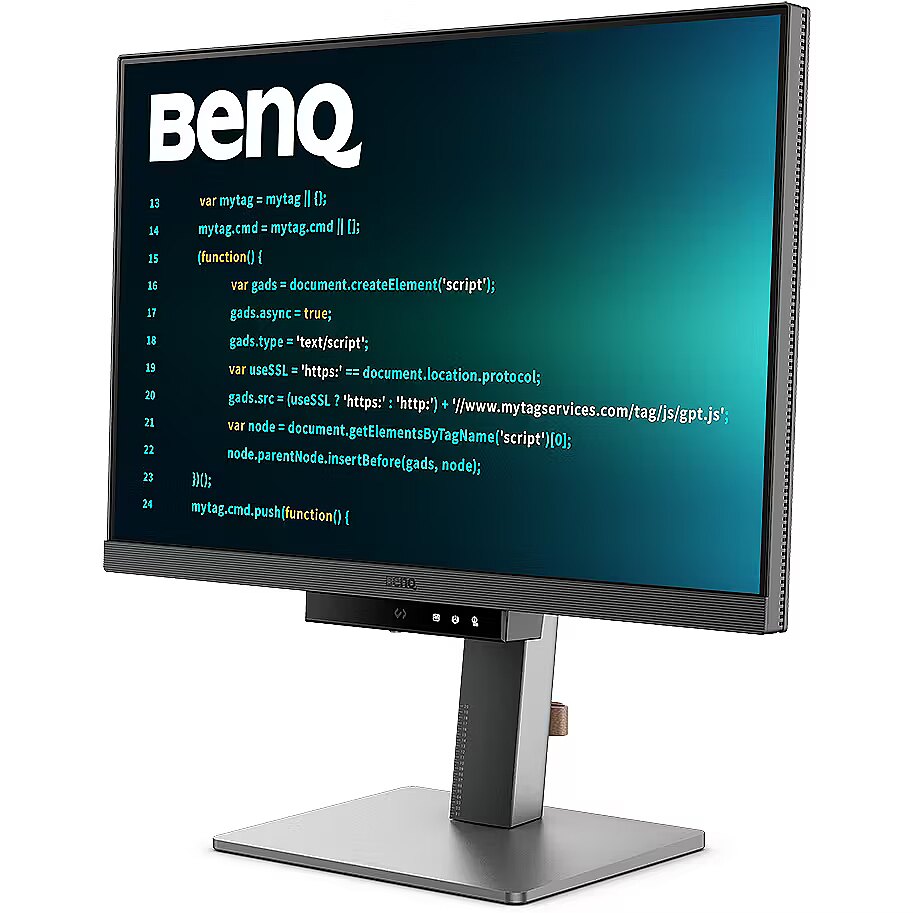
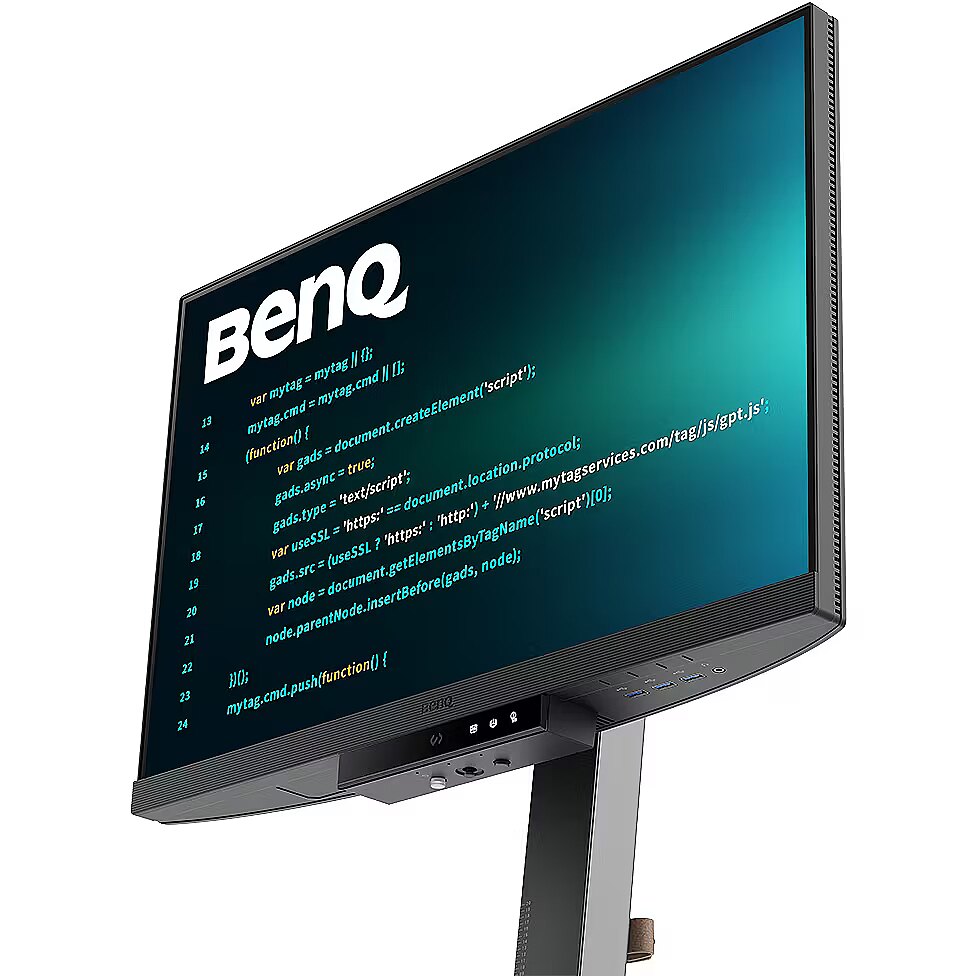
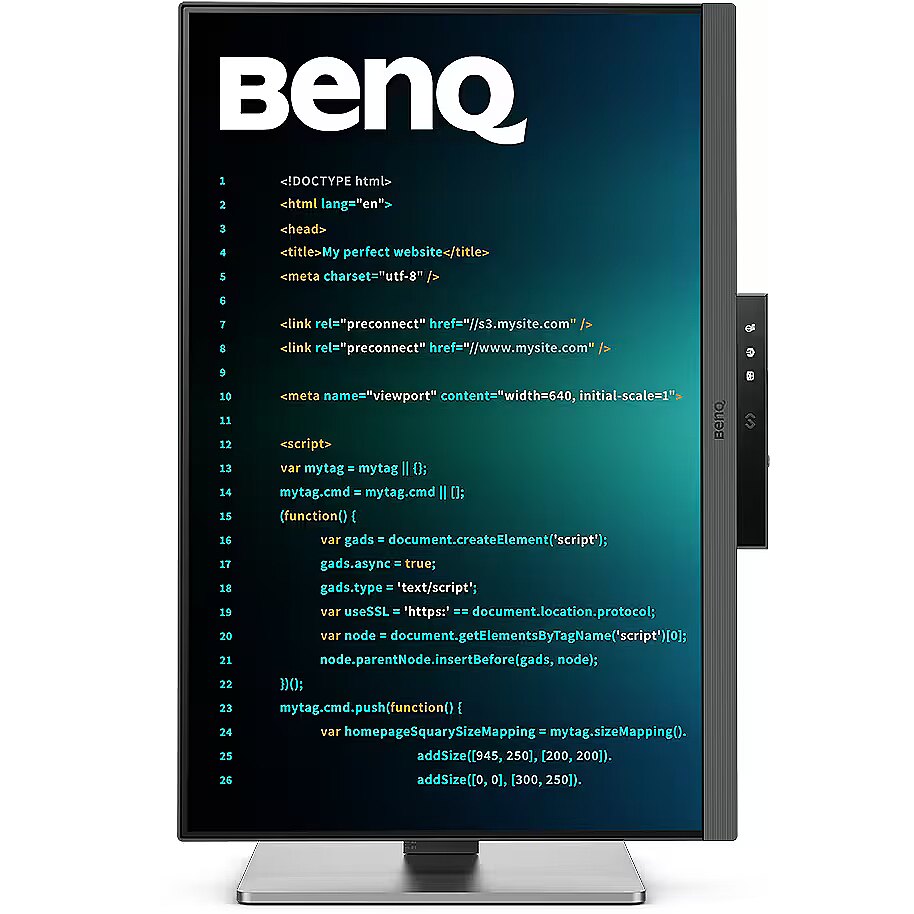
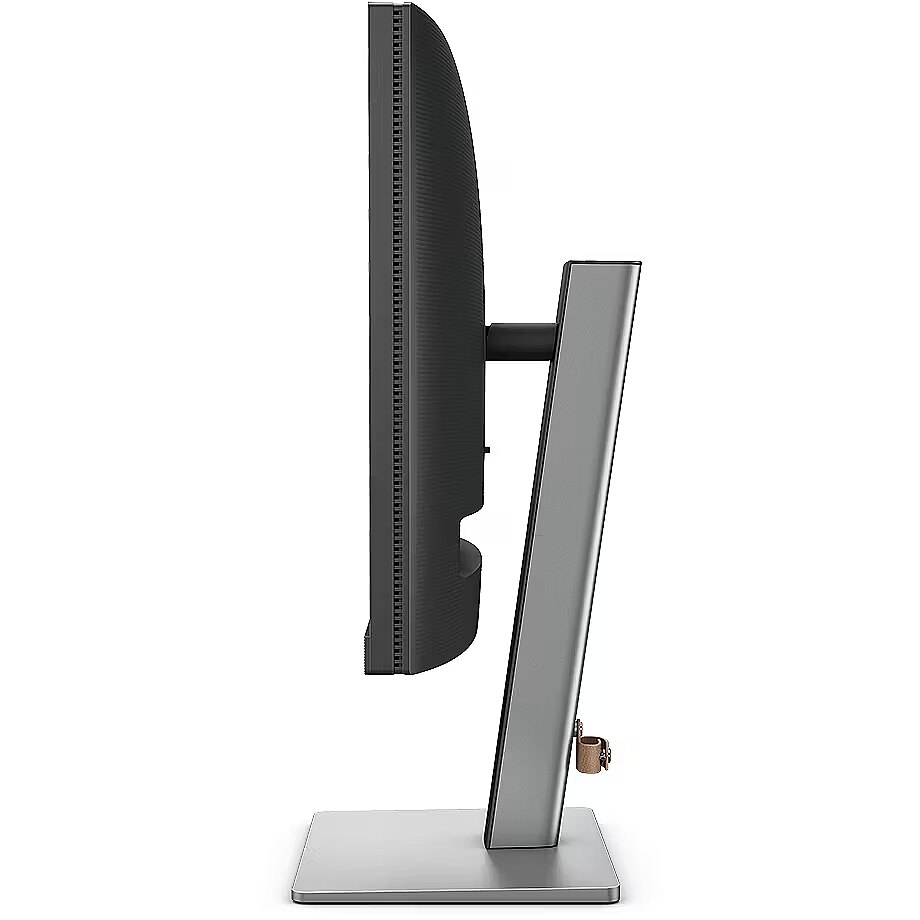
Description - Crystal-clear coding, clarity without glare Designed for developers: BenQ programming monitors let you fully immerse yourself in your code, wherever you are. Exceptional code differentiation BenQs advanced Coding Modes deliver crystal-clear fonts and enhanced code differentiation, reducing eye strain during long coding sessions. Code with comfort and efficiency Support for both dark and light themes in customizable coding environments. Quickly adjust brightness, sharpness, and contrast for the optimal coding experience. Take control of your display settings with Display Pilot 2 Display Pilot 2 is designed around your needs. Easily organize your preferred features, including shortcuts, desktop partitioning, Application Mode, Software Dimming, Circadian Mode, and more. Assign different modes to different applications Application Mode makes it easy to assign different color modes and remembers your frequently used application settings. Pair your IDE with the advanced Coding Modes of the RD Series for an optimal coding workflow. Smart circadian display for enhanced eye comfort BenQ Low Blue Light Plus includes Circadian Mode, which automatically adjusts the screens color temperature throughout the day, reflecting the natural cycle from sunrise to sunset. Enjoy lasting eye comfort with peace of mind. Boost productivity with Display Pilot 2 shortcuts The Exclusive Shortcuts feature lets you easily assign frequently used functions to keyboard shortcuts. With Display Pilot 2, copy and paste shortcuts are no longer limited to a single shortcut set at a time. Optimized for maximum physical comfort Enhance your coding workspace with adjustable height, tilt, swivel, and pivot for optimal productivity and comfort. Optimal posture, outstanding performance Say goodbye to long-term neck and body strain. BenQ programming monitors prioritize your comfort during extended development sessions. The developers dream desk setup: comfort and flexibility at its core Create your personalized workspace and enjoy every moment of it. Endless horizons, intuitive workflows Whether you're working with multiple displays or comparing data on a single screen, BenQ programming monitors meet your multitasking needs. See more, scroll less With its unique 16:10 aspect ratio, the RD240Q is purpose-built for developers, providing a larger vertical viewing area. Seamless connectivity with effortless plug-and-play BenQ programming monitors offer a wide range of connectivity options, including USB-C for convenient all-in-one connectivity. Daisy-chain connectivity with 90W USB-C Multi-Stream Transport (MST) technology lets you extend your desktop across multiple displays using USB-C. The 90W USB Type-C connection enables fast transfer of photos, videos, and other data while simultaneously charging your mobile devicesall with a single cable. Please note that Mac and MacBook devices support daisy chaining only through Thunderbolt. Daisy chaining is not supported via HDMI or standard USB ports on any device. In addition, Mac devices with M1 or M2 chips support only one external display. For more information about connecting different Mac models to external displays, please visit the Apple website. Coding HotKey and Function Bar Boost your productivity effortlessly with our unique Coding HotKey and Function Bar design. A quick press of the Coding HotKey at the center of the Function Bar instantly immerses you in your coding environment. Keep your eyes healthy Experience exceptional eye comfort during nighttime use with Night Hours Protection and advanced Brightness Intelligence Gen2 technology. BenQs exclusive Eye-Care Technology is designed to enhance visual comfort. Night Hours Protection Enjoy enhanced eye protection in low-light environments with Night Hours Protection. Intelligent ambient light detection and automatic switching require minimal user intervention, providing effortless and continuous eye care. Brightness Intelligence Gen2 BenQ Brightness Intelligence Gen2 detects ambient lighting conditions and automatically adjusts screen brightness, delivering a more personalized and eye-friendly viewing experience. Code with fresh eyes For over a decade, BenQs industry-leading Eye-Care technologies have protected your eye health and ensured comfort during long hours in front of the screen. TÜV Rheinland, a globally recognized safety authority, has certified the RD240Qs Flicker-Free and Low Blue Light technologies as truly eye-friendly. The Eyesafe 2.0 certification ensures reduced blue light exposure while preserving vivid, accurate colors. BenQs green commitment: a vision for sustainability BenQ prioritizes environmentally responsible practices throughout the development of its products, reinforcing its commitment to sustainability. BenQ programming monitors incorporate eco-friendly technologies, recycled materials, and energy-efficient design.
Description1 - BenQ LCD-Display RD240Q - 61.2 cm (24.1") - 2560 x 1600 WQXGA
Description2 - Astonishing Clarity for the Ultimate Coding ExperienceUtterly Clear, Entirely Focused.Crystal-Clear Coding, Glare-Free BrillianceCrafted for Coders: BenQ Programming Monitors offer you full immersion in your code no matter where you are.Superior Code DifferentiationBenQ's advanced coding modes ensure crystal-clear fonts and improved code differentiation, reducing eye strain during prolonged use.Code with Comfort and EfficiencyOffer both dark and light themes for adaptable coding environments. Swiftly adjust brightness, sharpness, and contrast for optimal coding conditions.Take Control of Display Settings with Display Pilot 2Display Pilot 2 is designed to meet your needs. Users can arrange preferred functions with ease, including Shortcuts, Desktop Partition, Application Mode, Software Dimming, Circadian Mode, and more.Assign Different Modes to ApplicationsApplication Mode makes it easy to assign different color modes and remembers your frequently-used settings for your applications. Bind your IDE with the RD series' advanced coding modes for the optimal state of flow!Intelligent Circadian Displays for Comfortable EyesBenQ Low Blue Light Plus includes Circadian Mode, which automatically adjusts your screen's color temperature throughout the day, mirroring the natural sunrise to sunset cycle. Enjoy eye comfort worry-free.Boost Efficiency with Display Pilot 2 ShortcutsThe Exclusive Shortcuts feature allows you to easily bind commonly used functions to the hotkeys. With Display Pilot 2, copying and pasting shortcuts is no longer limited to one set at a time; it conveniently remembers two sets of content at once, enhancing efficiency.Optimization for Maximum Physical ComfortEnhance your coding workspace with adjustable height, tilt, pivot, and swivel capabilities for optimal efficiency and comfort.Optimal Posture, Superior OutputRelieve prolonged neck and body aches. BenQ Programming Monitors prioritize your comfort for long-term projects.Coders' Dream Desk Setup : Comfort and Flexibility at Its CoreCreate your personalized workspace and fully enjoy it.Endless Horizons, Intuitive WorkflowsWhether it's multi-screen integration or single-screen data comparison, a BenQ Programming Monitor meets your multitasking needs.Achieve More and Scroll LessWith a rare 16:10 ratio design, RD240Q is crafted for coders to provide them with an expansive field of view.Seamless Connectivity with Easy Plug and PlayBenQ Programming Monitors offer ample port options, including USB Type-C for all-in-one connectivity.Daisy Chain with the 90W USB Type-CMulti-Stream Transport Technology allows you to extend screens across multiple displays using USB Type-C. The 90W USB Type-C carries images, videos, and other data seamlessly, plus it charges your mobile devices at the same time, all with one cable.Please note that Mac® and MacBook® devices only support daisy chaining via Thunderbolt. Daisy chaining is not supported via HDMI or using regular USB ports on any device. Also, you can only connect a single external display using a Mac device with the M1 or M2 chips. For more information about connecting different models of Mac devices to external displays, please refer to the Apple website.Coding Hotkey and Function BarEffortlessly boost productivity with our unique Coding HotKey and Function Bar designs. With a swift press of the Coding HotKey at the heart of the function bar, immerse yourself instantly into the coding realm.Keep Your Eyes Fatigue-FreeExperience unmatched eye comfort during night hours with our Night Hours Protection and advanced Brightness Intelligence Gen2. BenQ Eye-Care Technology is dedicated to enhancing your visual comfort.Night Hours ProtectionDiscover enhanced eye protection in dark with our Night Hours Protection. Its intelligent ambient light detection and auto-switch capabilities require minimal user intervention, ensuring effortless and consistent eye care.Brightness Intelligence Gen2BenQ B.I. Gen2 detects the brightness in the environment and automatically adjusts the screen brightness, giving you more customization and care for your eyes.Code with Refreshed EyesFor over a decade, BenQ leading Eye-Care Technology has safeguarded your eye health and provided comfort during long hours of screen time. Global safety authority TÜV Rheinland certifies RD240Q's Flicker-Free and Low Blue Light as truly friendly to the human eye. Eyesafe 2.0 certification ensures that the display reduces blue light while maintaining vivid color.BenQ’s Green Commitment : A Vision of SustainabilityBenQ prioritizes eco-friendly practices in our product development, underlining our commitment to sustainability. BenQ Programming Monitors incorporate eco-friendly technology, recycled materials, and an energy-efficient design.85% PCRThe housing of monitors is made with 85% PCR (Post-Consumer Recycled) materials, contributing to environmentally conscious production practices.Recyclable Cardboard PackingWe package our monitors in recyclable cardboard, minimizing our environmental impact and promoting eco-friendliness.Auto Power OffThe Auto Power Off of our feature allows users to automatically power down the screen after 10, 20, or 30 minutes of inactivity, conserving energy and further promoting sustainability.EcoPrivacySave power and safeguard screen privacy effortlessly with our feature that automatically dims your monitor during inactivity.
Design -
Design - Market positioning - Business
Design - Product colour - Black
Designation - CE+WEEE
Detachablestand -
dimension depth - 775 mm
dimension height - 550 mm
dimension weight - 12500 g
dimension width - 220 mm
Display -
Display - Anti-glare screen - Yes
Display - Colour gamut - 95%
Display - Colour gamut standard - DCI-P3
Display - Contrast ratio (typical) - 1000:1
Display - Display brightness (typical) - 300 cd/m²
Display - Display diagonal - 61.2 cm (24.1")
Display - Display diagonal (metric) - 61.1 cm
Display - Display number of colours - 1.07 billion colours
Display - Display resolution - 2560 x 1600 pixels
Display - Display surface - Anti-glare
Display - Display technology - LCD
Display - HD type - WQXGA
Display - High Dynamic Range (HDR) supported - Yes
Display - High Dynamic Range (HDR) technology - High Dynamic Range 10 (HDR10)
Display - LED backlight - Yes
Display - Maximum refresh rate - 60 Hz
Display - Native aspect ratio - 16:10
Display - Panel type - IPS
Display - Pixel density - 125 ppi
Display - Response time - 5 ms
Display - Screen shape - Flat
Display - Touchscreen - No
Display - Viewing angle, horizontal - 178°
Display - Viewing angle, vertical - 178°
Display > Aspect ratio - 16:10
Display > Display - 2560 x 1600 pixels
Display > Display brightness - 300 cd/m²
Display > Display diagonal - 24.1 "
Display > Maximum refresh rate - 60 Hz
Display > Panel type - IPS
Display > Response time - 5 ms
Display > Viewing angle, horizontal - 178 °
Display > Viewing angle, vertical - 178 °
Displaybezeltechnology -
Displaybrightnesstypical - 300 cd/m²
Displaydiagonal - 61.2 cm (24.1")
Displaydiagonalmetric - 61.1 cm
Displaynumberofcolours - 1.07 billion colours
DisplayPortoutquantity -
DisplayPortoutversion -
DisplayPortsquantity - 1
DisplayPortversion - 1.4
Displayresolution - 2560 x 1600 pixels
Displaysurface - Anti-glare
Display surface - Matt
Displaytechnology - LCD
Dodatkowe informacje o matrycy: Format obrazu - 16:10
Dodatkowe informacje o matrycy: Kontrast - 1000:1
Dodatkowe informacje o matrycy: Kąt widzenia w pionie - 178 °
Dodatkowe informacje o matrycy: Kąt widzenia w poziomie - 178 °
Dodatkowe informacje o matrycy: Liczba wyświetlanych kolorów - 1070 mln
EAN - 4718755093272
ean - 4718755093272
Eans - 4718755093272
Efektywność energetyczna: Klasa energetyczna - F
Efektywność energetyczna: Zużycie energii w trybie pracy - 20 W
Energy class - F
EnergyconsumptionSDRper1000hou - 23 kWh
EnergyefficiencyclassHDR - F
EnergyefficiencyclassSDR - F
Energyefficiencyscale - A to G
Energy label - Pobierz
Ergonomics -
Ergonomics - Adjustable height (max) - 11 cm
Ergonomics - Cable lock slot - No
Ergonomics - Height adjustment - Yes
Ergonomics - On Screen Display (OSD) - Yes
Ergonomics - On Screen Display (OSD) languages - Arabic, Simplified Chinese, Traditional Chinese, Czech, German, Dutch, English, Spanish, French, Hungarian, Italian, Japanese, Korean, Polish, Portuguese, Romanian, Russian, Swedish
Ergonomics - Panel mounting interface - 100 x 100 mm
Ergonomics - Pivot - Yes
Ergonomics - Pivot angle - -45 - 45°
Ergonomics - Swivel angle range - -15 - 15°
Ergonomics - Swivelling - Yes
Ergonomics - Tilt adjustment - Yes
Ergonomics - Tilt angle range - -5 - 20°
Ergonomics - VESA mounting - Yes
Ergonomics - Wall mountable - Yes
Ergonomics > Height adjustment - Yes
Ergonomics > Pivot - Yes
Ergonomics > Swivelling - Yes
Ergonomics > Tilt adjustment - Yes
Ergonomics > VESA mounting - Yes
Ergonomics > VESA mounting interfaces - 100 x 100 mm
EthernetLAN -
Fastcharging -
Feetcolour -
Flickerfreetechnology - Yes
GTIN - 0840046048853
GTIN - 840046048853
GTIN - 4718755093272
guarantee - 24
guarantee_type - external
Hazerate -
HDCP - Yes
HDMI - Yes
HDMIportsquantity - 1
HDMIversion - 2.0
HDtype - WQXGA
Headphoneconnectivity -
Headphoneout - Yes
Headphoneoutputs - 1
Height - 412.1 mm
Height (max) - 522.1 mm
Heightadjustment - Yes
Height adjustment - Yes
Heightwithoutstand - 355.6 mm
Heightwithstand - 522.1 mm
HighLights -
Horizontalscanrange -
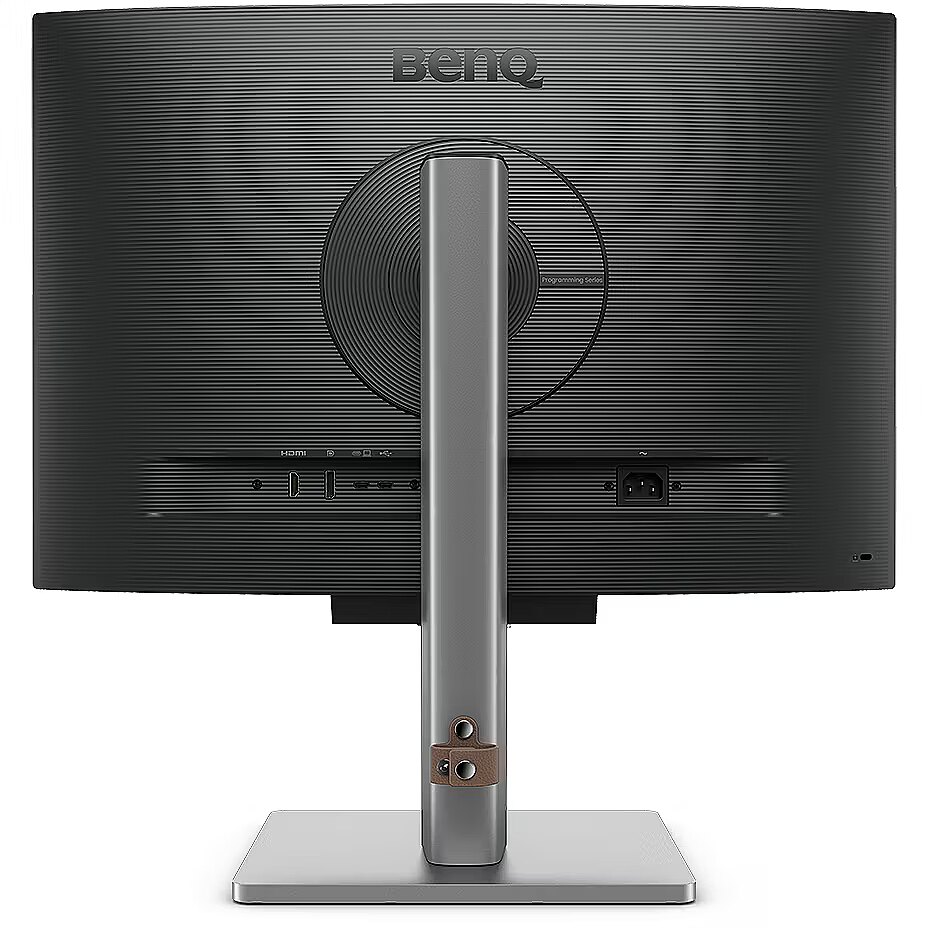
I/O connectors - 1 x 3,5 mm minijack
I/O connectors - 1 x DisplayPort
I/O connectors - 1 x HDMI
I/O connectors - 2 x USB 3.2 Type-C Gen 1
I/O connectors - 3 x USB 3.2 Type-A Gen 1
Informacje podstawowe: Moc głośników - 2 x 2W
Informacje podstawowe: Standard HDR - HDR10
InfraredIRsensor -
LEDbacklight - Yes
Link - https://www.benq.com/en-us/monitor/programming/rd240q.html
LongDesc -
LongDesc - Astonishing Clarity for the Ultimate Coding ExperienceUtterly Clear, Entirely Focused.Crystal-Clear Coding, Glare-Free BrillianceCrafted for Coders: BenQ Programming Monitors offer you full immersion in your code no matter where you are.Superior Code DifferentiationBenQ's advanced coding modes ensure crystal-clear fonts and improved code differentiation, reducing eye strain during prolonged use.Code with Comfort and EfficiencyOffer both dark and light themes for adaptable coding environments. Swiftly adjust brightness, sharpness, and contrast for optimal coding conditions.Take Control of Display Settings with Display Pilot 2Display Pilot 2 is designed to meet your needs. Users can arrange preferred functions with ease, including Shortcuts, Desktop Partition, Application Mode, Software Dimming, Circadian Mode, and more.Assign Different Modes to ApplicationsApplication Mode makes it easy to assign different color modes and remembers your frequently-used settings for your applications. Bind your IDE with the RD series' advanced coding modes for the optimal state of flow!Intelligent Circadian Displays for Comfortable EyesBenQ Low Blue Light Plus includes Circadian Mode, which automatically adjusts your screen's color temperature throughout the day, mirroring the natural sunrise to sunset cycle. Enjoy eye comfort worry-free.Boost Efficiency with Display Pilot 2 ShortcutsThe Exclusive Shortcuts feature allows you to easily bind commonly used functions to the hotkeys. With Display Pilot 2, copying and pasting shortcuts is no longer limited to one set at a time; it conveniently remembers two sets of content at once, enhancing efficiency.Optimization for Maximum Physical ComfortEnhance your coding workspace with adjustable height, tilt, pivot, and swivel capabilities for optimal efficiency and comfort.Optimal Posture, Superior OutputRelieve prolonged neck and body aches. BenQ Programming Monitors prioritize your comfort for long-term projects.Coders' Dream Desk Setup : Comfort and Flexibility at Its CoreCreate your personalized workspace and fully enjoy it.Endless Horizons, Intuitive WorkflowsWhether it's multi-screen integration or single-screen data comparison, a BenQ Programming Monitor meets your multitasking needs.Achieve More and Scroll LessWith a rare 16:10 ratio design, RD240Q is crafted for coders to provide them with an expansive field of view.Seamless Connectivity with Easy Plug and PlayBenQ Programming Monitors offer ample port options, including USB Type-C for all-in-one connectivity.Daisy Chain with the 90W USB Type-CMulti-Stream Transport Technology allows you to extend screens across multiple displays using USB Type-C. The 90W USB Type-C carries images, videos, and other data seamlessly, plus it charges your mobile devices at the same time, all with one cable.Please note that Mac® and MacBook® devices only support daisy chaining via Thunderbolt. Daisy chaining is not supported via HDMI or using regular USB ports on any device. Also, you can only connect a single external display using a Mac device with the M1 or M2 chips. For more information about connecting different models of Mac devices to external displays, please refer to the Apple website.Coding Hotkey and Function BarEffortlessly boost productivity with our unique Coding HotKey and Function Bar designs. With a swift press of the Coding HotKey at the heart of the function bar, immerse yourself instantly into the coding realm.Keep Your Eyes Fatigue-FreeExperience unmatched eye comfort during night hours with our Night Hours Protection and advanced Brightness Intelligence Gen2. BenQ Eye-Care Technology is dedicated to enhancing your visual comfort.Night Hours ProtectionDiscover enhanced eye protection in dark with our Night Hours Protection. Its intelligent ambient light detection and auto-switch capabilities require minimal user intervention, ensuring effortless and consistent eye care.Brightness Intelligence Gen2BenQ B.I. Gen2 detects the brightness in the environment and automatically adjusts the screen brightness, giving you more customization and care for your eyes.Code with Refreshed EyesFor over a decade, BenQ leading Eye-Care Technology has safeguarded your eye health and provided comfort during long hours of screen time. Global safety authority TÜV Rheinland certifies RD240Q's Flicker-Free and Low Blue Light as truly friendly to the human eye. Eyesafe 2.0 certification ensures that the display reduces blue light while maintaining vivid color.BenQ’s Green Commitment : A Vision of SustainabilityBenQ prioritizes eco-friendly practices in our product development, underlining our commitment to sustainability. BenQ Programming Monitors incorporate eco-friendly technology, recycled materials, and an energy-efficient design.85% PCRThe housing of monitors is made with 85% PCR (Post-Consumer Recycled) materials, contributing to environmentally conscious production practices.Recyclable Cardboard PackingWe package our monitors in recyclable cardboard, minimizing our environmental impact and promoting eco-friendliness.Auto Power OffThe Auto Power Off of our feature allows users to automatically power down the screen after 10, 20, or 30 minutes of inactivity, conserving energy and further promoting sustainability.EcoPrivacySave power and safeguard screen privacy effortlessly with our feature that automatically dims your monitor during inactivity.
LongProductName - 24.1" IPS, WQXGA (2560 x1600), 300 nits, 95% P3, HDR10, HDCP 2.2, HDMI, DisplayPort, USB, Flicker-free, Display Pilot 2
LongSummaryDescription - BenQ RD240Q. Display diagonal: 61.2 cm (24.1"), Display resolution: 2560 x 1600 pixels, HD type: WQXGA, Display technology: LCD, Display surface: Anti-glare, Response time: 5 ms, Native aspect ratio: 16:10, Viewing angle, horizontal: 178°, Viewing angle, vertical: 178°. Built-in speaker(s). Built-in USB hub, USB hub version: 3.2 Gen 1 (3.1 Gen 1). VESA mounting, Height adjustment. Product colour: Black
LowBlueLighttechnology - Yes
Manufacturer - BenQ
Manufacturer - BenQ Deutschland
ManufacturerID - 9H.LLXLA.TBE
ManufDatasheet - https://www.tdbaltic.ee/leaflets/BENQ/9H.LLXLA.TBE.pdf
Marketpositioning - Business
Matrix type - TFT IPS
Maximumrefreshrate - 60 Hz
Megapixelapprox -
Model - RD240Q
MPN - 9H.LLXLA.TBE
Multimedia -
Multimedia - Built-in camera - No
Multimedia - Built-in speaker(s) - Yes
Multimedia - Number of speakers - 2
Multimedia - RMS rated power - 4 W
Multimedia > Built-in speaker(s) - Yes
Multimedia > TV tuner integrated - No
Name - BenQ RD240Q
Name - BenQ RD240Q - 60Hz | 2560 x 1600 | 24.1'' | IPS | 5ms
Name - Benq | RD240Q | 24.1 " | IPS | 16:10 | 60 Hz | 5 ms | 2560 x 1600 pixels | 300 cd/m² | HDMI ports quantity 1
name - Monitor 24-inch RD240Q WQXGA 5ms/IPS/1200:1/HDMI/DP
Nativeaspectratio - 16:10
Network -
Networking > Ethernet LAN (RJ-45) ports - No
Number of colors - 1,07 mld
Numberofspeakers - 2
NumberofUSBTypeBupstreamportsq -
NVIDIAGSYNC -
Ochrona oczu: Filtr światła niebieskiego - yes
Ochrona oczu: Redukcja migotania - yes
OnScreenDisplayOSD - Yes
OperatingrelativehumidityHH -
OperatingtemperatureTT -
Operationalconditions -
Other features - Video colour modes - Cinema, Custom, Night
Packagedepth -
Package features > Embeeded battery - No
Package features > Gross depth (mm) - 522.00 mm
Package features > Gross height (mm) - 230.00 mm
Package features > Gross width (mm) - 533.00 mm
Package features > Packing quantity - 1.00 pc(s)
Package features > Palette Qty - 14 pc(s)
Package features > Paper/Pasteboard - 2000.00 g
Package features > Plastic (No PET) - 600.00 g
Package features > Tare weight (kg) - 2.60 kg
Package features > Volume (m3) - 0.06 m³
Package features > WEE classification - CL109:2:2017-04-01
Package features > WEEE tax - Yes
Packageheight -
PackageHeight - 502
PackageLength - 779
Packagetype -
Packageweight -
PackageWeight - 12150
Packagewidth -
PackageWidth - 222
Packagingcontent -
Packaging content - Bundled software - Display Pilot 2
Packaging content - Quick start guide - Yes
Packagingdata -
Panelmountinginterface - 100 x 100 mm
Paneltype - IPS
PDF - https://www.blobs.lt/products/1/6/4/3/5/4/d7bb8ab6806abc38899679c3392a481a/original.pdf
Performance -
Performance - Flicker-free technology - Yes
Performance - Low Blue Light technology - Yes
Performance - Smart modes - ePaper
Pivot - Yes
Pivotangle - -45 - 45°
Pixeldensity - 125 ppi
Pixelpitch -
Ports & interfaces - Built-in USB hub - Yes
Ports & interfaces - DisplayPorts quantity - 1
Ports & interfaces - DisplayPort version - 1.4
Ports & interfaces - HDCP - Yes
Ports & interfaces - HDCP version - 2.2
Ports & interfaces - HDMI - Yes
Ports & interfaces - HDMI ports quantity - 1
Ports & interfaces - HDMI version - 2.0
Ports & interfaces - Headphone out - Yes
Ports & interfaces - Headphone outputs - 1
Ports & interfaces - USB hub version - 3.2 Gen 1 (3.1 Gen 1)
Ports & interfaces - USB Power Delivery (USB PD) - Yes
Ports & interfaces - USB Power Delivery up to - 90 W
Ports & interfaces - USB Type-A downstream ports quantity - 3
Ports & interfaces - USB Type-C DisplayPort Alternate Mode - Yes
Ports & interfaces - USB Type-C downstream ports quantity - 1
Ports & interfaces > DisplayPorts quantity - 1
Ports & interfaces > HDMI ports quantity - 1
Portsinterfaces -
Power -
Power - AC input voltage - 100 - 240 V
Power - Energy consumption (HDR) per 1000 hours - 23 kWh
Power - Energy consumption (SDR) per 1000 hours - 23 kWh
Power - Energy efficiency class (HDR) - F
Power - Energy efficiency class (SDR) - F
Power - Energy efficiency scale - A to G
Power - Power consumption (average) - 20 W
Power - Power consumption (max) - 178 W
Power - Power consumption (off) - 0.3 W
Power - Power consumption (standby) - 0.4 W
Power - Power consumption (typical) - 22.6 W
Power - Power supply type - Internal
Power consumption - 20 W
Powerconsumptionmax - 178 W
Powerconsumptionoff - 0.3 W
Powerconsumptionstandby - 0.4 W
Powerconsumptiontypical - 22.6 W
Powersupplytype - Internal
Pozostałe cechy: Akcesoria - kabel zasilający
ProdDesc - 24.1W LED MONITOR RD240Q DARK GREY
Producent: Nazwa producenta / importera - BenQ
BenQ Europe B.V.
Meerenakkerweg
1-17, 5652 AR Eindhoven, The Netherlands producer - Benq
Producer - BenQ
ProducerCode - 9H.LLXLA.TBE
Productcolour - Black
Productcondition - Original
ProductHighLights -
- Anti-Glare
- WQXGA (2560 x1600)
- Coding Modes
- Body Comfort
- USB Type-C
ProductName - RD240Q
ProductPicture - https://www.tdbaltic.ee/images/products/BENQ/9H.LLXLA.TBE_1.jpg
ProductPicture1 - https://www.tdbaltic.ee/images/products/BENQ/9H.LLXLA.TBE_2.jpg
ProductPicture2 - https://www.tdbaltic.ee/images/products/BENQ/9H.LLXLA.TBE_3.jpg
ProductPicture3 - https://www.tdbaltic.ee/images/products/BENQ/9H.LLXLA.TBE_4.jpg
ProductPicture4 - https://www.tdbaltic.ee/images/products/BENQ/9H.LLXLA.TBE_5.jpg
ProductPicture5 - https://www.tdbaltic.ee/images/products/BENQ/9H.LLXLA.TBE_6.jpg
ProductPicture6 - https://www.tdbaltic.ee/images/products/BENQ/9H.LLXLA.TBE_7.jpg
ProductPicture7 -
ProductPicture8 -
Quickstartguide - Yes
Refresh rate - 60 Hz
Remotelyoperated -
Resolution - 2560 x 1600 (WQXGA)
Responsetime - 5 ms
Response time - 5 ms
Responsetimefast -
Responsetimemeasurementtype -
RMSratedpower - 4 W
Screenshape - Flat
Screen size (diag.) - 24.1"
ShortDescription - 24.1" | IPS | 1920 x 1920 | 8 ms | 60 Hz | Eye-Care, Pivot
ShortSummaryDescription - BenQ RD240Q, 61.2 cm (24.1"), 2560 x 1600 pixels, WQXGA, LCD, 5 ms, Black
Speakers built-in - Yes
SRGBcoveragetypical -
Static contrast - 1 000:1
StoragerelativehumidityHH -
Supportedgraphicsresolutions -
Surfacehardness -
Sustainability - Sustainability certificates - ENERGY STAR, EPEAT Bronze, TCO
Swivelanglerange - -15 - 15°
Swivelling - Yes
TCO Certified - Yes
Technical details - Native refresh rate - 60 Hz
Technical details > Gross weight - 7.60 kg
Technical details > Net weight - 5.00 kg
Technical details > Producer - Benq
Technical details > Producer product name - RD240Q
Technical details > USB-C - Yes
Technical details > USB-C power delivery - 90W
Tiltadjustment - Yes
Tiltanglerange - -5 - 20°
Title - BenQ RD240Q computer monitor 61.2 cm (24.1") 2560 x 1600 pixels WQXGA LCD Black
Touchscreen - No
Touch screen - No
TV tuner built-in - No
URL - https://www.benq.eu/en-eu/monitor/programming/rd240q.html
USBhubversion - 3.2 Gen 1 (3.1 Gen 1)
USBPowerDeliveryUSBPD - Yes
USBTypeAdownstreamportsquantit - 3
USBTypeCDisplayPortAlternateMo - Yes
vendpn - 9H.LLXLA.TBE
Verticalscanrange -
VESA - 100 x 100
VESAmounting - Yes
Viewablesizediagonal -
Viewablesizehorizontal -
Viewablesizevertical -
Viewing angle, horizontal - 178 °
Viewing angle, vertical - 178 °
Viewinganglehorizontal - 178°
Viewinganglevertical - 178°
Warranty - 36
Warranty - 36 month(s)
Warranty - 36 months
Warrantyandmisc -
WarrantyInfo -
Web camera - None
WEEE - DE50770231
Weight - 5 kg
Weight - 12.3
Weight & dimensions - Depth (without stand) - 71.3 mm
Weight & dimensions - Depth (with stand) - 228.6 mm
Weight & dimensions - Height (without stand) - 355.6 mm
Weight & dimensions - Height (with stand) - 522.1 mm
Weight & dimensions - Weight (without stand) - 5 kg
Weight & dimensions - Weight (with stand) - 7.6 kg
Weight & dimensions - Width (without stand) - 533.6 mm
Weight & dimensions - Width (with stand) - 533.6 mm
Weightdimensions -
Weightwithoutstand - 5 kg
Weightwithstand - 7.6 kg
Weight with stand - 7.6 kg
Width - 533.6 mm
Widthwithoutstand - 533.6 mm
Widthwithstand - 533.6 mm
WiFi - No
Złącza: Złącza - 1 x DisplayPort
Złącza: Złącza - 1 x HDMI 2.0
Złącza: Złącza - 2 x USB Type-C
Złącza: Złącza - 3 x USB 3.2 Gen 1 Type A



 DVI - это цифровой стандарт и обеспечивает высокое качества изображения, но он понемногу теряет свою актуальность из-за большого размера порта и некоторых технических огарничений, оставляя место более современным стандартам HDMI и DisplayPort.