Accessories included - Clean Cloth QSG Raport kalibracji Pilot Instrukcje dotyczące bezpieczeństwa Kabel DP2.1 Kabel HDMI (v2.1)
Aspect ratio - 16:9
Auto Pivot - No
Bluetooth - No
Brand - BenQ
BrandPartCode - 9H.LP4LA.TBE
Brightness - 300 nits
Brightness HDR - 1000 nits
Category - Computer Monitors
Certificates - AMD FreeSync Premium Pro
Certificates - TUV
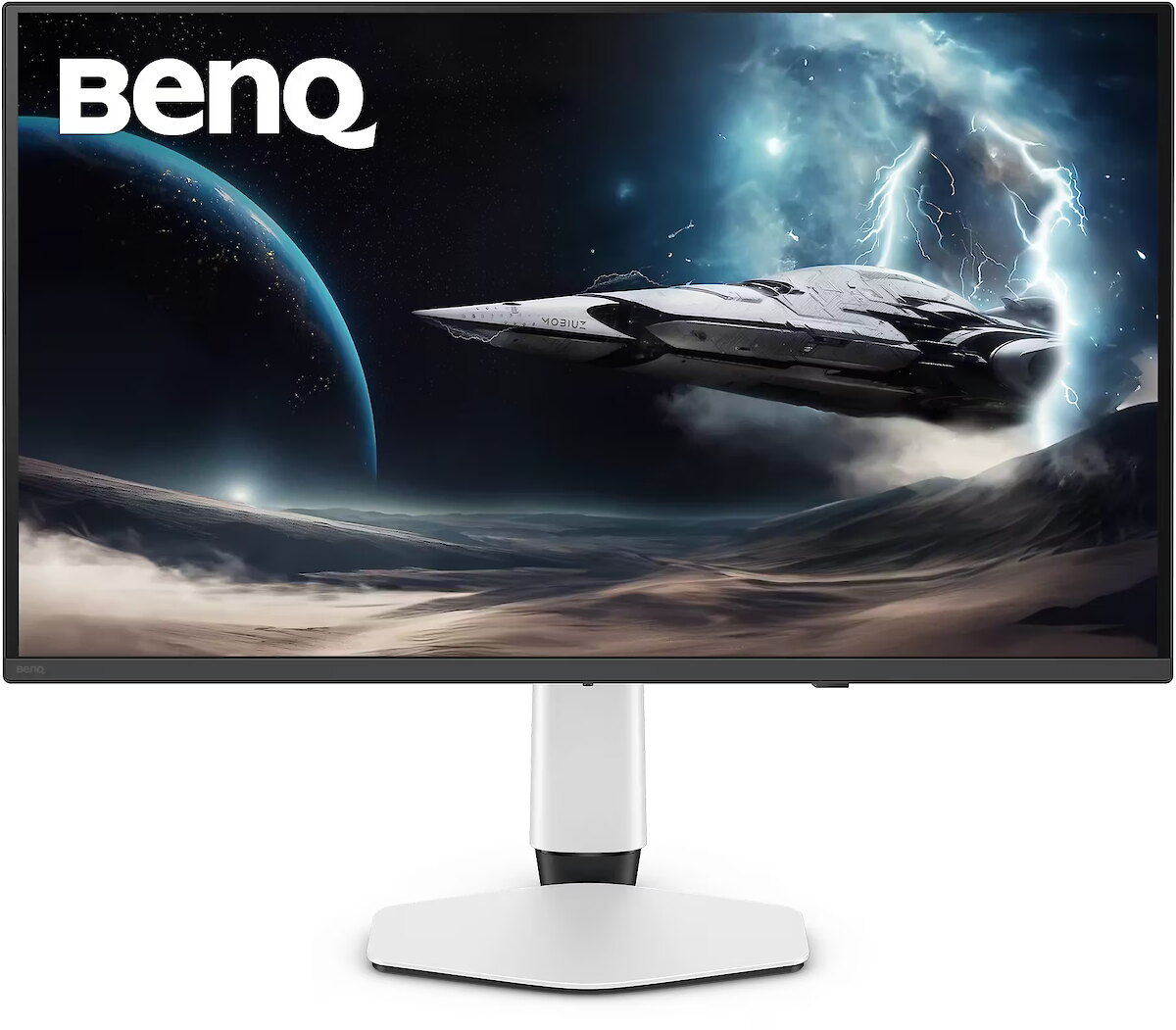
Color - Black
Color - White
Data Act - Link
Depth - 82.93 mm
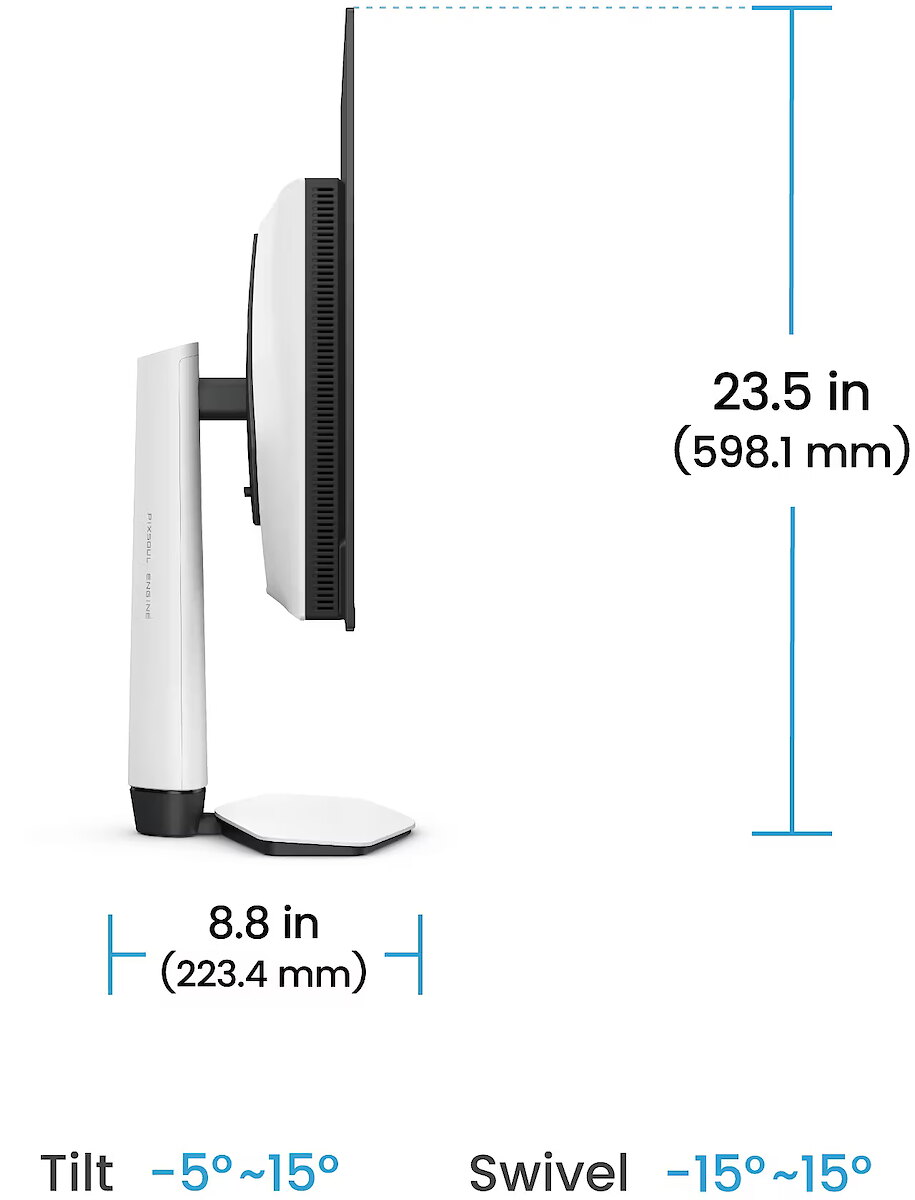
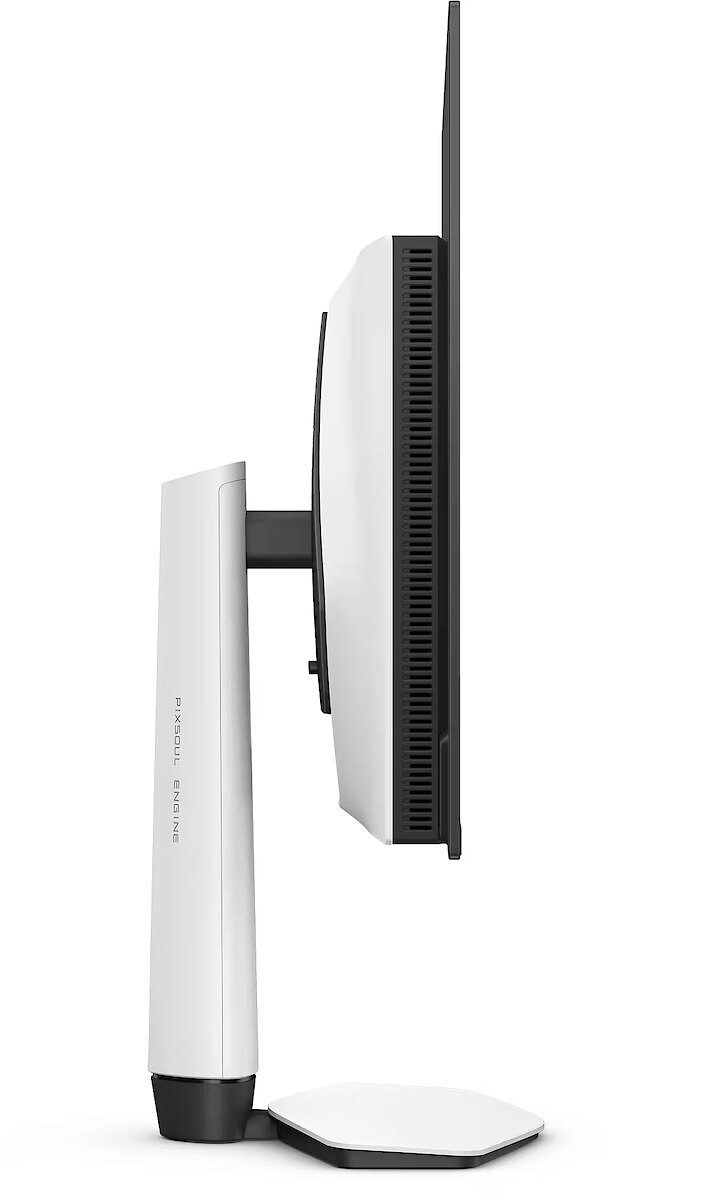
Depth with stand - 223.48 mm
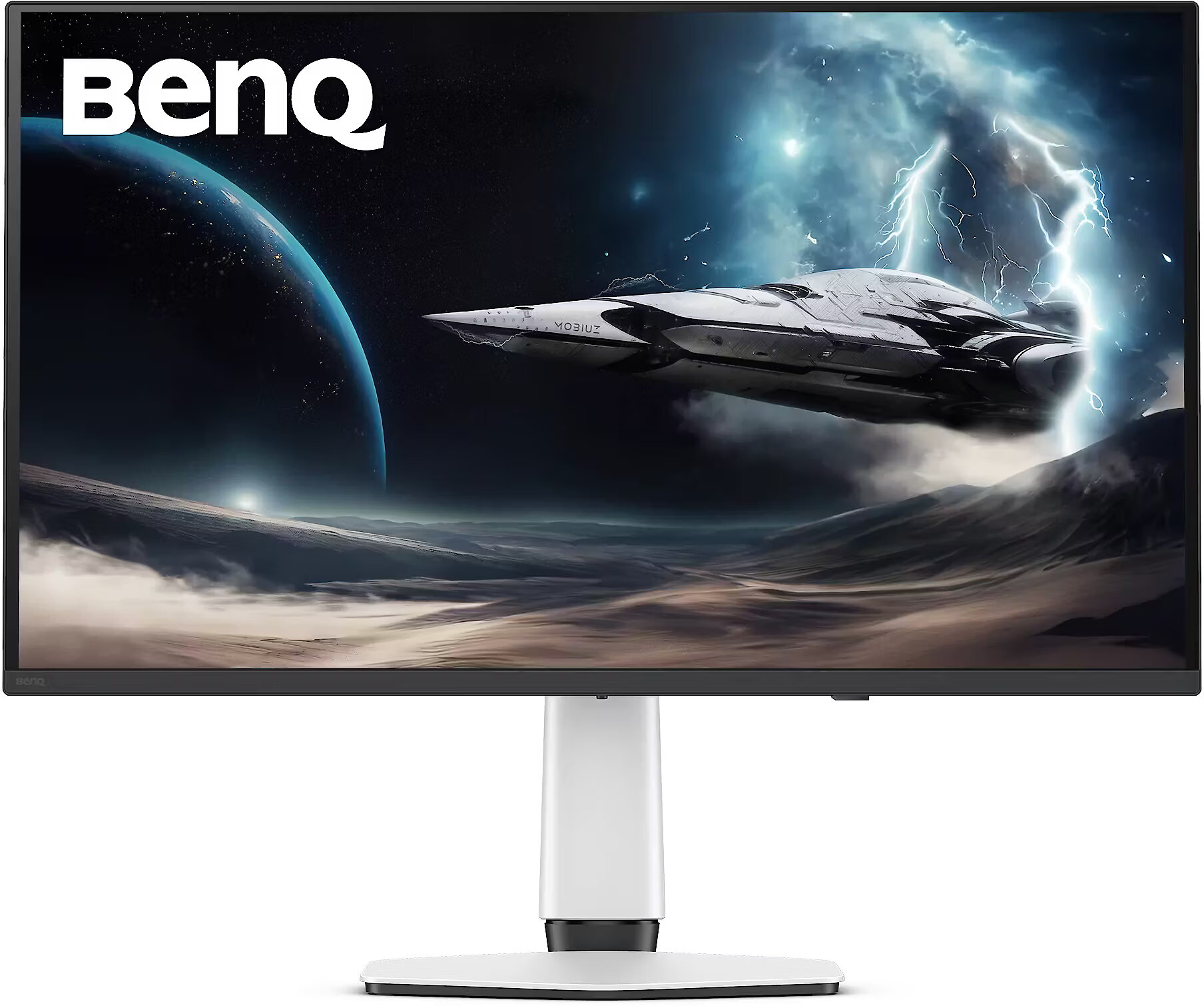
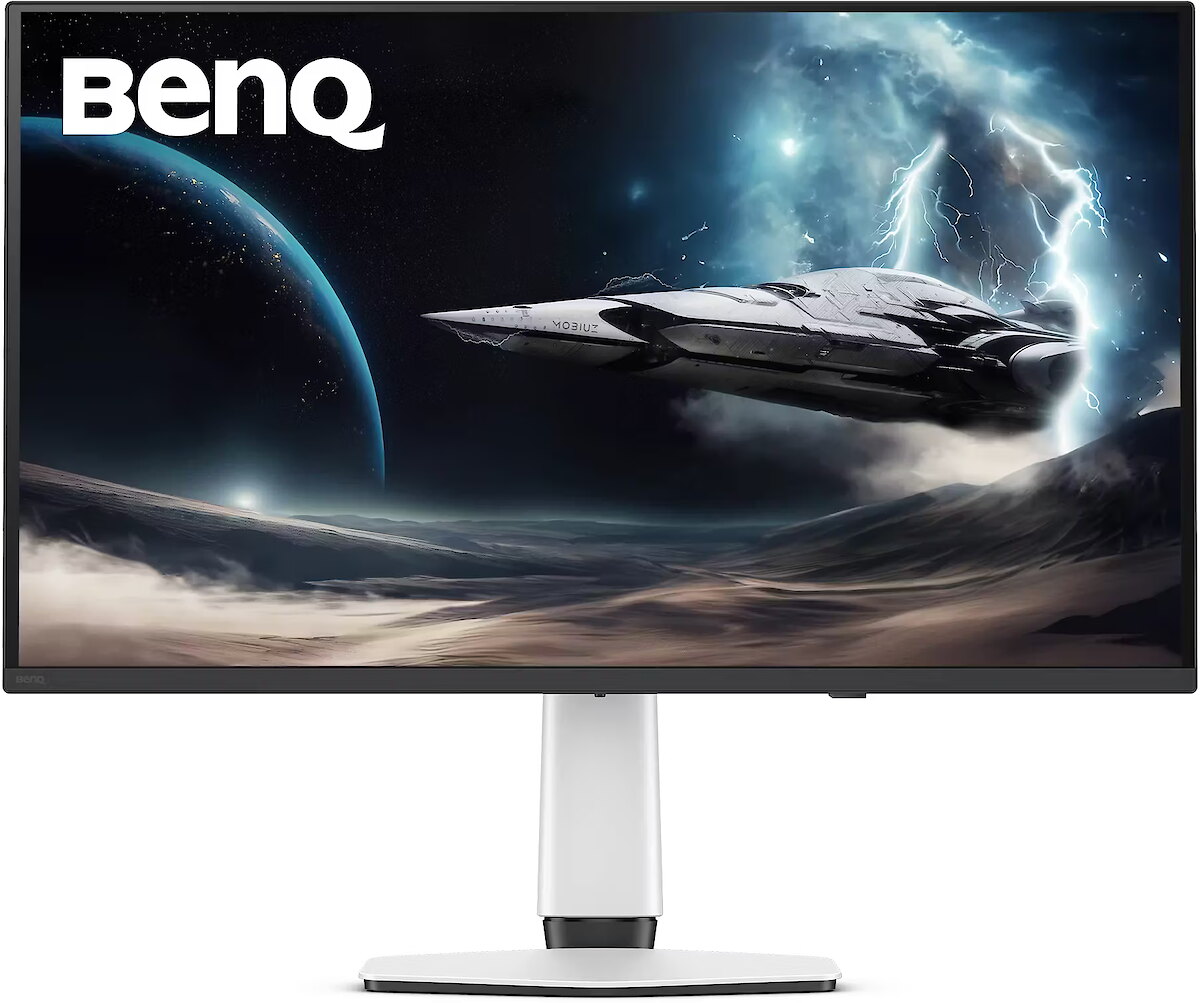
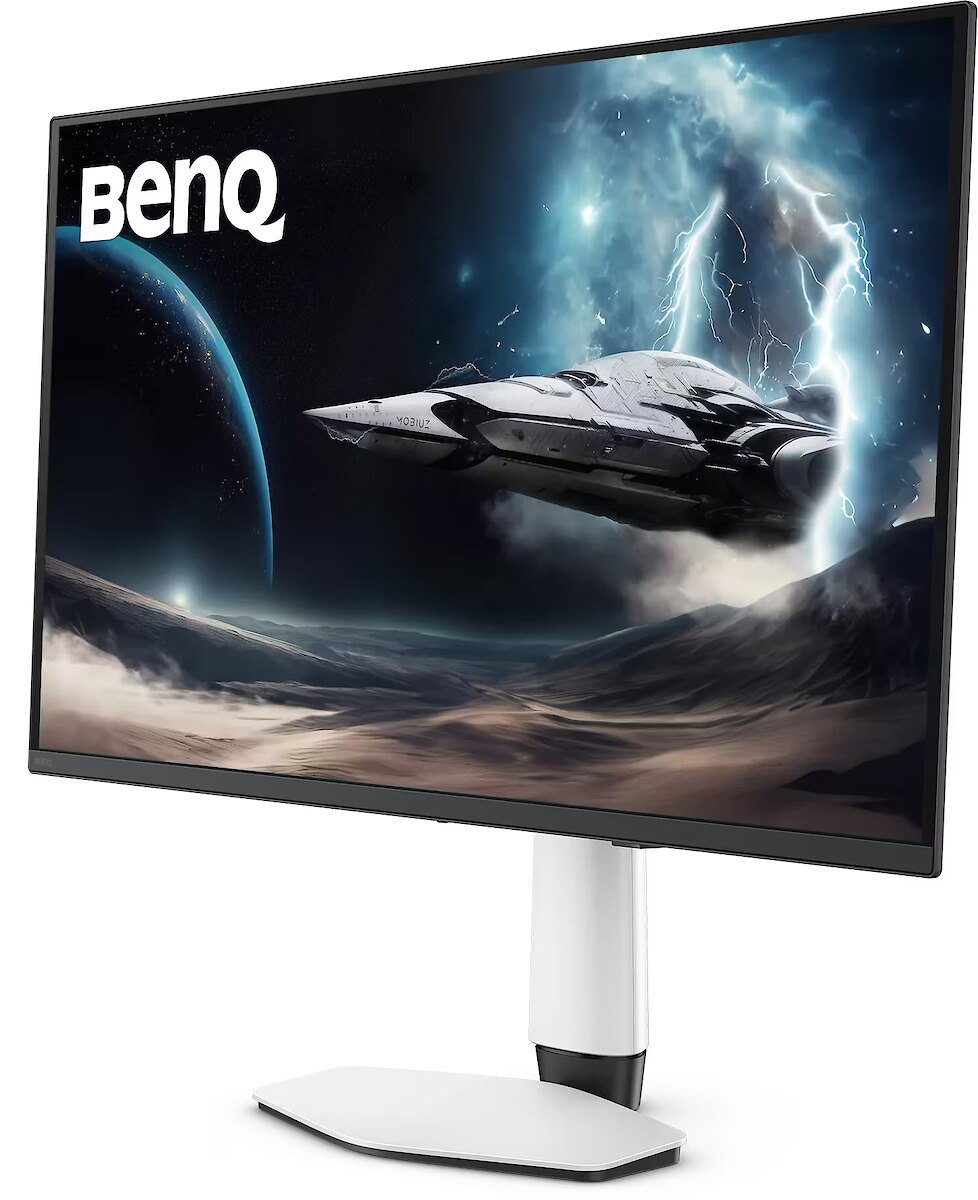
Description - Twoja Gra, Twoje Arcydzieło Przeglądając artbooki z Elden Ring, Horizon Forbidden West czy Tears of the Kingdom - każdy imponujący krajobraz i ruina odzwierciedla unikalny styl Game Art Twojej gry. BenQ Color Lab zachowuje tę wizję dzięki autorskiej kalibracji kolorów, sprawiając że obrazy są wyraziste, wciągające i wierne zamysłowi artysty - na ekranie i wydruku. MOBIUZ doskonale oddaje Game Art. W zestawie otrzymujesz studyjnej jakości Barwy Spektralne i realistyczny Kontrast Pikseli, a także ponad 120 profili kolorystycznych z bazy Color Shuttle Game Art Database - wszystko dostosowane do Twoich ulubionych tytułów. Gdy MOBIUZ Game Art spotyka QD-OLED. Zaczyna się nowa era. Napędzany przez 4. generację QD-OLED, z niesamowitymi kolorami kropek kwantowych i perfekcyjnie czarną czernią OLED, ten Wyświetlacz zapewnia niebywały Kontrast i realistyczne wrażenia wizualne. Razem są gotowe, by wciągnąć Cię jeszcze bardziej w otwarte światy. EX321UZ z powłoką grafenową dla ochrony ekranu OLED, zapewniający niemal doskonałe doświadczenie w grze i dłuższą trwałość! Wyjątkowe Barwy Spektralne: Odkryj Każdą Barwę Graficznej Doskonałości BenQ Color Lab to najwyższy autorytet na rynku w kalibracji kolorów, a monitor do gier MOBIUZ idzie jeszcze dalej - zapewniając pełne spektrum Barwy Spektralne, gdzie każdy niuans jest wyraźnie widoczny. W Twoich ulubionych grach każda scena, postać i element wyposażenia zachwycają płynnym, realistycznym kolorem - dokładnie tak, jak powinny wyglądać. Wyjątkowy Wysoki Kontrast Pikseli: Dostrzeż każdy punkt światła i cienia Dzięki profesjonalnej kalibracji BenQ Color Lab, MOBIUZ Wysoki Kontrast Pikseli lokalnie wzmacnia każdy piksel na scenach w Twojej grze. Niezależnie czy to oślepiające słońce, czy najciemniejsze kanały - każdy detal jest wyraźny jak nigdy wcześniej. Przemierzaj lub eksploruj - ciesz się każdą chwilą i poczuj się naprawdę częścią świata gry. Moc koloru z Color Shuttle: Katalog arcydzieł Game Art BenQ Color Shuttle otwiera nowe możliwości dla Game Art. W bazie Color Shuttle znajduje się ponad 120 profili kolorystycznych dedykowanych najważniejszym tytułom AAA, a ich liczba stale rośnie. Gracze mogą przesyłać, pobierać i cieszyć się Smart Game Artem, który dopasowuje się na bieżąco - każda gra staje się czymś więcej niż tylko grą. To jak przeglądanie artbooka, który za każdym razem chce się oglądać dalej. Tryby Kolorów Oparte na Stylach Game Art: Odkryj swój prawdziwy świat na nowo Nie klasyfikujemy trybów kolorów według gatunku gry - wiemy, że najważniejszy jest Styl Artystyczny Gry. Opracowane na podstawie szeroko zakrojonych testów i bezpośrednich opinii graczy, MOBIUZ stworzył Tryby Kolorów Oparte na Stylach Game Art, które wiernie odwzorowują trzy ikoniczne światy gier: Fantasy, Sci-Fi i Realistyczny. Od płomieni po kamienie, od metalu po pasma włosów - świat, który widzisz, to miejsce, gdzie naprawdę chcesz być. Standard 4K 240Hz 4K 240Hz zapewnia olśniewającą, ultra-wysoką rozdzielczość i niezwykle płynny ruch. Wysoki odświeżania ogranicza rozmycie w ruchu oraz opóźnienie wejściowe, dając graczom przewagę i pełniejsze wrażenia. Wyraźne detale i płynność rozgrywki - to najlepsze ulepszenie dla wymagających graczy. Gotowy na konsolę, gotowy na każdą rozgrywkę Monitory MOBIUZ są wyposażone w pilot, Automatyczny Niski Tryb Opóźnienia, Zmienną Częstotliwość Odświeżania, Consumer Electronics Control oraz Ulepszony Kanał Zwrotny Dźwięku - to wszystko daje konsolom zupełnie nowe możliwości, czyniąc rozgrywkę jeszcze płynniejszą i przyjemniejszą. Doświadcz wyjątkowego Dźwięku z eARC Wyposażone w obsługę eARC oraz uniwersalną podstawkę na soundbary, monitory EX321UZ zapewniają immersyjny Dźwięk, który przenosi Twoje wrażenia z gry na zupełnie nowy poziom realizmu i głębi. Wszystko, czego potrzeba do mistrzowskiego FPS-a Monitory MOBIUZ oferują celownik, licznik FPS oraz Redukcję Rozmycia, zapewniając wsparcie dla gier FPS i pozwalając osiągnąć większą precyzję oraz lepsze wyniki podczas dynamicznej rozgrywki.
Design - Market positioning - Gaming
Design - Product colour - White
Designation - CE+WEEE
dimension depth - 190 mm
dimension height - 510 mm
dimension weight - 12500 g
dimension width - 980 mm
Display - Aspect ratio - 16:9
Display - Colour gamut - 99%
Display - Colour gamut standard - DCI-P3
Display - Contrast ratio (typical) - 1500000:1
Display - Display brightness (peak) - 1000 cd/m²
Display - Display brightness (typical) - 300 cd/m²
Display - Display diagonal - 80 cm (31.5")
Display - Display diagonal (metric) - 80 cm
Display - Display number of colours - 1.07 billion colours
Display - Display resolution - 3840 x 2160 pixels
Display - Display technology - OLED
Display - HD type - 4K Ultra HD
Display - High Dynamic Range (HDR) supported - Yes
Display - High Dynamic Range (HDR) technology - DisplayHDR 500
Display - LED backlight - Yes
Display - Maximum refresh rate - 240 Hz
Display - Native aspect ratio - 16:9
Display - Panel type - IPS
Display - Pixel density - 140 ppi
Display - Response time - 0.03 ms
Display - Response time measurement type - GTG (Gray to Gray)
Display - Screen shape - Flat
Display - Touchscreen - No
Display - Viewing angle, horizontal - 178°
Display - Viewing angle, vertical - 178°
Display surface - Glare
ean - 4718755097386
Energy class - G
Energy label - Pobierz
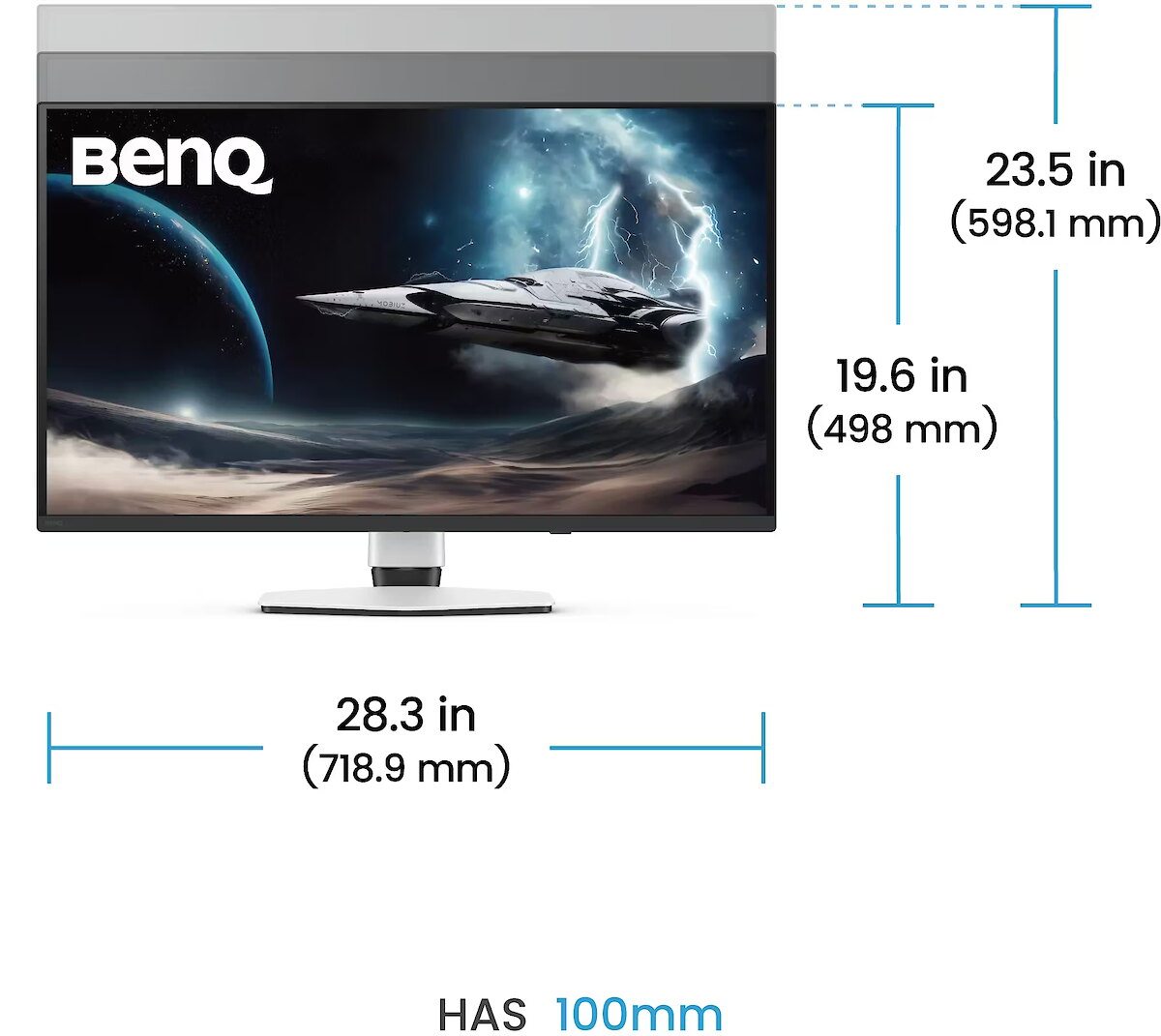
Ergonomics - Adjustable height (max) - 10 cm
Ergonomics - Height adjustment - Yes
Ergonomics - Number of OSD languages - 18
Ergonomics - On Screen Display (OSD) - Yes
Ergonomics - On Screen Display (OSD) languages - Arabic, Simplified Chinese, Czech, German, Dutch, English, Spanish, French, Hungarian, Italian, Japanese, Korean, Polish, Portuguese, Romanian, Russian, Swedish
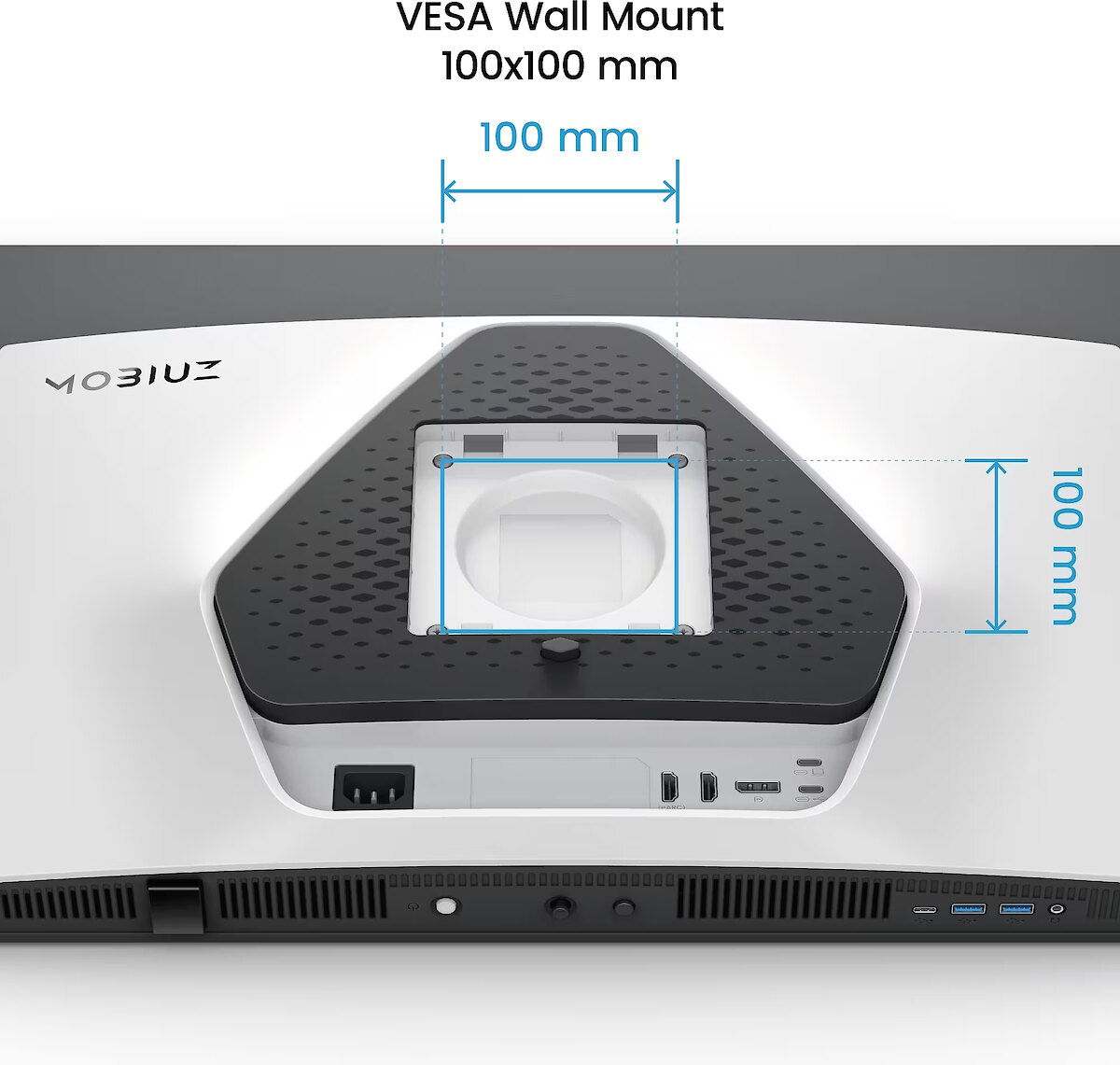
Ergonomics - Panel mounting interface - 100 x 100 mm
Ergonomics - Picture-in-Picture - Yes
Ergonomics - Swivel angle range - -15 - 15°
Ergonomics - Swivelling - Yes
Ergonomics - Tilt adjustment - Yes
Ergonomics - Tilt angle range - -5 - 15°
Ergonomics - VESA mounting - Yes
GTIN - 4718755097386
guarantee - 36
guarantee_type - external
Height - 418.14 mm
Height adjustment - Yes
Height adjustment range - 100 mm
Height with stand - 598.14 mm
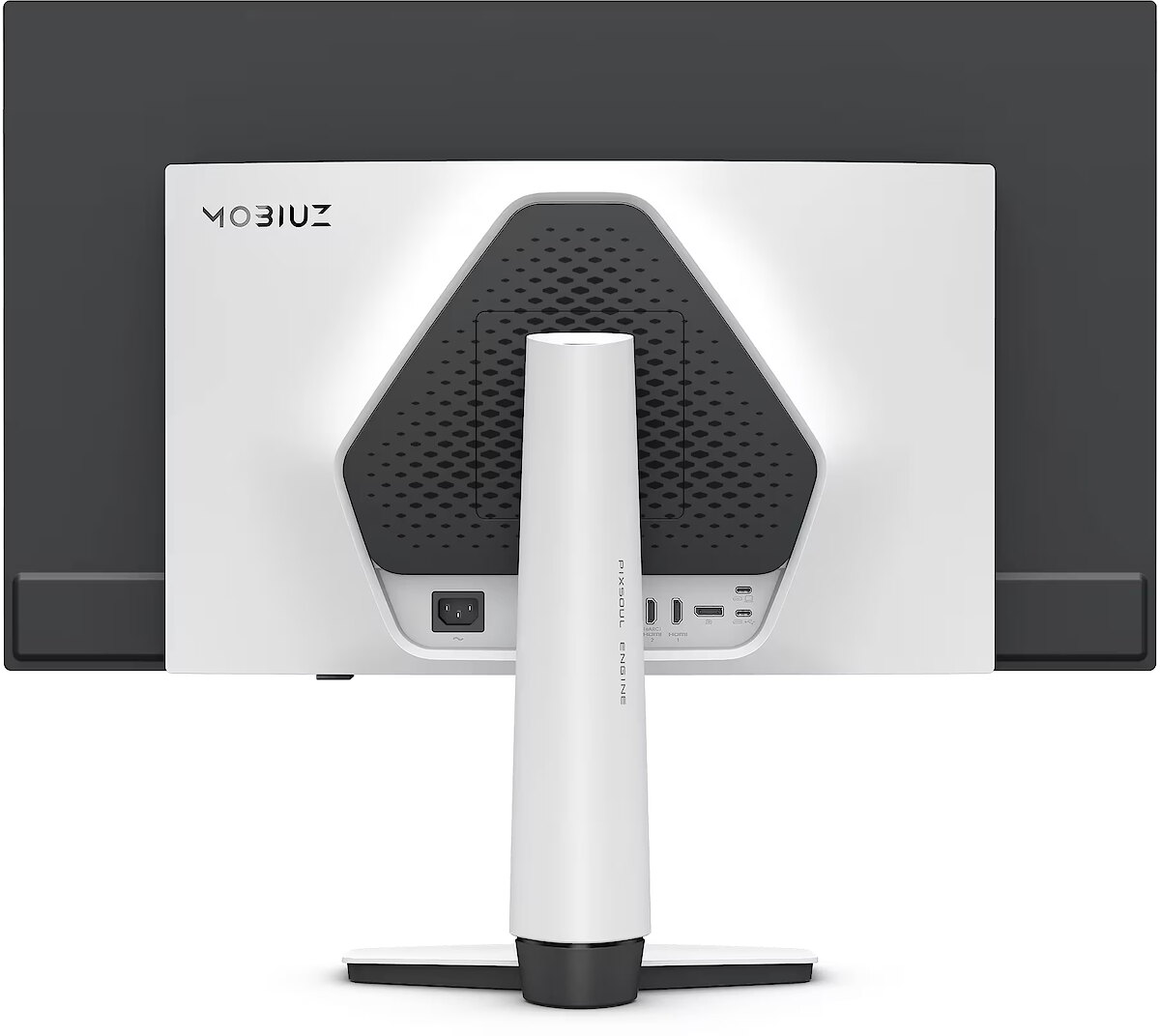
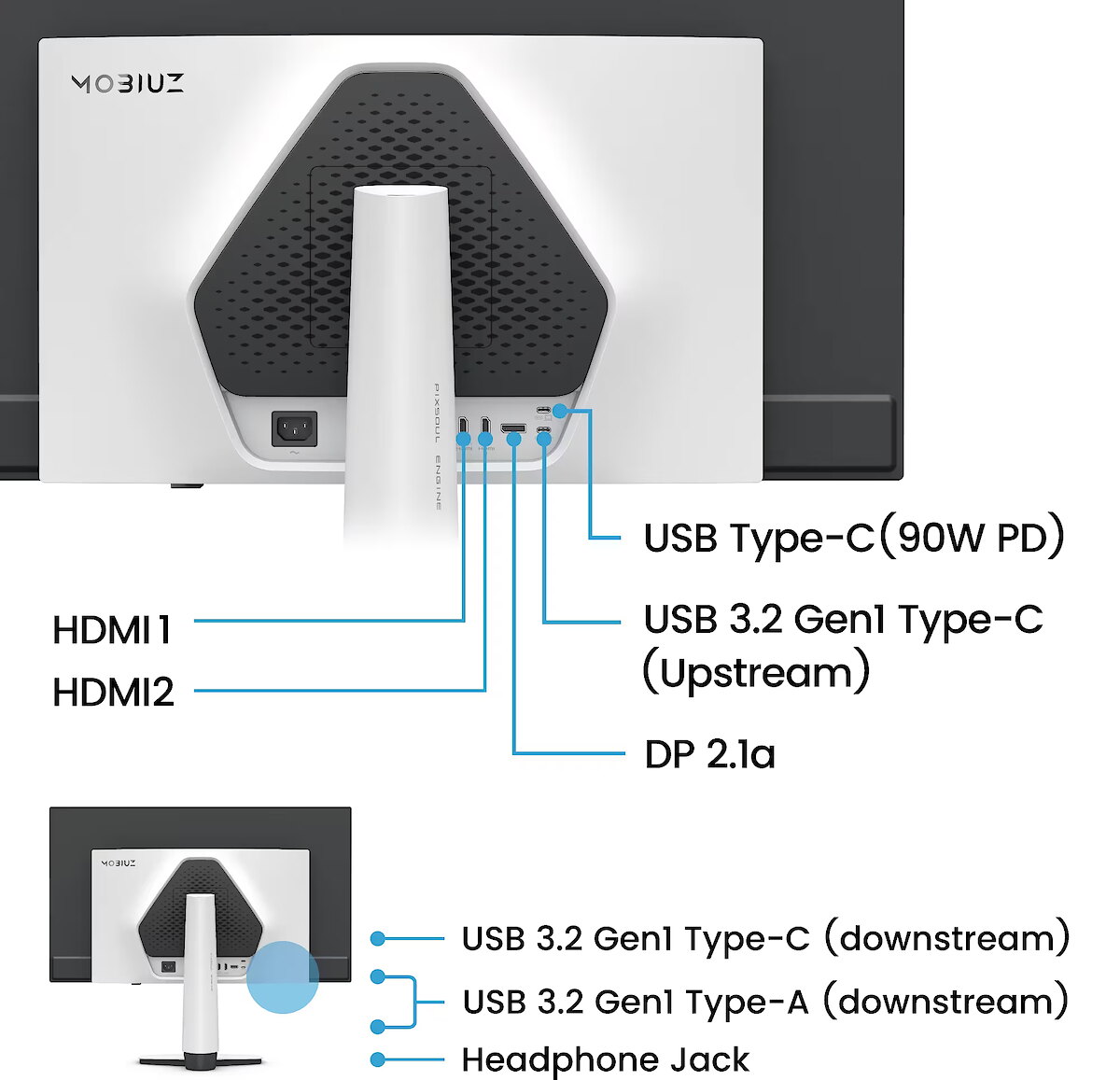
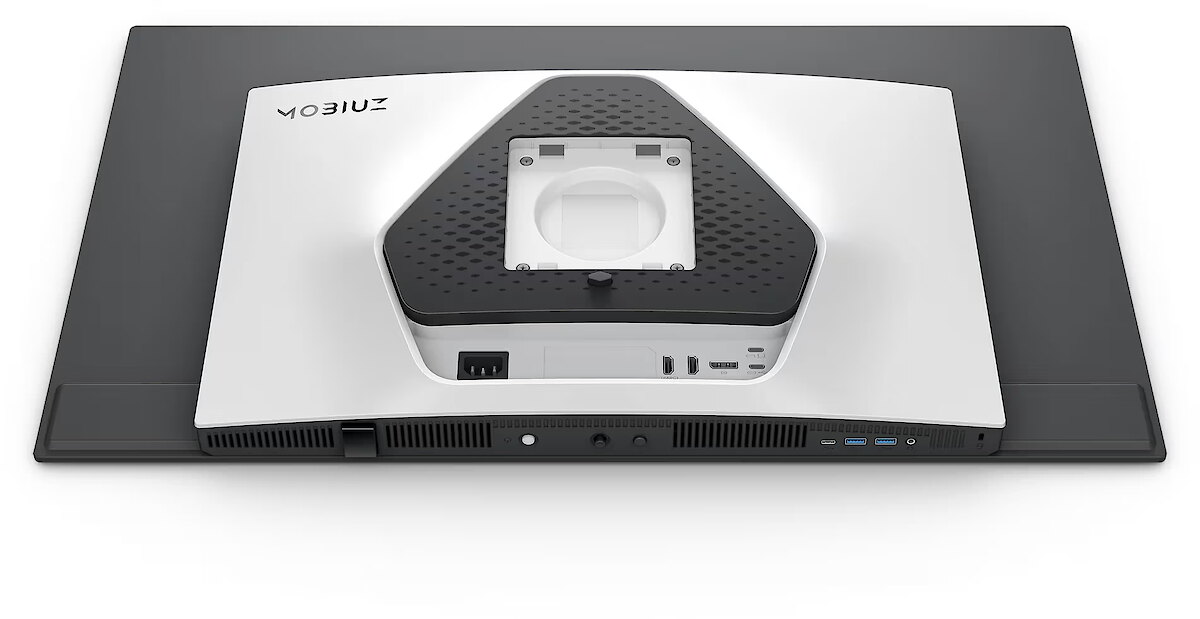
I/O connectors - 1 x 3,5 mm minijack
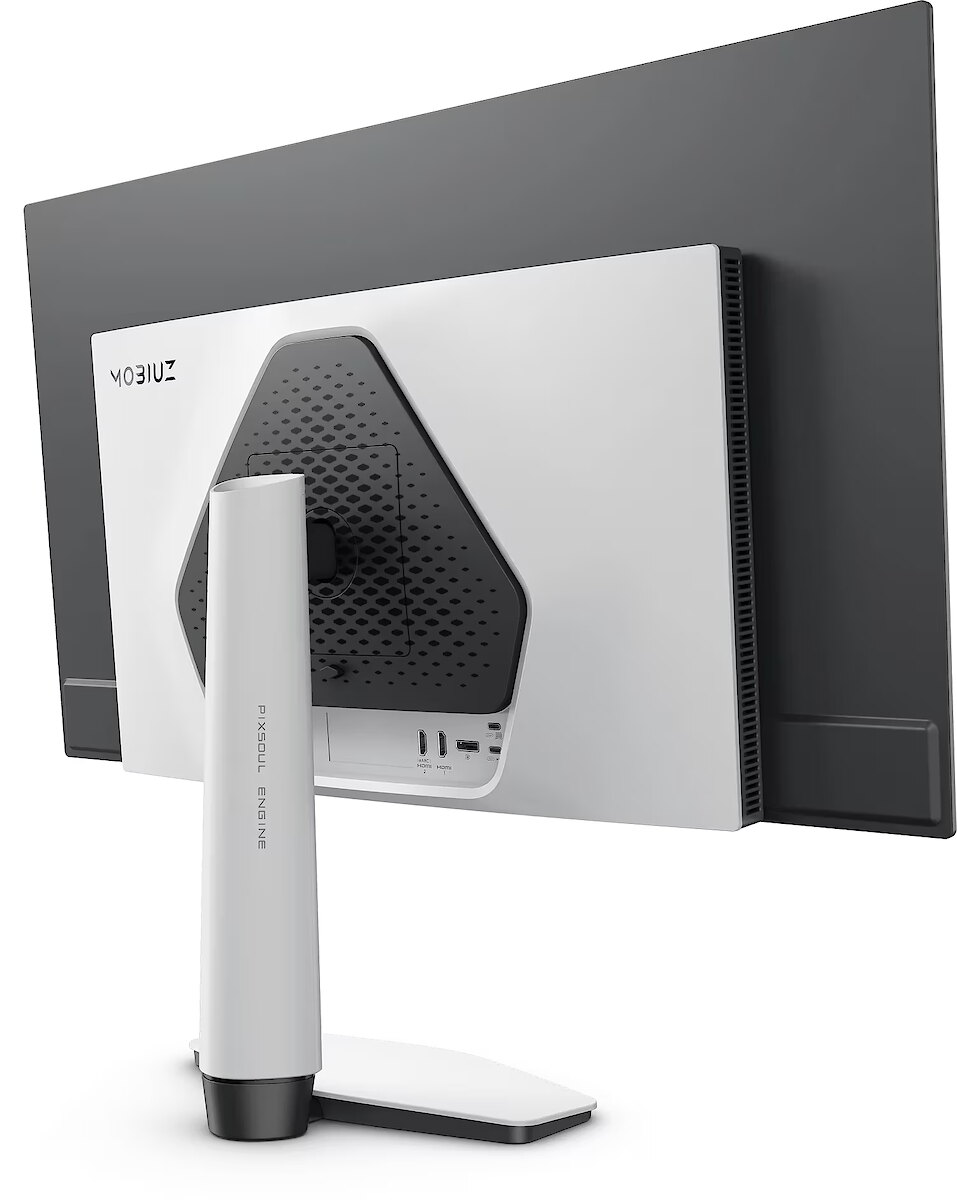
I/O connectors - 1 x DisplayPort
I/O connectors - 2 x HDMI
I/O connectors - 2 x USB 3.2 Type-A Gen 1
I/O connectors - 2 x USB 3.2 Type-C Gen 1
Kensington Security Slot - Nie
LongDesc - Your Game, a MasterpieceFlip through an artbook from Elden Ring, Horizon Forbidden West, or Tears of the Kingdom — every stunning landscape and ruin reflects the game art style of your game. BenQ Color Lab preserves this vision with exclusive color tuning, keeping visuals vivid, immersive, and true to the artist’s intent—on screen and in print.MOBIUZ knows how to express Game Art. Loaded with studio-grade Spectral Color and true-to-life Pixel Contrast, plus 120+ custom color profiles from the Color Shuttle Game Art Database — all tuned for your favorite games.When MOBIUZ Game Art Meets QD-OLED. A New Era Begins.Powered by 4th Gen QD-OLED, with jaw-dropping quantum dot colors and perfect OLED blacks, this display delivers insane contrast and lifelike visuals. Together, they’re ready to level up your open-world adventures.EX321UZ with Graphene Film for OLED Display Protection, delivering a nearly perfect in-game experience with extended durability!Exclusive Spectral Color : Made to Reveal Every Hue of the Studio-Grade VisualsBenQ Color Lab stands as the market’s leading authority in color calibration, while the MOBIUZ Gaming Monitor takes it further—delivering full-spectrum Spectral Color with every nuance vividly visible. In your favorite games, every scene, character, and gear bursts with seamless, lifelike color—just the way they were meant to be seen.Exclusive High Pixel Contrast : Made to Capture Every Point of Light and DarkWith BenQ Color Lab’s expert calibration, MOBIUZ High Pixel Contrast locally enhances every single pixel in your game scenes. Whether it’s the blazing sun or the darkest sewer, every detail remains crystal clear. Questing or exploring, enjoy every moment and feel truly part of the world around you.Empowered by Color Shuttle: A Catalogue of Game Art MasterpiecesBenQ Color Shuttle leads the way in empowering Game Art. The Color Shuttle Database features 120+ color profiles for top AAA titles, with more on the way. Players can upload, download, and enjoy Smart Game Art that adapts in real time—turning every game into more than just a game. It’s like flipping through an art book that leaves you wanting more.Color Modes Based on Game Art Styles: Redefine How You See Your True WorldWe don’t classify color modes by game genre—we know what truly matters is the Game Art Style. Developed through extensive testing and direct feedback from gamers, MOBIUZ has crafted Color Modes Based on Game Art Styles that faithfully represent the three most iconic game worlds: Fantasy, Sci-Fi, and Realistic. From flames to stone, metal to strands of hair—the world you see is exactly where your heart belongs.4K 240Hz Standard4K 240Hz delivers stunning ultra-high-definition visuals with incredibly smooth motion. The high refresh rate reduces motion blur and input lag, providing gamers with a competitive edge and immersive experience. Combined with sharp detail and fluid gameplay, it’s the ultimate upgrade for serious players.Ready for Console, Ready for Every GameplayMOBIUZ monitors are equipped with a remote control, Auto Low Latency Mode, Variable Refresh Rate, Consumer Electronics Control, and Enhanced Audio Return Channel, delivering a console-oriented boost for an enhanced and seamless gaming experience.Experience Superior Audio with eARCEquipped with eARC support and a versatile ID stand for soundbars, EX321UZ monitors deliver immersive audio that elevates your gaming experience to new levels of realism and depth.All You Need for FPS ExcellenceMOBIUZ monitors feature Crosshair, FPS Counter, and Blur Reduction, providing an FPS-oriented boost for enhanced accuracy and performance in fast-paced gaming.
LongProductName - EX321UZ|31.5” 4K 240Hz BenQ MOBIUZ OLED Gaming Monitor
LongSummaryDescription - BenQ EX321UZ. Display diagonal: 80 cm (31.5"), Display resolution: 3840 x 2160 pixels, HD type: 4K Ultra HD, Display technology: OLED, Response time: 0.03 ms, Native aspect ratio: 16:9, Viewing angle, horizontal: 178°, Viewing angle, vertical: 178°. Built-in USB hub, USB hub version: 3.2 Gen 1 (3.1 Gen 1). VESA mounting, Height adjustment. Product colour: White
Matrix type - OLED
Microphone - Nie
Model - EX321UZ
Multimedia - Built-in camera - No
name - Monitor 32 inches EX321UZ 4K LED 1ms/IPS/240Hz/Gaming
Number of colors - 1,07 mld
Other features - Brand specific technologies - Black Equalizer
Other features - FPS counter - Yes
Other features - Motion blur reduction - Yes
Packaging content - Bundled software - Color Shuttle
Display Quickit
Packaging content - Cables included - HDMI
Packaging content - Quick start guide - Yes
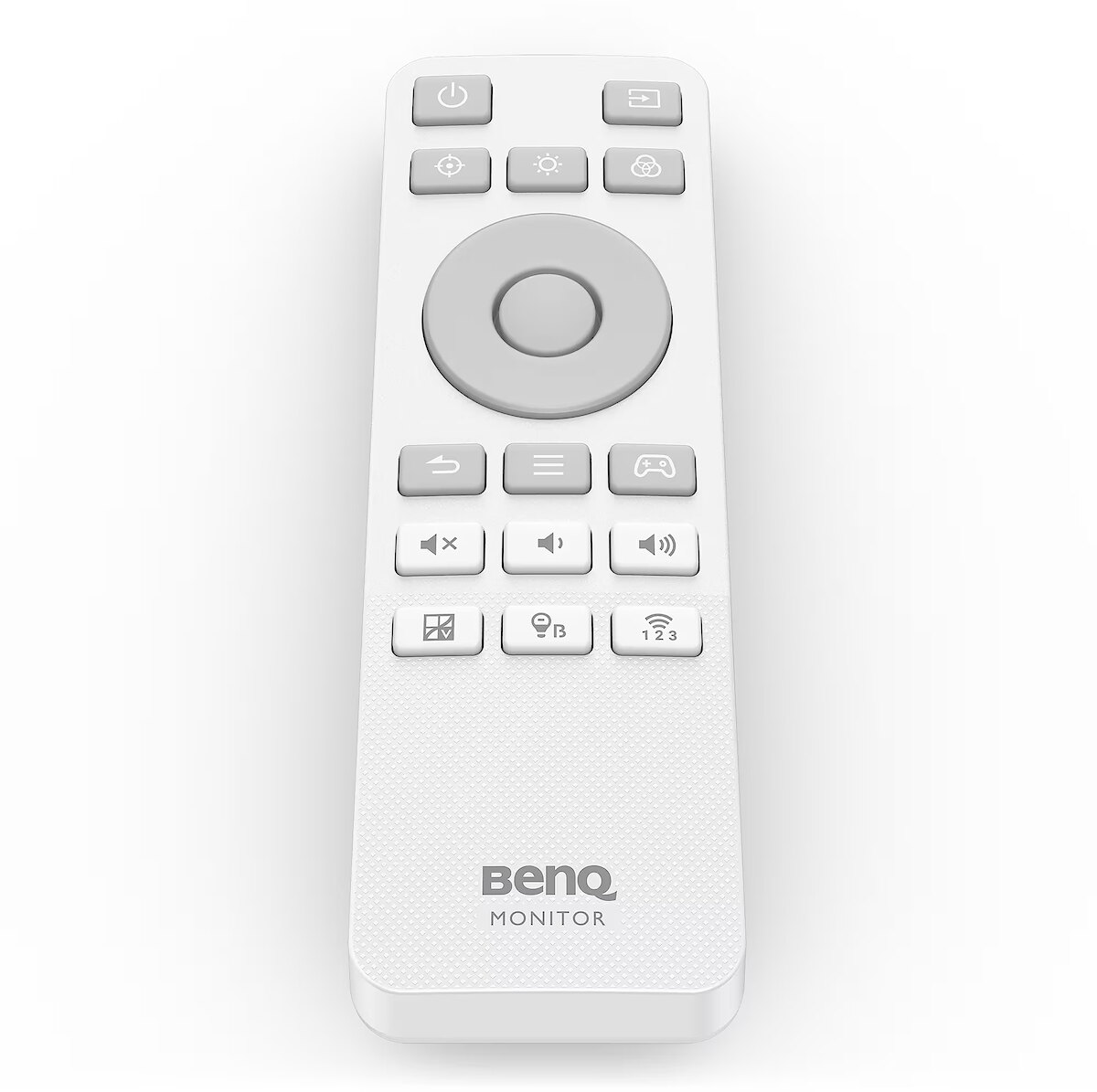
Packaging content - Remote control included - Yes
Performance - AMD FreeSync - Yes
Performance - AMD FreeSync type - FreeSync Premium Pro
Performance - Flicker-free technology - Yes
Performance - Low Blue Light technology - Yes
Performance - NVIDIA G-SYNC - No
Performance - Smart modes - Cinema, Custom, Game, M-Book, RPG, ePaper
Ports & interfaces - Built-in KVM switch - Yes
Ports & interfaces - Built-in USB hub - Yes
Ports & interfaces - DisplayPorts quantity - 1
Ports & interfaces - DisplayPort version - 2.1
Ports & interfaces - HDCP - Yes
Ports & interfaces - HDCP version - 2.3
Ports & interfaces - HDMI - Yes
Ports & interfaces - HDMI ports quantity - 2
Ports & interfaces - HDMI version - 2.1
Ports & interfaces - Headphone out - Yes
Ports & interfaces - Headphone outputs - 1
Ports & interfaces - Number of USB Type-C upstream ports quantity - 1
Ports & interfaces - USB hub version - 3.2 Gen 1 (3.1 Gen 1)
Ports & interfaces - USB Power Delivery (USB PD) - Yes
Ports & interfaces - USB Power Delivery up to - 90 W
Ports & interfaces - USB Type-A downstream ports quantity - 2
Ports & interfaces - USB Type-C DisplayPort Alternate Mode - Yes
Ports & interfaces - USB Type-C downstream ports quantity - 1
Power - AC input voltage - 100 - 240 V
Power - Energy consumption (HDR) per 1000 hours - 36 kWh
Power - Energy consumption (SDR) per 1000 hours - 35 kWh
Power - Energy efficiency class (HDR) - G
Power - Energy efficiency class (SDR) - G
Power - Energy efficiency scale - A to G
Power - Power consumption (max) - 300 W
Power - Power consumption (standby) - 0.5 W
Power - Power consumption (typical) - 45 W
Power consumption - 45 W
producer - Benq
ProductName - EX321UZ
Refresh rate - 240 Hz
Resolution - 3840 x 2160
Response time - 0.03 ms
Screen size (diag.) - 31.5''
ShortSummaryDescription - BenQ EX321UZ, 80 cm (31.5"), 3840 x 2160 pixels, 4K Ultra HD, OLED, 0.03 ms, White
Speakers built-in - No
Static contrast - 1 500 000:1
Swivel - Yes
Tilt - Yes
Title - BenQ EX321UZ computer monitor 80 cm (31.5") 3840 x 2160 pixels 4K Ultra HD OLED White
Touch screen - No
Transreflective technology - LED
TV tuner built-in - No
URL - https://www.benq.eu
vendpn - 9H.LP4LA.TBE
VESA - 100 x 100
Viewing angle, horizontal - 178 °
Viewing angle, vertical - 178 °
WarrantyInfo -
Web camera - None
Weight - 5.99 kg
Weight & dimensions - Depth (without stand) - 82.9 mm
Weight & dimensions - Depth (with stand) - 223.5 mm
Weight & dimensions - Height (without stand) - 418.1 mm
Weight & dimensions - Height (with stand) - 598.1 mm
Weight & dimensions - Weight (without stand) - 5.99 kg
Weight & dimensions - Weight (with stand) - 8.29 kg
Weight & dimensions - Width (without stand) - 718.9 mm
Weight & dimensions - Width (with stand) - 718.9 mm
Weight with stand - 8.29 kg
Width - 718.88 mm
WiFi - No




 DVI is a digital standard and ensures high image quality, however, thanks to the big size of the plug and the inability of the standard to develop further due to a few technical restrictions this type of connection is gradually losing its popularity to modern HDMI and DisplayPort standards.