Accessories included - HDMI cable 1.8 m DisplayPort cable 1.8 m Power cable
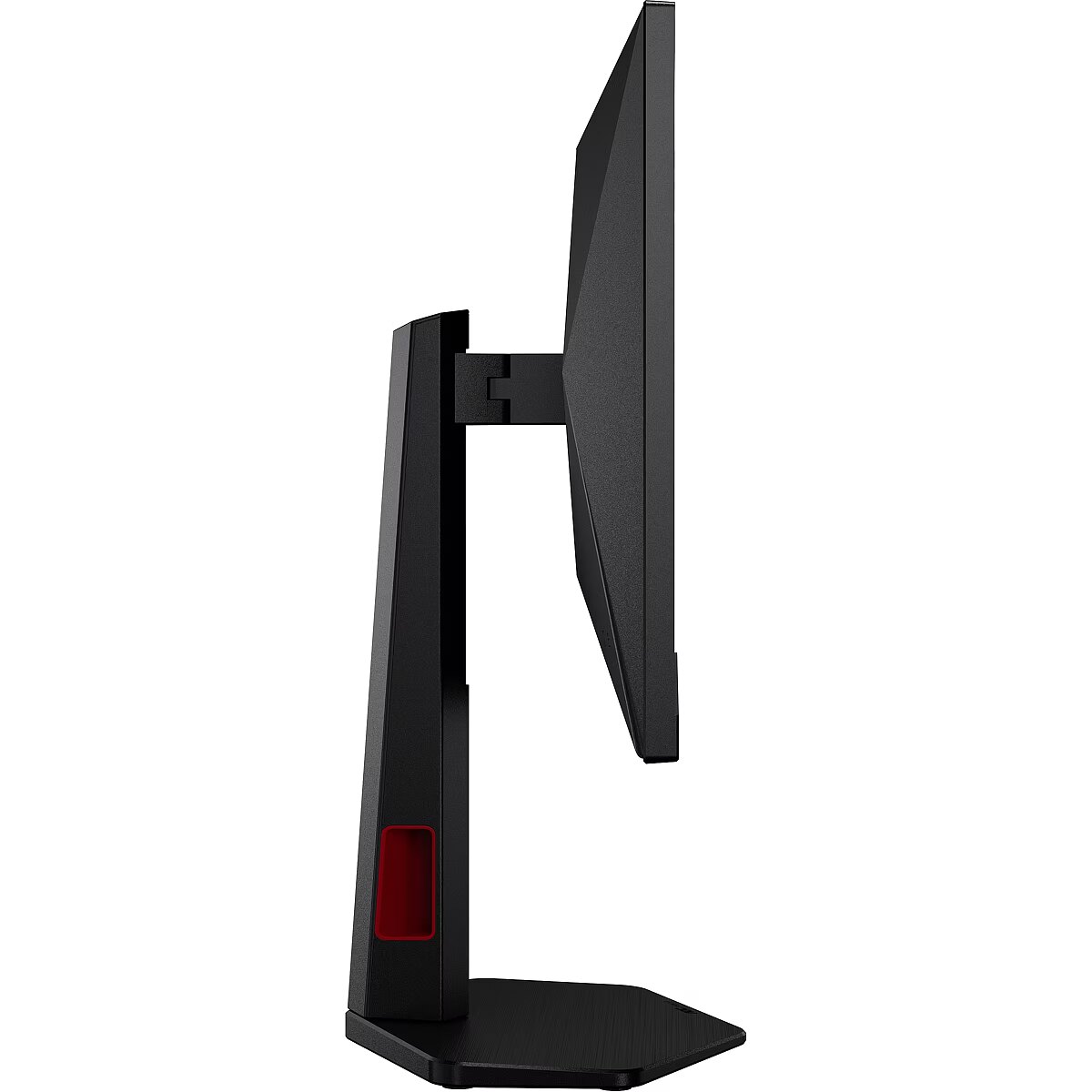
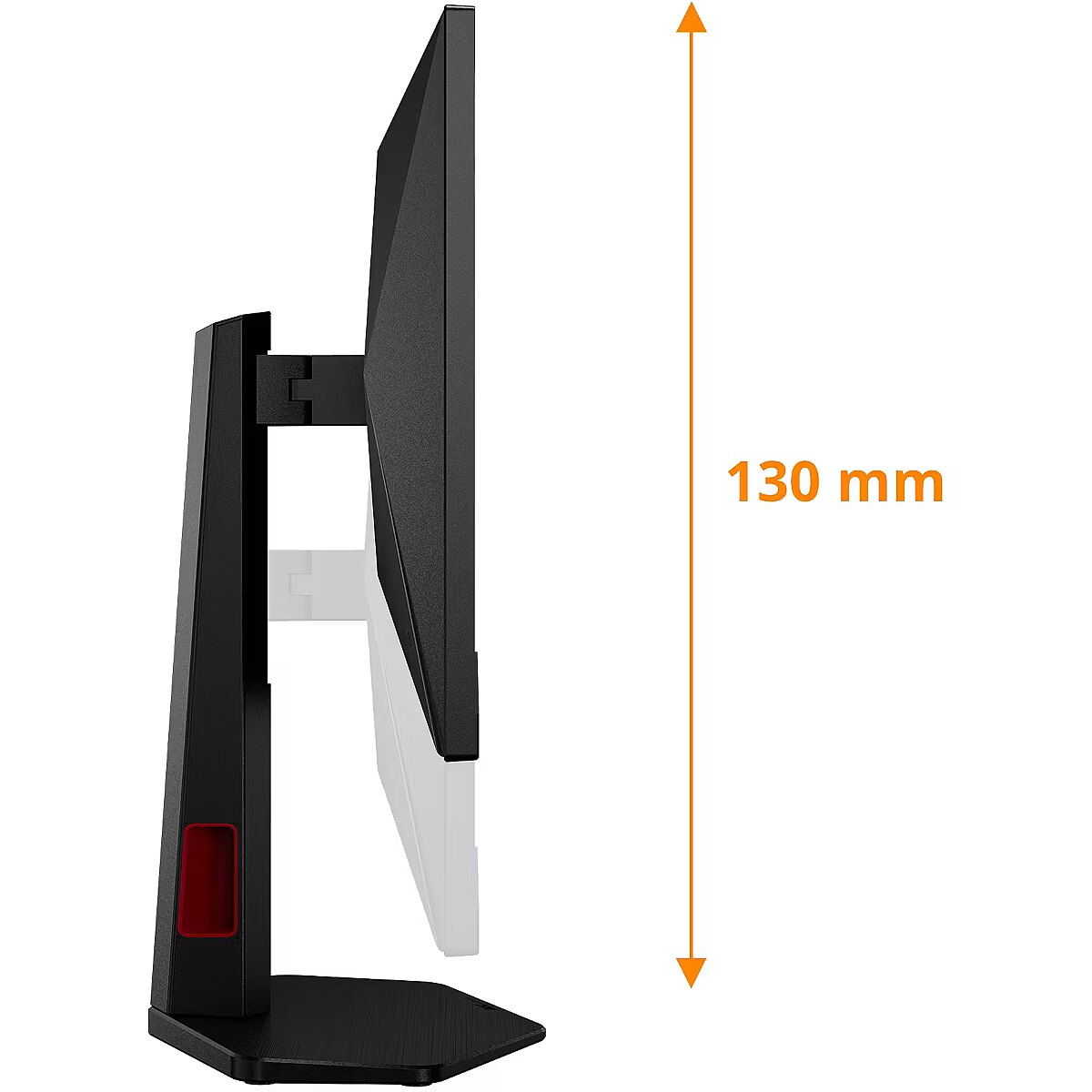
Adjustable height (max) Ergonomics - 13 cm
Adobe RGB coverage Display - 86.6%
AMD FreeSync Performance - No
Anti-glare screen Display - Yes
Aspect ratio - 16:9
Audio output Ports & interfaces - Yes
Auto Pivot - Yes
Backlight type Display - W-LED
Bezel thickness type Other features - Frameless
Bluetooth - No
Brand - AOC
BrandPartCode - 24G4ZR/02
Brand specific technologies Other features - Crosshair
Brightness - 300 cd/m²
Built-in USB hub Ports & interfaces - No
Cable lock slot Ergonomics - Yes
Cable lock slot type Ergonomics - Kensington
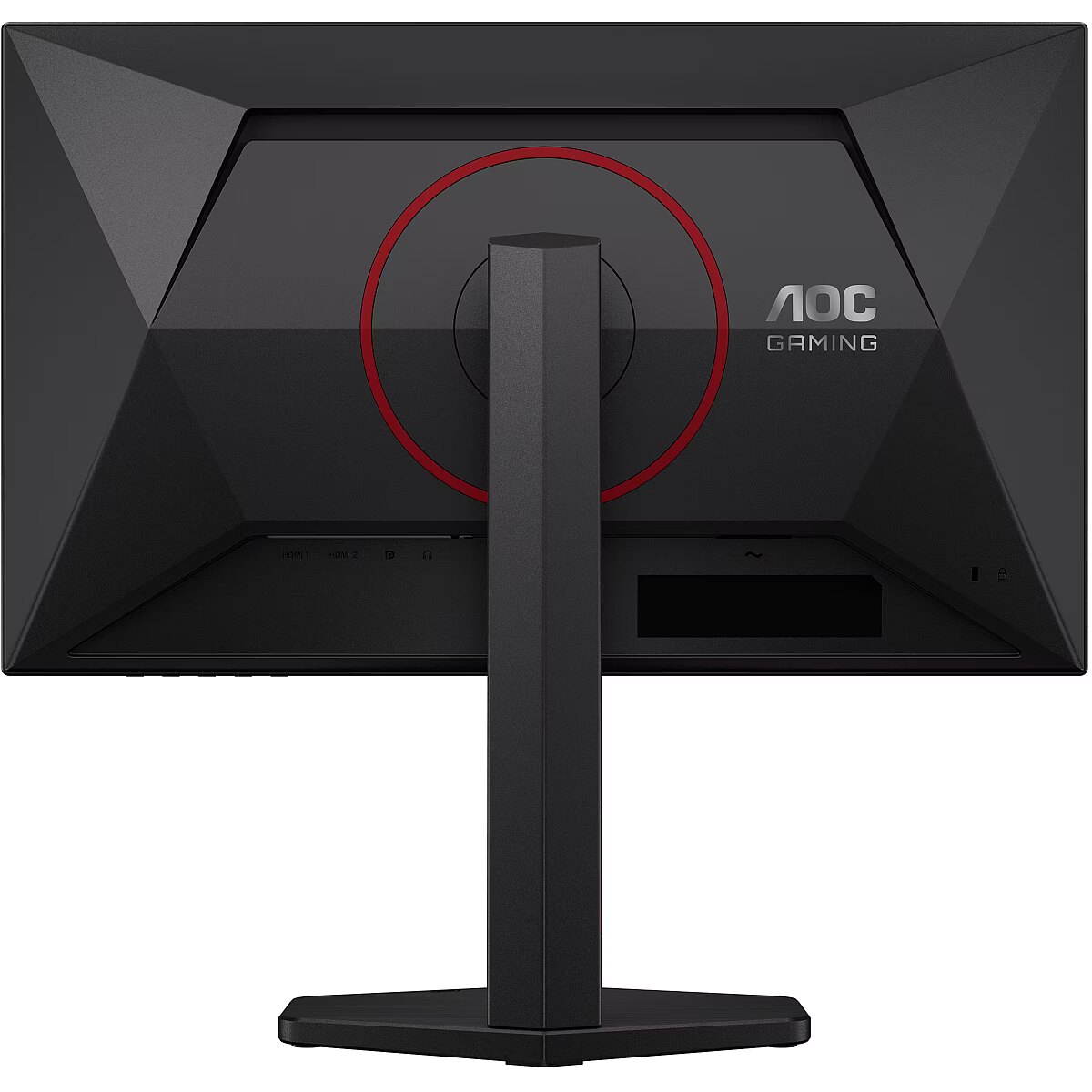
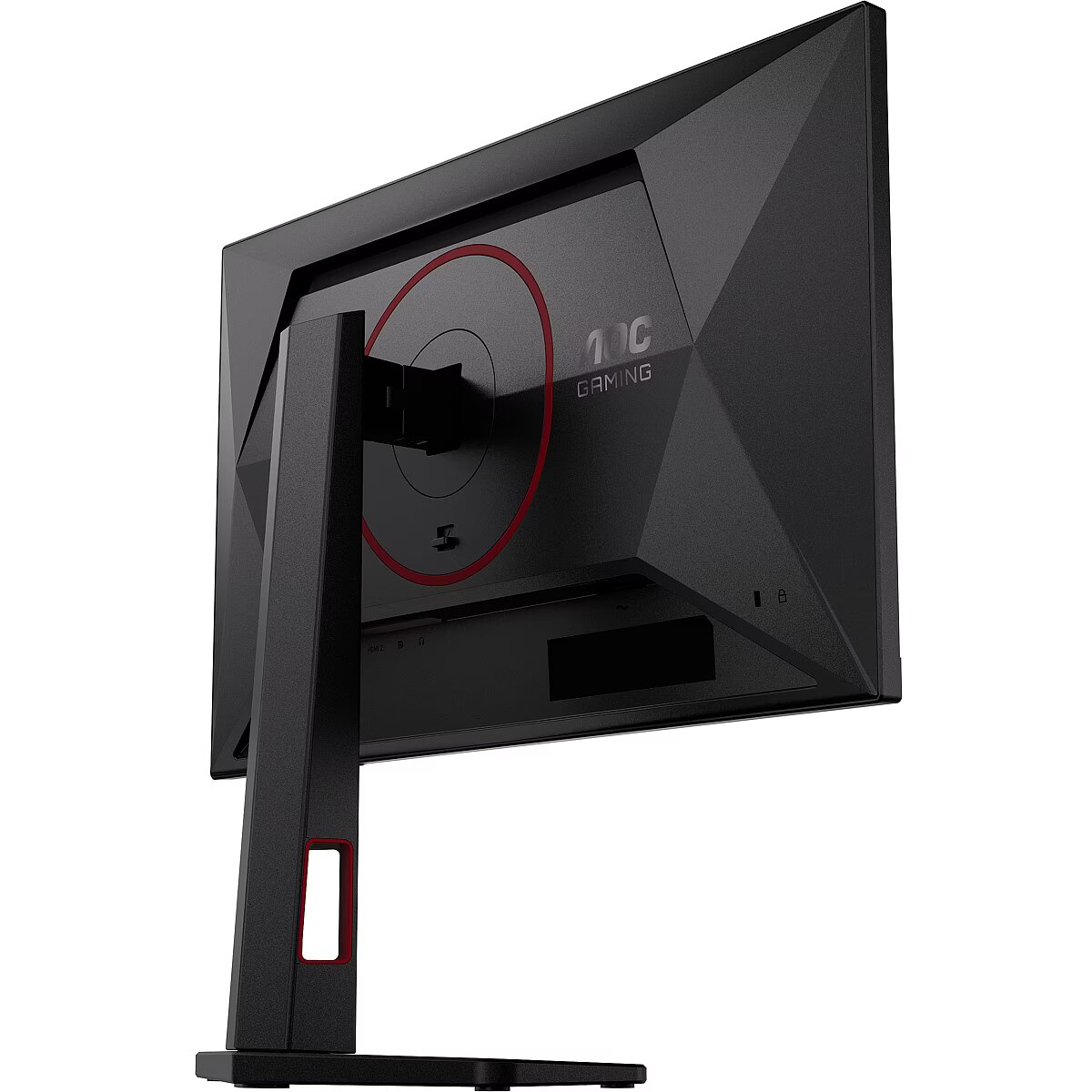
Cable management Ergonomics - Yes
Cables included Packaging content - AC/DisplayPort/HDMI
Category - Computer Monitors
Category - Root/Electronics/PC peripherals/Monitors
Category Code - LC3
Certificates - CB
Certificates - CE
Certificates - EAC
Certificates - FCC
Certificates - REACH
Certificates - RoHS
Certificates - UKCA
Certificates - WEEE
Certification Other features - WEEE,REACH compliant,RoHs compliant,CB,TUV-Bauart-Mark,ISO 9241-307,EAC,FCC
Code - 24G4ZR
Color - Black
Compliance certificates Other features - CE
Contrast ratio (typical) Display - 1000:1
Data Sheet (Link) Energy Efficiency - https://eprel.ec.europa.eu/api/product/2486234/fiches?language=EN
DCI-P3 coverage Display - 87.7%
Depth - 50.62 mm
Depth (without stand) Weight & dimensions - 50.6 mm
Depth (with stand) Weight & dimensions - 207.7 mm
Depth with stand - 177.4 mm
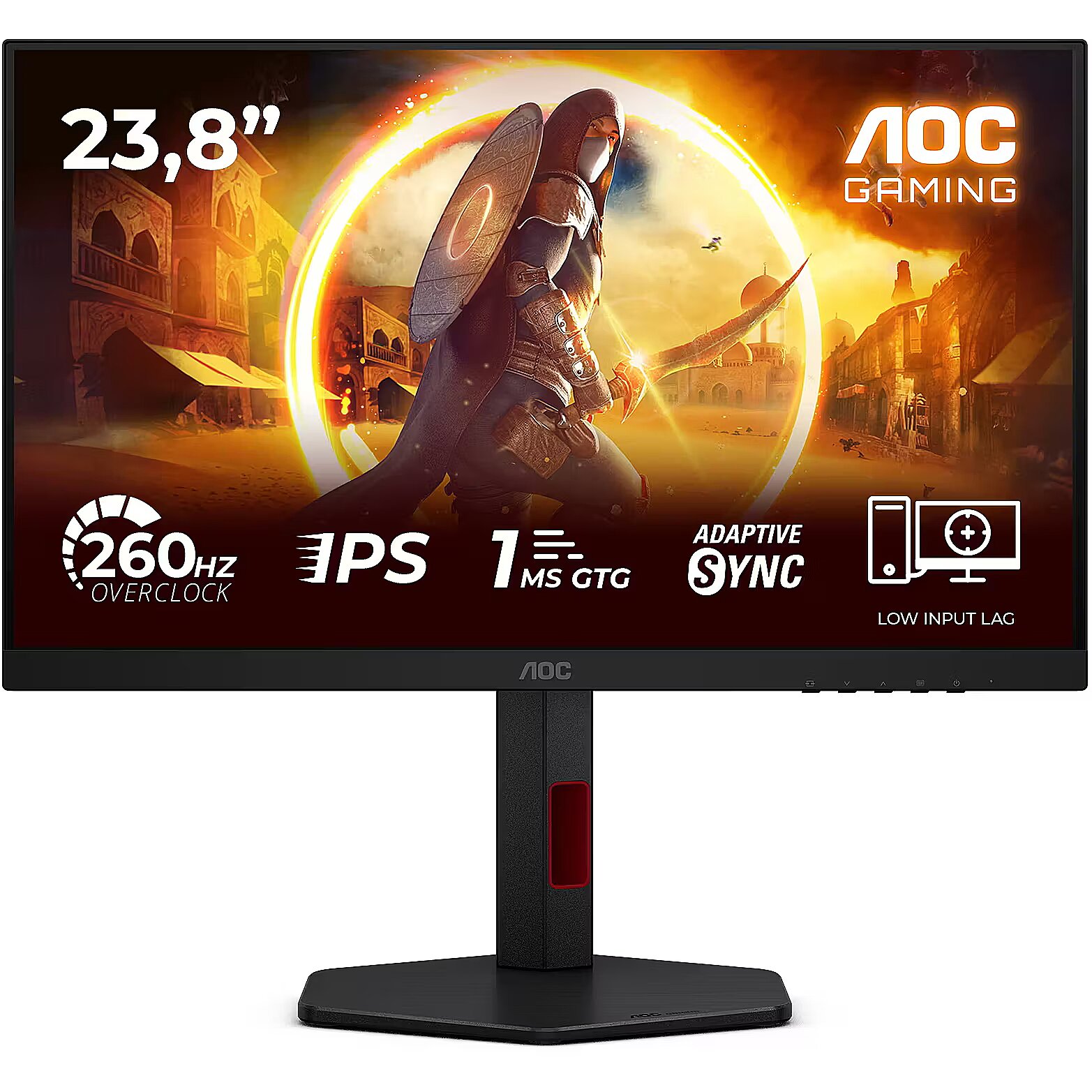
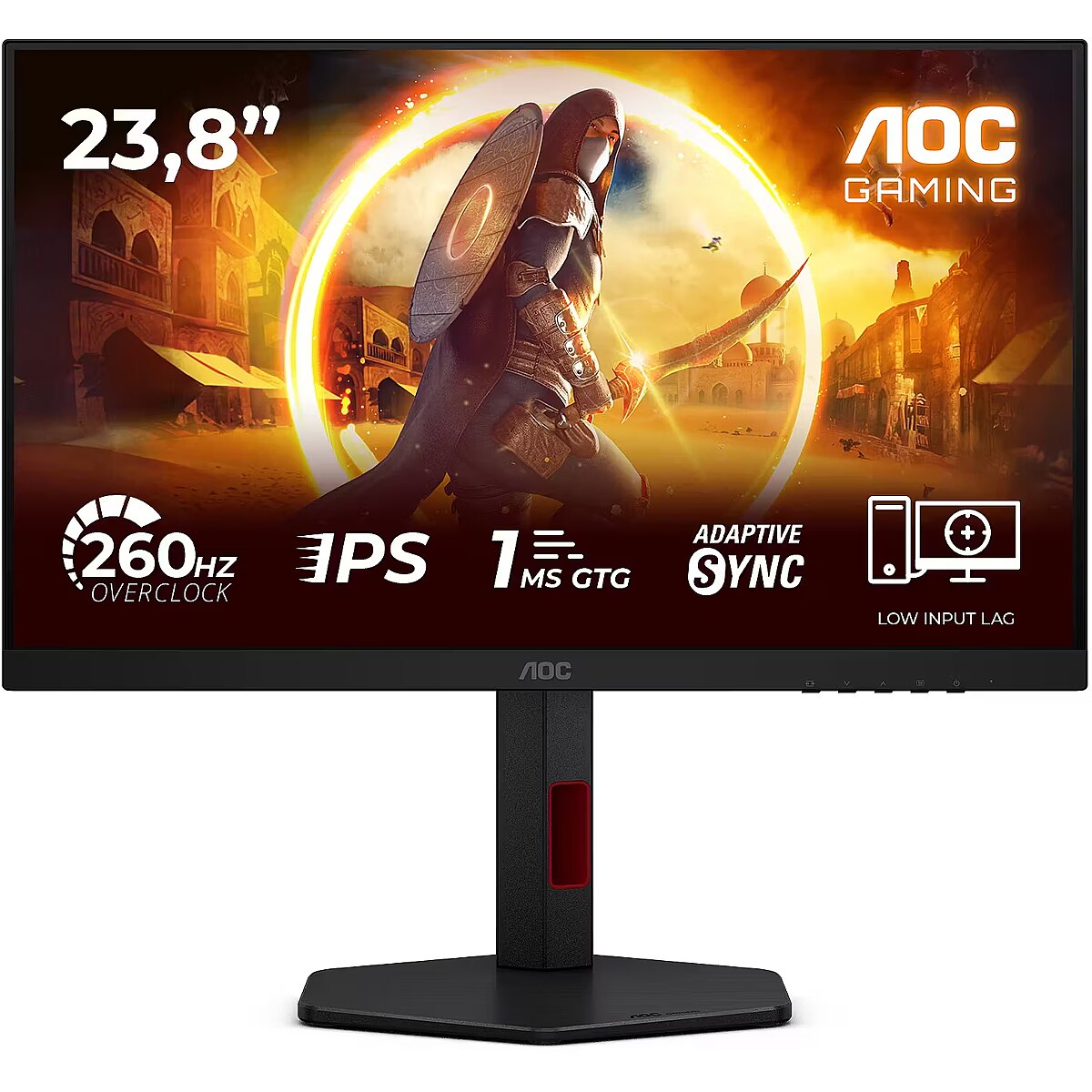
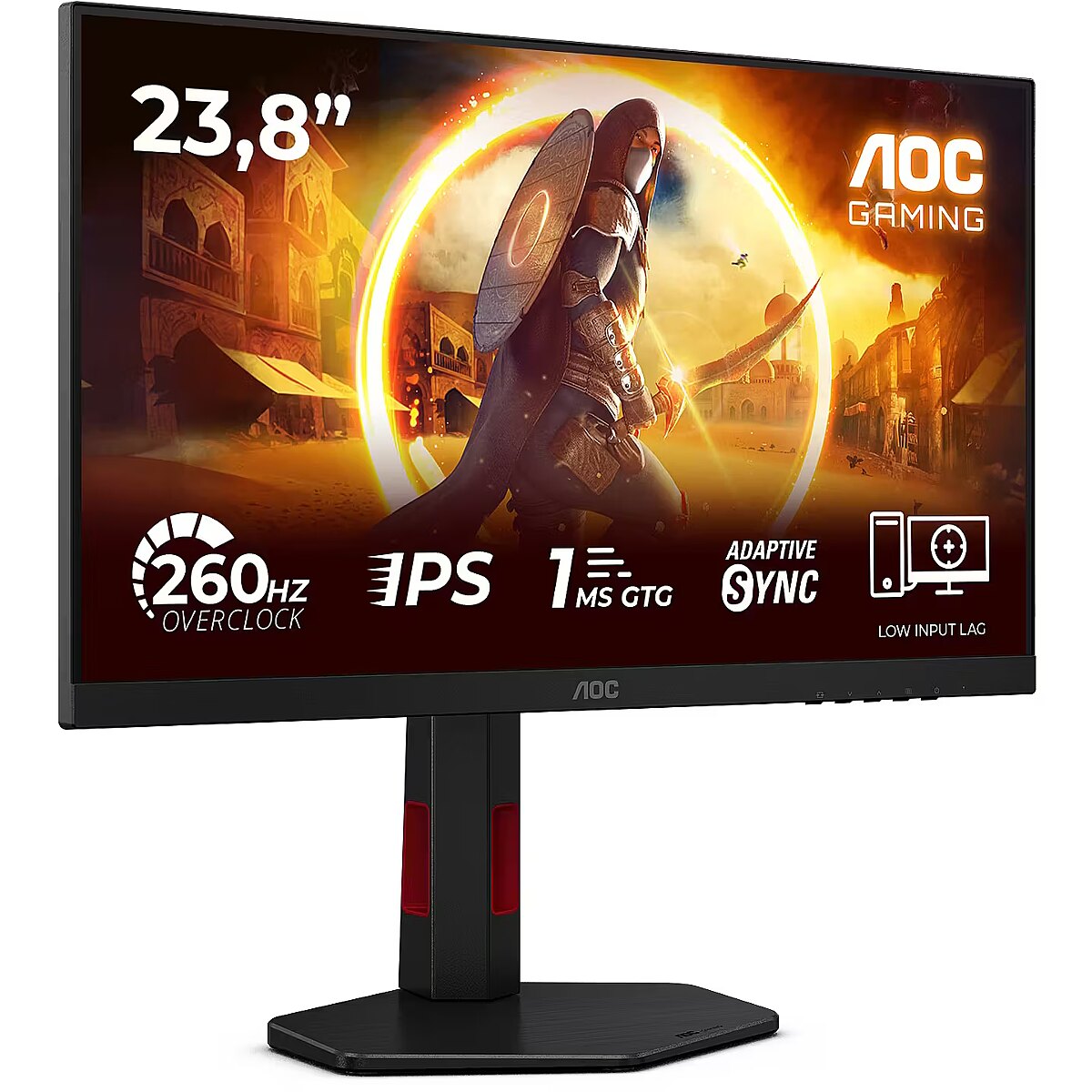
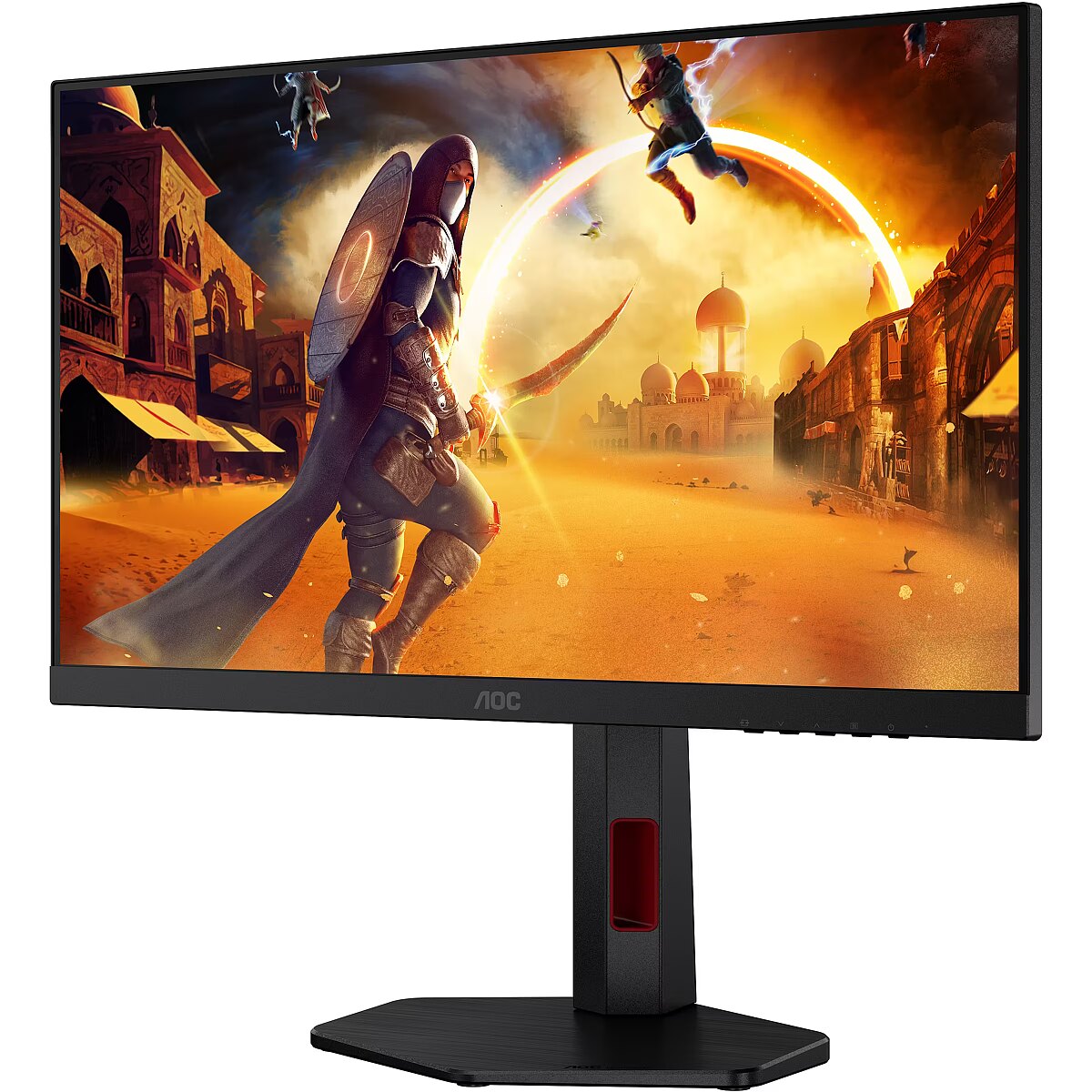
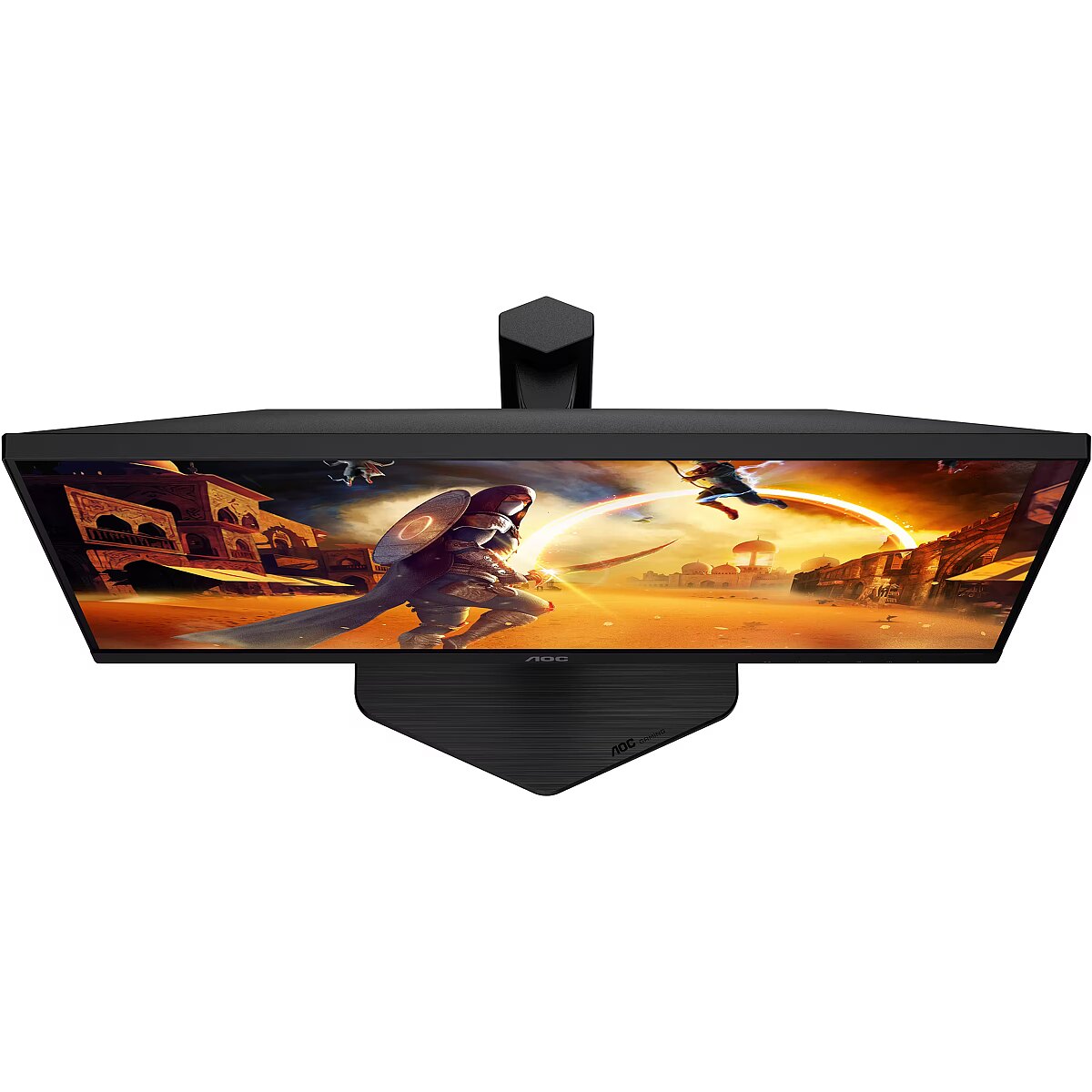
Description - 24G4ZR Dominate every match with the 24G4ZR. The Fast IPS panel, 260Hz OC / 240Hz native refresh rate, and 1ms GtG response time deliver crystal-clear smoothness and instant responsiveness. AdaptiveSync, low input lag, and 0.3ms MPRT keep gameplay fluid and sharp. With HDR10, an ergonomic esports stand, and G-Menu, the monitor gives you a clear competitive edge.
260HZ (260HZ OC / 240HZ NATIVE)
260Hz (OC, 240Hz native) fully unleashes the potential of top-tier graphics cards, delivering an unprecedented level of smoothness. Every detail is sharply defined and every movement rendered with crystal-clear clarityso your reactions become part of the action, taking your gameplay to the next level.
FAST IPS
Unleash your gaming potential with Fast IPS panels offering pixel response times as quick as 1ms GtG. Say goodbye to motion blur and enjoy sharper visuals, improved aiming precision, and enhanced performance in fast-paced games. Discover the advantages of fast IPS technology, including vivid colors and wide viewing angles, for an immersive gaming experience that lets you perform at your best.
G-SYNC
Delivers flawless image quality by synchronizing next-generation NVIDIA graphics cards* with this G-SYNC Compatible monitor.
*Visit the NVIDIA website for a full list of graphics cards compatible with G-SYNC Compatible monitors.
LOW INPUT LAG
Unleash your reflexes by switching to AOC Low Input Lag Mode. Forget visual frillsthis mode prioritizes pure response time, giving you a decisive advantage in tight matchups where every fraction of a second counts.
EXPERIENCE THE GAME IN FULL WITH HDR10
HDR10 takes image quality even further by improving synchronization between your graphics card or console and the monitor. The result is a more realistic, immersive, and fluid gaming experienceyoull feel like youre stepping directly into the game, frame by frame.
0.3MS MPRT RESPONSE TIME
Feel truly immersed in your gameplay. Whether youre racing at high speed or fighting in a high-stakes battle, every millisecond matters. With 0.3ms MPRT, this monitor delivers ultra-fast response and smooth gameplayyour gateway to gaming excellence.
Description - The 24G4ZR delivers ultra-fast precision and smooth clarity for peak competitive performance Dominate every match with the 24G4ZR. Its Fast IPS panel, 260Hz OC / 240Hz native refresh rate, and 1ms GtG ensure crystal-clear motion and instant responsiveness. G-Sync Compatible, Low Input Lag, and 0.3ms MPRT keep gameplay fluid and sharp. With HDR10, an ergonomic esports stand, and G-Menu control, this monitor is built for pure competitive advantage.
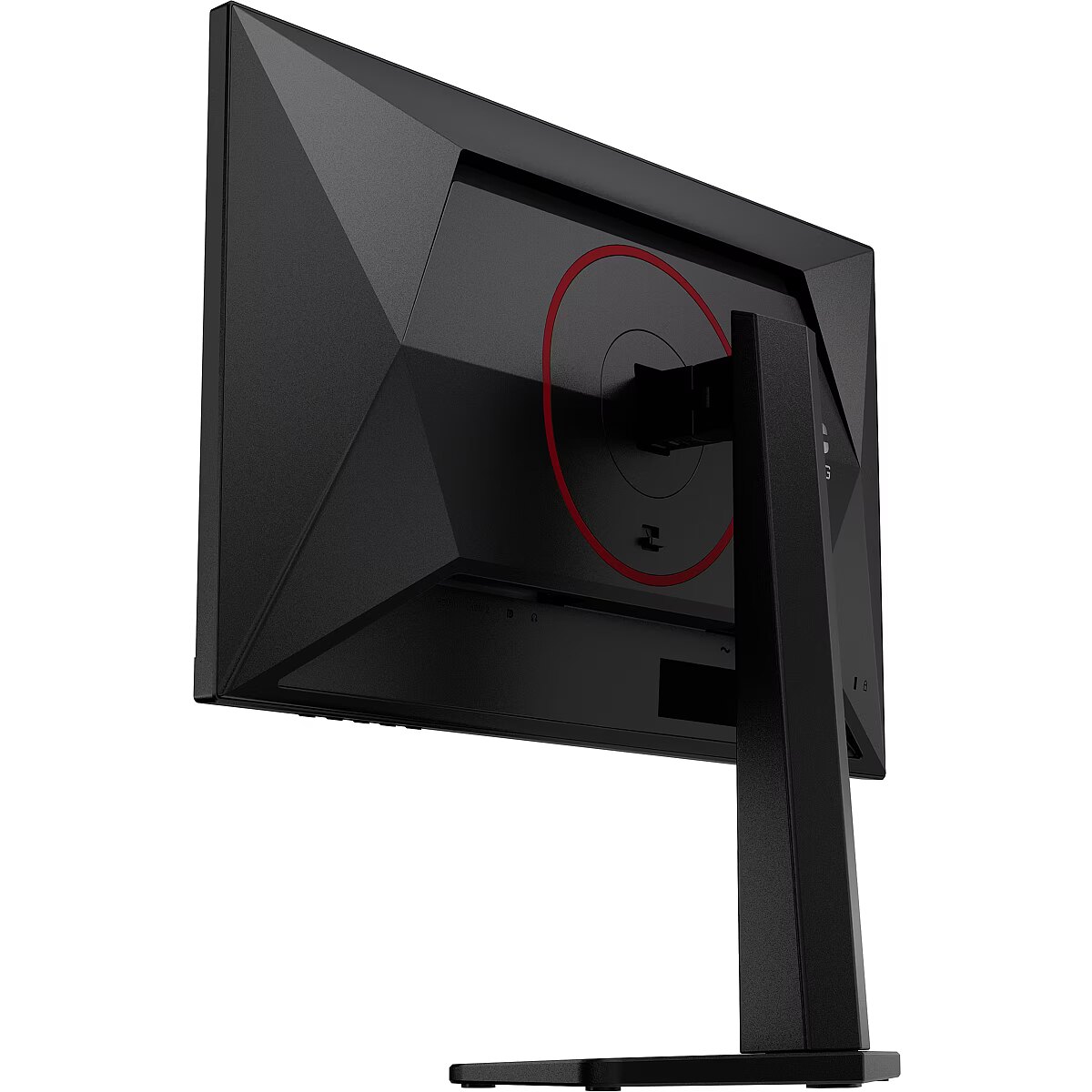
Design - Detachable stand - Yes
Design - Front bezel colour - Black
Design - Product colour - Black, Red
Design > Colour of product - Black
Designation - CE+WEEE
Detachable stand Design - Yes
Dial point Other features - Yes
Digital horizontal frequency Display - 30 - 290 kHz
Digital vertical frequency Display - 48 - 260 Hz
dimensionalWeight - 8056
dimension depth - 680 mm
dimension height - 410 mm
dimension weight - 7000 g
dimension width - 140 mm
Display - Adobe RGB coverage - 86.6%
Display - Anti-glare screen - Yes
Display - Backlight type - W-LED
Display - Colour gamut standard - Adobe RGB, DCI-P3, sRGB
Display - Contrast ratio (typical) - 1000:1
Display - DCI-P3 coverage - 87.7%
Display - Digital horizontal frequency - 30 - 290 kHz
Display - Digital vertical frequency - 48 - 260 Hz
Display - Display diagonal - 60.5 cm (23.8")
Display - Display diagonal (metric) - 60.5 cm
Display - Display number of colours - 16.7 million colours
Display - Display resolution - 1920 x 1080 pixels
Display - High Dynamic Range (HDR) supported - Yes
Display - High Dynamic Range (HDR) technology - High Dynamic Range 10 (HDR10)
Display - LED backlight - Yes
Display - Maximum refresh rate - 260 Hz
Display - Native aspect ratio - 16:9
Display - Panel type - Fast IPS
Display - Pixel density - 92.56 ppi
Display - Pixel pitch - 0.2745 x 0.2745 mm
Display - Response time - 1 ms
Display - Response time (MPRT) - 0.3 ms
Display - Response time measurement type - GTG (Gray to Gray)
Display - Screen shape - Flat
Display - sRGB coverage (typical) - 111.7%
Display - Viewing angle, horizontal - 178°
Display - Viewing angle, vertical - 178°
Display > Aspect ratio - 16:9
Display > Backlight type - WLED backlight
Display > Contrast ratio (typical) - 1000:1
Display > Display - 1920 x 1080 pixels
Display > Display brightness - 300 cd/m²
Display > Display diagonal - 24 "
Display > Display number of colours - 16.7 M
Display > Display surface - Anti-glare
Display > HD type - FHD
Display > Maximum refresh rate - 240 Hz
Display > Panel type - Fast IPS
Display > Response time - 1 ms
Display > Viewing angle, horizontal - 178 °
Display > Viewing angle, vertical - 178 °
Display diagonal (metric) Display - 60.5 cm
Display diagonal Display - 60.5 cm (23.8")
Display number of colours Display - 16.7 million colours
DisplayPort cable length Packaging content - 1.8 m
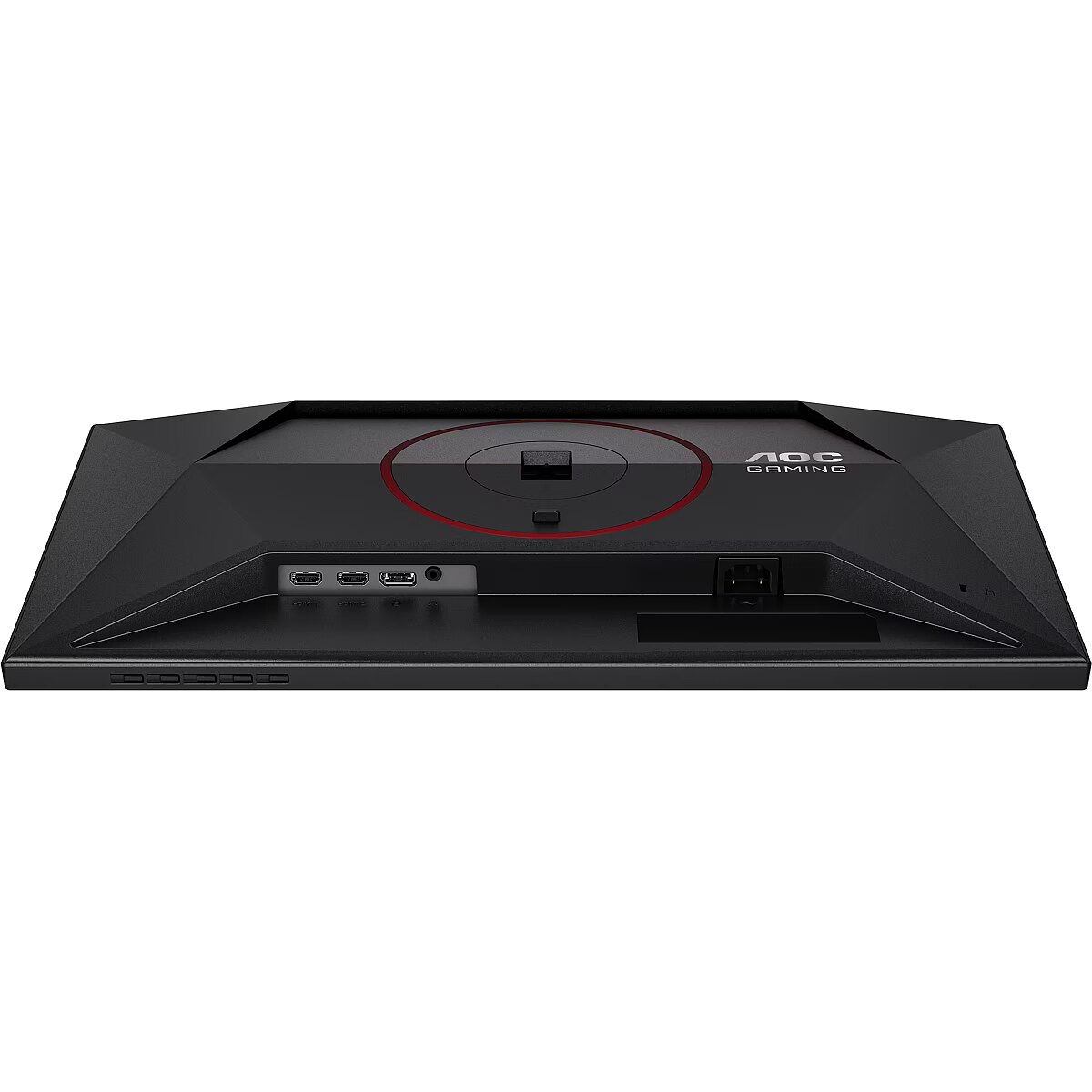
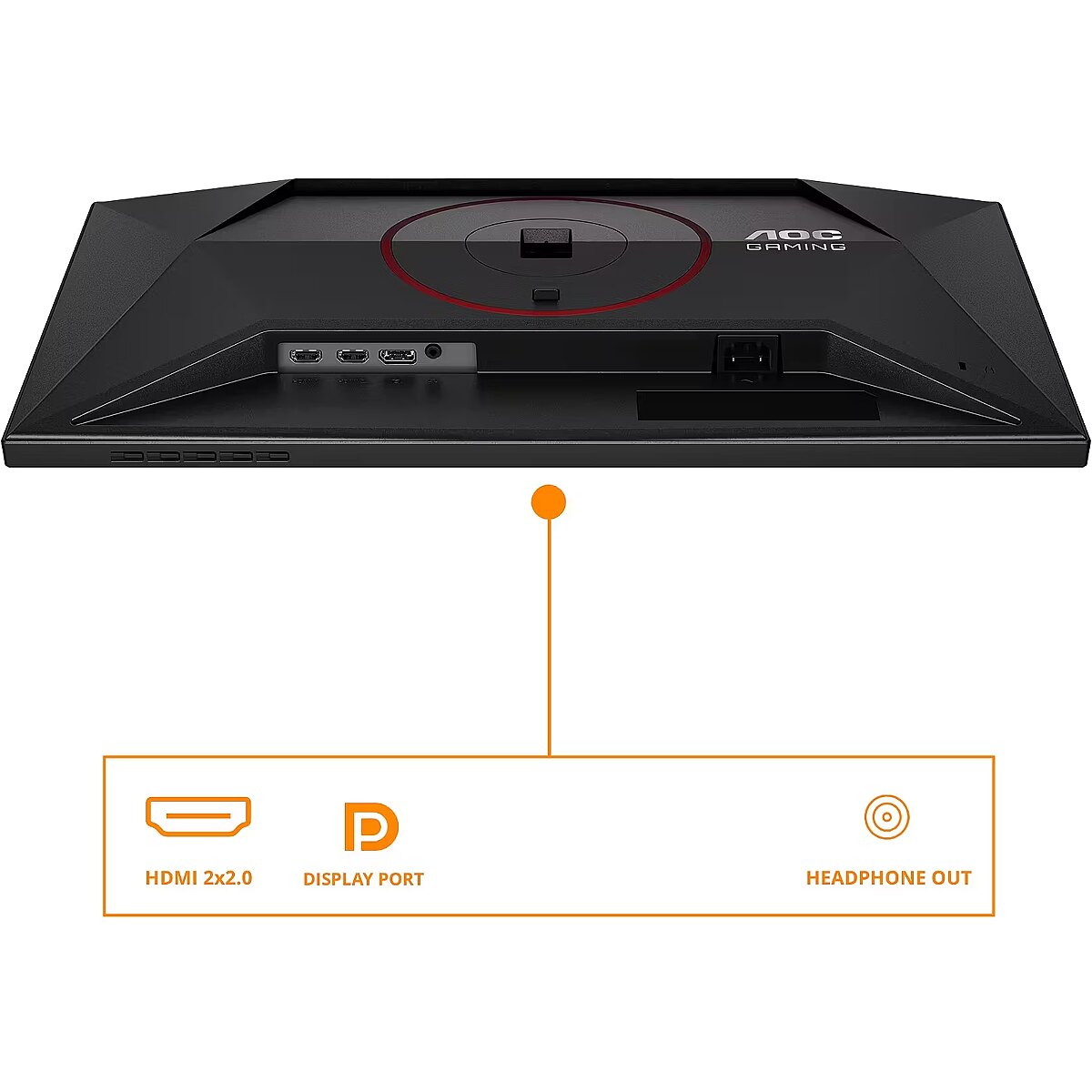
DisplayPorts quantity Ports & interfaces - 1
DisplayPort version Ports & interfaces - 1.4
Display resolution Display - 1920 x 1080 pixels
Display surface - Matt
Display technology Display - LED
Dot pitch - 0.2745 mm
EAN - 4038986183239
ean - 4038986183239
Eans - 4038986183239
Energy class - E
Energy consumption (HDR) per 1000 hours Power - 22 kWh
Energy consumption (SDR) per 1000 hours Power - 18 kWh
Energy efficiency class (HDR) Power - F
Energy efficiency class (SDR) Power - E
Energy efficiency class Energy Efficiency - E
Energy efficiency scale Power - A to G
Energy label - Pobierz
EPREL Registration Number Energy Efficiency - 2486234
EPREL Version Number Energy Efficiency - 1
Ergonomics - Adjustable height (max) - 13 cm
Ergonomics - Cable lock slot - Yes
Ergonomics - Cable lock slot type - Kensington
Ergonomics - Height adjustment - Yes
Ergonomics - Panel mounting interface - 100 x 100 mm
Ergonomics - Pivot - Yes
Ergonomics - Pivot angle - -90 - 90°
Ergonomics - Swivel angle range - -28 - 28°
Ergonomics - Swivelling - Yes
Ergonomics - Tilt adjustment - Yes
Ergonomics - Tilt angle range - -3 - 21°
Ergonomics - VESA mounting - Yes
Ergonomics > Height adjustment - Yes
Ergonomics > Pivot - Yes
Ergonomics > Swivelling - Yes
Ergonomics > Tilt adjustment - Yes
Flicker-free technology Performance - Yes
FPS counter Other features - Yes
Frequency, horizontal max. - 290 kHz
Frequency, horizontal min. - 30 kHz
Frequency, vertical max. - 260 Hz
Frequency, vertical min. - 48 Hz
Front bezel colour Design - Black
GTIN - 4038986183239
guarantee - 36
guarantee_type - external
HDCP Ports & interfaces - Yes
HDCP version Ports & interfaces - 1.4/2.2
HDMI cable length Packaging content - 1.8 m
HDMI Ports & interfaces - Yes
HDMI ports quantity Ports & interfaces - 2
HDMI version Ports & interfaces - 2.0
HD type Display - Full HD
Headphone connectivity Ports & interfaces - 3.5 mm
Headphone out Ports & interfaces - Yes
Headphone outputs Ports & interfaces - 1
Height - 324.84 mm
Height (max) - 493.6 mm
Height (without stand) Weight & dimensions - 324.8 mm
Height (with stand) Weight & dimensions - 380.6 mm
Height adjustment - Yes
Height adjustment Ergonomics - Yes
Height adjustment range - 130 mm
Height with stand - 380.6 mm
High Dynamic Range (HDR) supported Display - Yes
High Dynamic Range (HDR) technology Display - High Dynamic Range 10 (HDR10)
I/O connectors - 1 x Audio out
I/O connectors - 1 x DisplayPort
I/O connectors - 2 x HDMI
Kensington Security Slot - Tak
LED backlight Display - Yes
Link - https://www.aoc.com/cy/gaming/monitors/24g4zr
Local dimming Other features - Yes
LongDesc - The 24G4ZR delivers ultra-fast precision and smooth clarity for peak competitive performanceDominate every match with the 24G4ZR. Its Fast IPS panel, 260Hz OC / 240Hz native refresh rate, and 1ms GtG ensure crystal-clear motion and instant responsiveness. G-Sync Compatible, Low Input Lag, and 0.3ms MPRT keep gameplay fluid and sharp. With HDR10, an ergonomic esports stand, and G-Menu control, this monitor is built for pure competitive advantage.
LongProductName - Screen size (inch) 23.8, Panel resolution 1920x1080, Max Refresh rate 260Hz (OC, 240Hz Native), Response time MPRT 0.3 ms, Panel type Fast IPS, HDMI HDMI 2.0 x 2, DisplayPort DisplayPort 1.4 x 1, Sync technology (VRR) Adaptive Sync
LongSummaryDescription - AOC G4 24G4ZR/02. Display diagonal: 60.5 cm (23.8"), Display resolution: 1920 x 1080 pixels, Response time: 1 ms, Native aspect ratio: 16:9, Viewing angle, horizontal: 178°, Viewing angle, vertical: 178°. VESA mounting, Height adjustment. Product colour: Black, Red
Low input lag Other features - Yes
Matrix type - Fast IPS
Maximum refresh rate Display - 260 Hz
Microphone - Nie
Model - 24G4ZR
Model name - 24G4ZR
Motion blur reduction Other features - Yes
Multimedia > Built-in speaker(s) - No
Multimedia > TV tuner integrated - No
Name - AOC 24G4ZR - 260Hz OC | Full HD | Fast IPS | 23.8" | 0.3ms MPRT | HDR10
Name - AOC 24G4ZR | 24 " | Fast IPS | FHD | 16:9 | 240 Hz | 1 ms | 1920 x 1080 pixels | 300 cd/m² | HDMI ports quantity 2 | Black
name - Monitor 23.8 inches 24G4ZR Fast IPS 240Hz HDMIx2 DP Pivot
Native aspect ratio Display - 16:9
Number of colors - 16,7 mln
NVIDIA G-SYNC Performance - No
Other features - Bezel thickness type - Frameless
Other features - Brand specific technologies - Crosshair
Other features - Certification - WEEE,REACH compliant,RoHs compliant,CB,TUV-Bauart-Mark,ISO 9241-307,EAC,FCC
Other features - Compliance certificates - CE
Other features - Dial point - Yes
Other features - FPS counter - Yes
Other features - Local dimming - Yes
Other features - Low input lag - Yes
Other features - Motion blur reduction - Yes
Other features - Shadow control - Yes
Other features - Warranty period - 3 year(s)
Package depth Packaging data - 139 mm
Package features > Embeeded battery - No
Package features > Gross depth (mm) - 139.00 mm
Package features > Gross height (mm) - 420.00 mm
Package features > Gross width (mm) - 650.00 mm
Package features > Packing quantity - 1.00 pc(s)
Package features > Palette Qty - 23 pc(s)
Package features > Paper/Pasteboard - 1808.00 g
Package features > Plastic (No PET) - 452.00 g
Package features > Tare weight (kg) - 2.26 kg
Package features > Volume (m3) - 0.04 m³
Package features > WEE classification - CL109:2:2017-04-01
Package features > WEEE tax - Yes
Package height Packaging data - 420 mm
Package weight Packaging data - 6.64 kg
Package width Packaging data - 650 mm
Packaging data - Package depth - 139 mm
Packaging data - Package height - 420 mm
Packaging data - Package weight - 6.64 kg
Packaging data - Package width - 650 mm
Panel mounting interface Ergonomics - 100 x 100 mm
Panel type Display - Fast IPS
PDF - https://blobs.lt/products/9/2/6/2/1/6/fiche/Data_Sheet_EE/EPREL_Data_Sheet_EE.pdf
PDF - https://blobs.lt/products/9/2/6/2/1/6/fiche/Data_Sheet_EN/EPREL_Data_Sheet_EN.pdf
PDF - https://blobs.lt/products/9/2/6/2/1/6/fiche/Data_Sheet_LT/EPREL_Data_Sheet_LT.pdf
PDF - https://blobs.lt/products/9/2/6/2/1/6/fiche/Data_Sheet_LV/EPREL_Data_Sheet_LV.pdf
PDF - https://blobs.lt/products/9/2/6/2/1/6/fiche/Data_Sheet_PL/EPREL_Data_Sheet_PL.pdf
Performance - Flicker-free technology - Yes
Pivot angle Ergonomics - -90 - 90°
Pivot Ergonomics - Yes
Pixel density Display - 92.56 ppi
Pixel pitch Display - 0.2745 x 0.2745 mm
Ports & interfaces - DisplayPorts quantity - 1
Ports & interfaces - DisplayPort version - 1.4
Ports & interfaces - HDCP - Yes
Ports & interfaces - HDCP version - 1.4/2.2
Ports & interfaces - HDMI - Yes
Ports & interfaces - HDMI ports quantity - 2
Ports & interfaces - HDMI version - 2.0
Ports & interfaces - Headphone connectivity - 3.5 mm
Ports & interfaces - Headphone out - Yes
Ports & interfaces > DisplayPorts quantity - 1
Ports & interfaces > HDMI ports quantity - 2
Power - Power consumption (off) - 0.3 W
Power - Power consumption (standby) - 0.3 W
Power - Power consumption (typical) - 18 W
Power - Power supply type - Internal
Power consumption - 18 W
Power consumption (off) Power - 0.3 W
Power consumption (standby) Power - 0.3 W
Power consumption (typical) Power - 18 W
Power supply type Power - Internal
producer - AOC
Producer - AOC
producerCode - 24G4ZR
ProducerCode - 24G4ZR
Product colour Design - Black, Red
ProductName - 24G4ZR/02
productName - AOC G4 24G4ZR computer monitor 60.5 cm (23.8") 1920 x 1080 pixels Full HD LED Black, Red
Product Net Weight ELKO Logistics Data - 4.38 kg
productSize - Normal
Refresh rate - 260 Hz
Resolution - 1920 x 1080 (FHD 1080)
Response time - 1 ms
Response time (MPRT) Display - 0.3 ms
Response time Display - 1 ms
Response time measurement type Display - GTG (Gray to Gray)
Response time MPRT - 0.3 ms
Screen shape Display - Flat
Screen size (diag.) - 23.8''
Shadow control Other features - Yes
Shipping Box Depth ELKO Internal Logistics Data - 65 cm
Shipping Box Height ELKO Internal Logistics Data - 42 cm
Shipping Box Weight ELKO Internal Logistics Data - 6.6399998665 kg
Shipping Box Width ELKO Internal Logistics Data - 13.8999996185 cm
ShortDescription -
ShortSummaryDescription - AOC G4 24G4ZR/02, 60.5 cm (23.8"), 1920 x 1080 pixels, 1 ms, Black, Red
sizeX - 420
sizeY - 139
sizeZ - 690
Speakers built-in - No
sRGB coverage (typical) Display - 111.7%
Static contrast - 1 000:1
Summary - AOC G4 24G4ZR. Display diagonal: 60.5 cm (23.8"), Display resolution: 1920 x 1080 pixels, HD type: Full HD, Display technology: LED, Response time: 1 ms, Native aspect ratio: 16:9, Viewing angle, horizontal: 178°, Viewing angle, vertical: 178°. VESA mounting, Height adjustment. Product colour: Black, Red
Surface hardness Display - 3H
Swivel - Yes
Swivel angle range Ergonomics - -28 - 28°
Swivelling Ergonomics - Yes
Technical details > Connectivity - HDMI, DisplayPort, Headphone out (3.5mm)
Technical details > Dimensions with stand - 54 x 49.36-38.06 x 20.77 cm
Technical details > Gross weight - 6.64 kg
Technical details > Net weight - 4.38 kg
Technical details > Producer - AOC
Technical details > Producer product name - 24G4ZR
Technical details > USB-C - No
Technical details > USB-C power delivery - N/A
Tilt - Yes
Tilt adjustment Ergonomics - Yes
Tilt angle range Ergonomics - -3 - 21°
Title - AOC G4 24G4ZR/02 computer monitor 60.5 cm (23.8") 1920 x 1080 pixels Black, Red
Touch screen - No
Touchscreen Display - No
Transreflective technology - LED
TV tuner built-in - No
Unit Box Height - 0.42
Unit Box Length - 0.65
Unit Box Width - 0.139
Unit Calculated Volume ELKO Internal Logistics Data - 0.03795 cubm
Unit Calculated Weight ELKO Logistics Data - 6.64 kg
Units per Pallet ELKO Logistics Data - 0
Units per Shipping Box ELKO Logistics Data - 1
URL - https://eu.aoc.com/
Vendor Homepage - https://eu.aoc.com/
vendpn - 24G4ZR
VESA - 100 x 100
VESA Adaptive Sync support Performance - Yes
VESA mounting Ergonomics - Yes
Viewing angle, horizontal - 178 °
Viewing angle, horizontal Display - 178°
Viewing angle, vertical - 178 °
Viewing angle, vertical Display - 178°
Warranty - 36
Warranty - 36 month(s)
Warranty - 36 months
WarrantyInfo - 3 years
warrantyLength - 36
Warranty period Other features - 3 year(s)
warrantyType - F
Web camera - None
Weight - 2.58 kg
weight - 6850
Weight & dimensions - Depth (without stand) - 50.6 mm
Weight & dimensions - Depth (with stand) - 207.7 mm
Weight & dimensions - Height (without stand) - 324.8 mm
Weight & dimensions - Height (with stand) - 380.6 mm
Weight & dimensions - Weight (without stand) - 2.58 kg
Weight & dimensions - Weight (with stand) - 4.38 kg
Weight & dimensions - Width (without stand) - 540 mm
Weight & dimensions - Width (with stand) - 540 mm
Weight (without stand) Weight & dimensions - 2.58 kg
Weight (with stand) Weight & dimensions - 4.38 kg
Weight with stand - 4.38 kg
Width - 540 mm
Width (without stand) Weight & dimensions - 540 mm
Width (with stand) Weight & dimensions - 540 mm
WiFi - No



 DVI is a digital standard and ensures high image quality, however, thanks to the big size of the plug and the inability of the standard to develop further due to a few technical restrictions this type of connection is gradually losing its popularity to modern HDMI and DisplayPort standards.