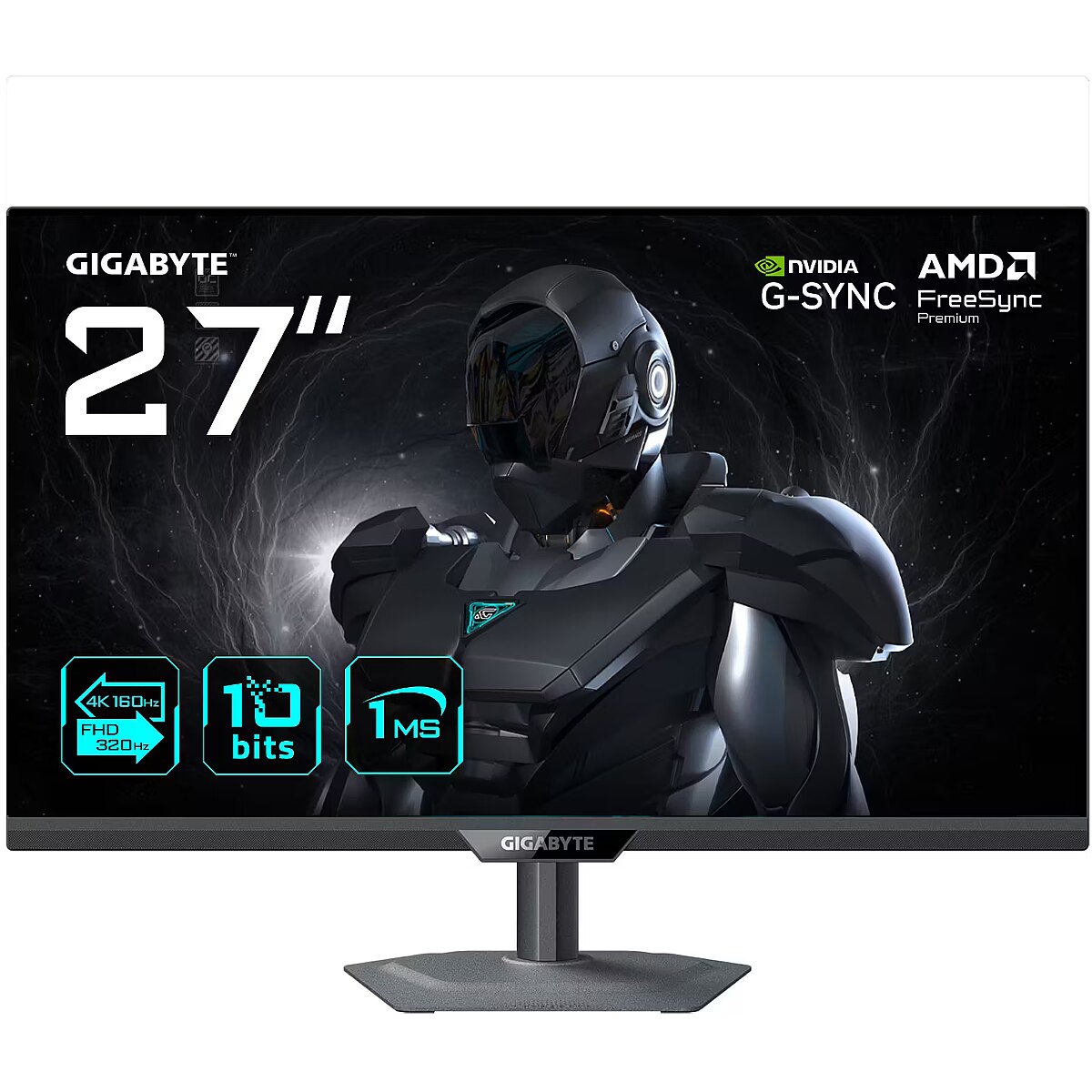
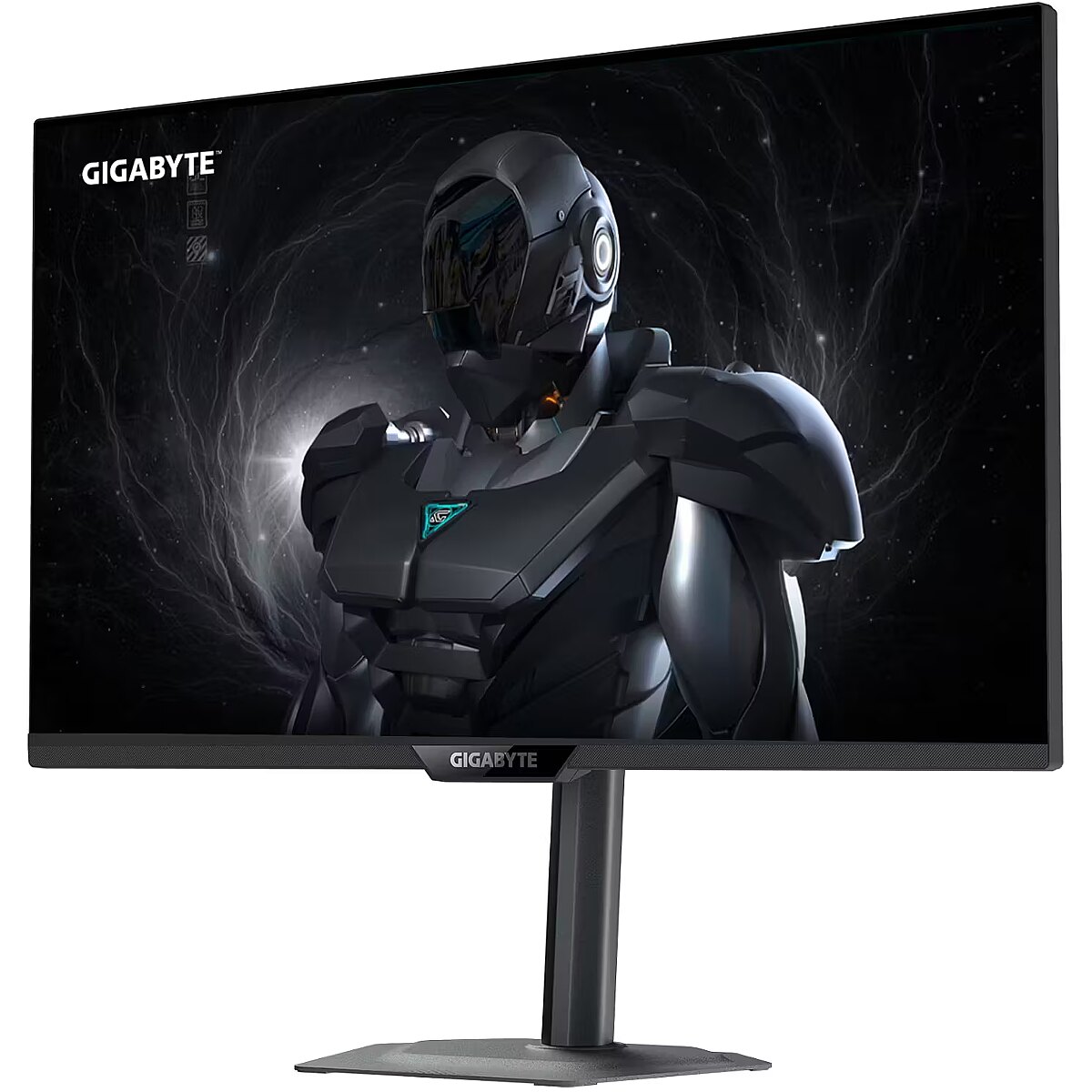
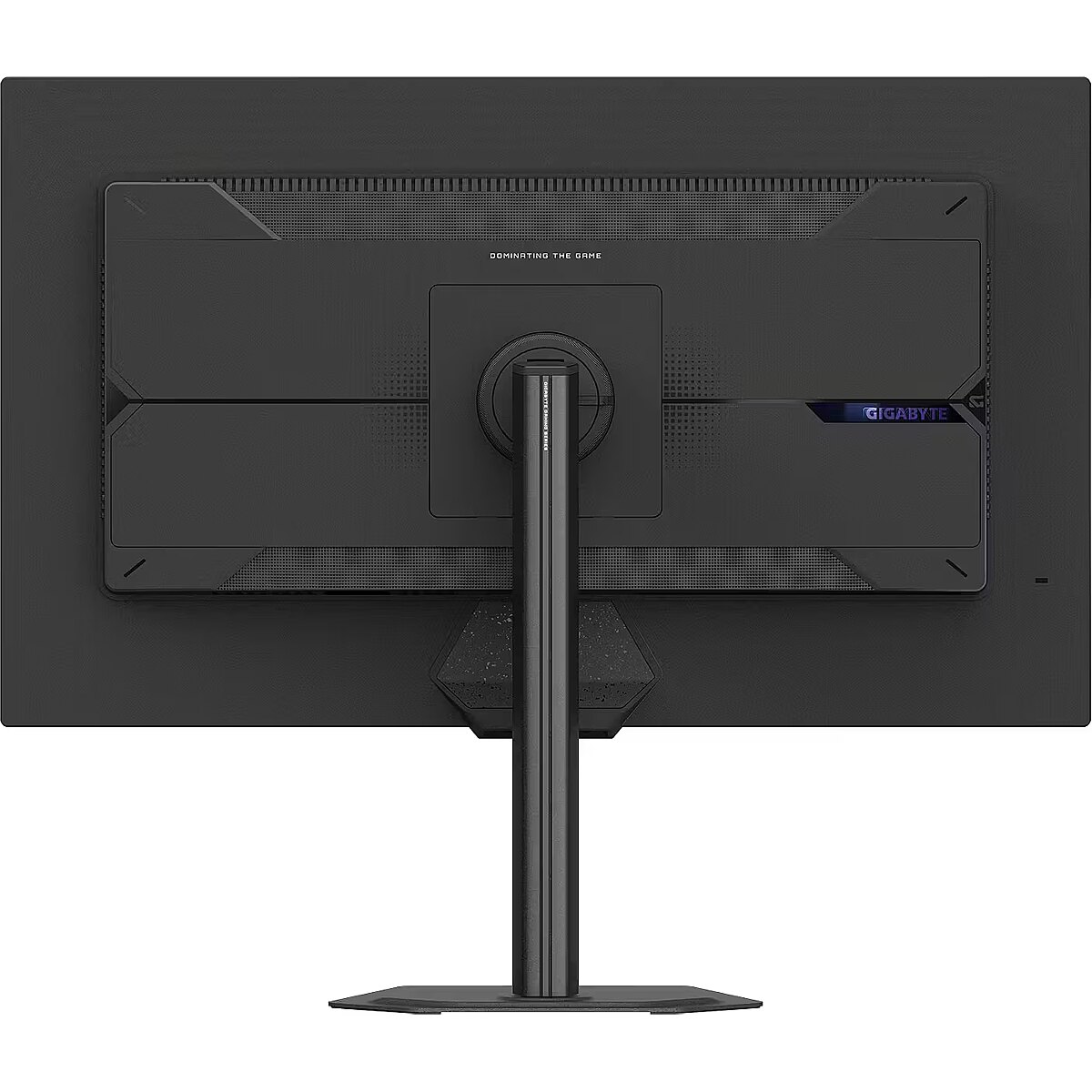
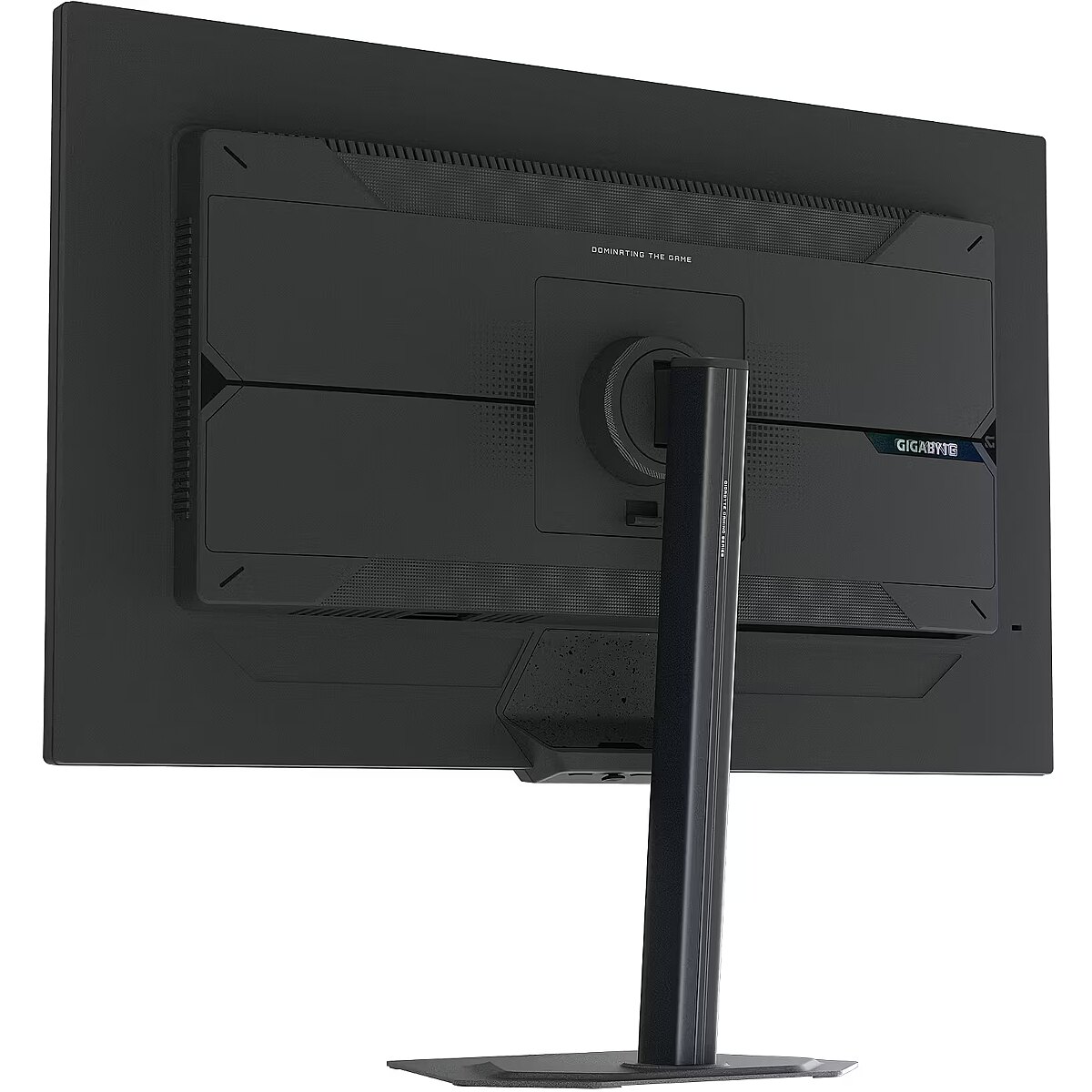
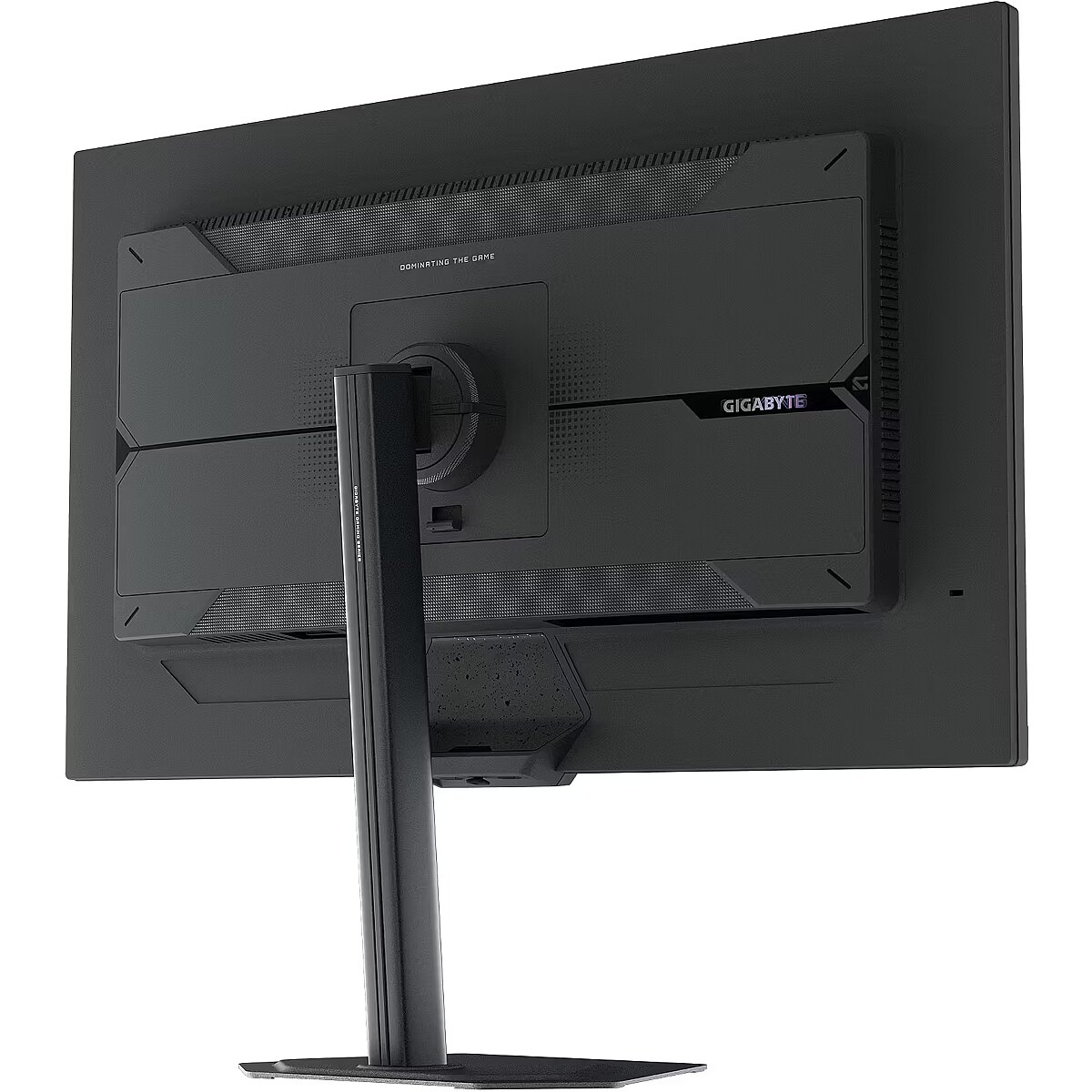
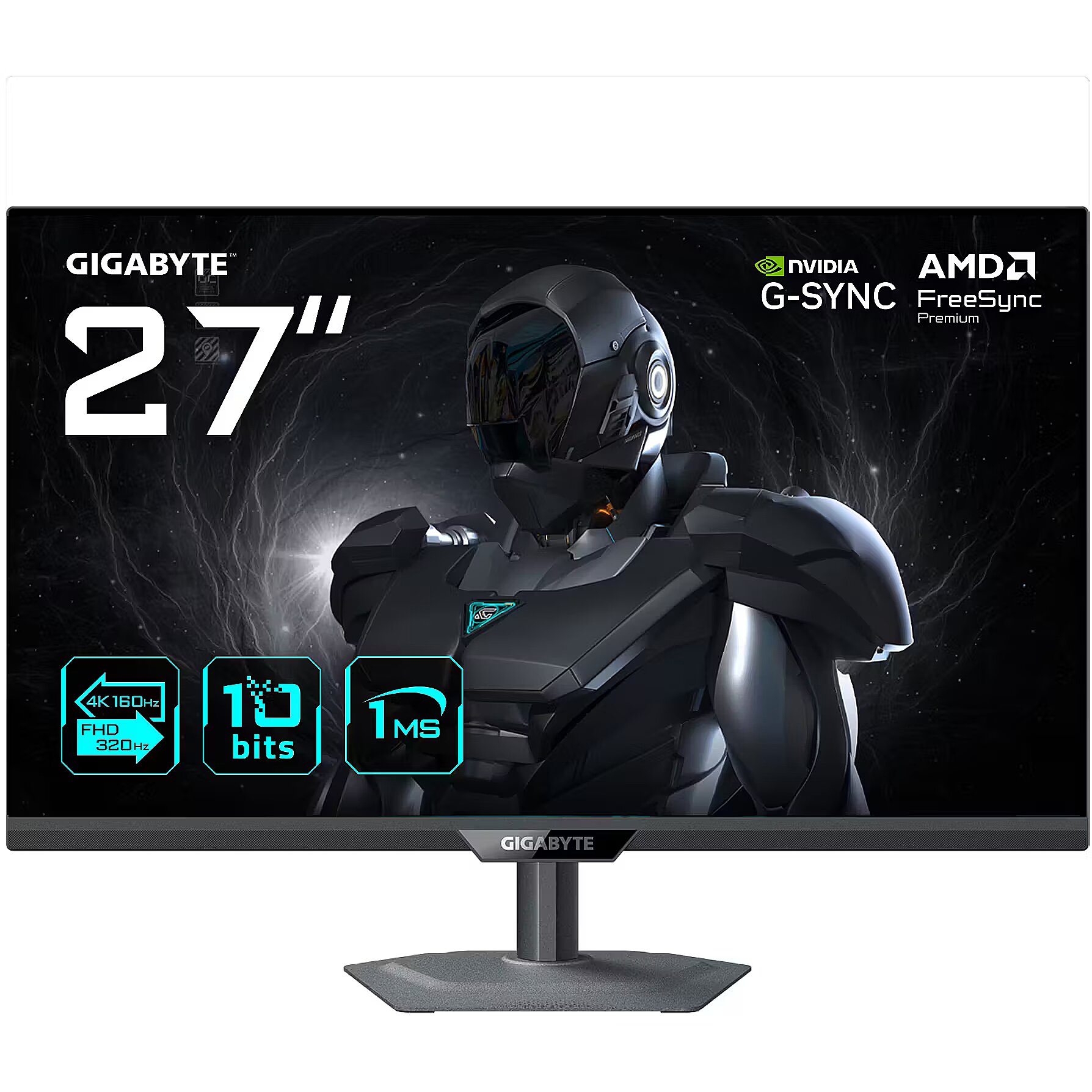
Gigabyte G27UP, 27"

Picture may differ from actual product, there can be accessories and parts not supplied with the actual product.
ID: 1388334 Product code: G27UP EK
In stock 12 units
Warranty: 3 years
231.18 €
286.66 € with VAT
Ready for dispatch
tomorrow, 14.10.2026
starting from 4.83 € w/o VAT
Delivery options
  • Delivery by courier to the address
    Within 1-2 working days
    4.83 €
Main product parameters All parameters
  • Curved: None
  • Panel Type: IPS
  • Refresh rate: 160 Hz
  • Response time: 1ms
  • Contrast ratio: 1000:1
  • Brightness: 400cd/m2
  • Size: 27"
  • Resolution: 4K UHD 3840x2160
Description

This Gigabyte G27UP, 27 Zoll UHD Gaming-Monitor, 160/320 Hz, IPS-Panel, G-SYNC Compatible gaming monitor with a 4K UHD 3840x2160 resolution delivers incredible detail precision and brightness, making each game scene truly vivid. Such a format is perfectly suited for expansive game worlds and provides advantages due to its wide field of view.

AMD FreeSync provides adaptive monitor refresh rate with variable frequency range. It helps to prevent image tearing that occurs due to unsynchronized frame output. The technology improves motion uniformity and stability, especially in situations with variable frame frequency.

NVIDIA G-SYNC synchronizes each panel refresh cycle with the actual frame output, ensuring a harmonized operation of the panel and graphics system. This mode reduces motion distortions and ensures precise dynamic scene reproduction, especially in situations with variable frame rates.

The 160 Hz refresh rate ensures a high frame refresh density, which improves the sharpness of fast movements and reduces the blur effect. It reduces reaction lag and increases image stability in dynamic scenes. It is suitable for games, interactive programs, and tasks with high visual speed requirements.

The Flicker-Free technology reduces or completely eliminates flickering in lighting, ensuring a stable and uniform image. The reduced visual vibration lessens eye strain and improves comfort during prolonged use, especially when using the monitor at a lower brightness level.

The Pivot technology allows the screen to be rotated into vertical orientation, ensuring more efficient use of workspace when working with text, documents, or long lists. This design improves readability, reduces the need for scrolling, and enhances convenience.

The Swivel feature ensures smooth horizontal rotation of the monitor, allowing quick adjustment of screen orientation to the user's position changes. This is particularly useful in work at a shared desk, project discussions or use of multiple devices where flexible viewing direction adjustment is required.

Tilt technology allows for adjusting the screen's slope angle back and forth, ensuring the correct image placement in relation to the user's line of sight. This kind of adjustment helps reduce neck and eye strain, improves image perception, and makes long-term work at the monitor more comfortable.

VESA wall mount provides a standardized mounting hole layout, allowing you to safely attach the monitor to the wall using compatible brackets. This type of installation frees up desk space, reduces vibrations from the table, and ensures a stable screen position for prolonged work.

HDMI provides video and audio transmission with a single cable, which enhances connection stability and reduces the risk of interference. The interface reduces the number of connections and maintains the integrity of the digital signal. HDMI supports modern formats and ensures reliable operation with a wide range of devices.

DisplayPort is a modern monitor interface standard that ensures stable image transmission with high resolution and refresh intensity. It supports HDR, frame synchronization, and multiple monitor systems, maintaining detail accuracy and image quality for professional and gaming work.

Several USB-C ports make the monitor more versatile for modern devices. Each port can simultaneously transmit video, audio, data and power through a single cable, reducing the number of wires. This allows to connect multiple peripheral devices or signal sources without additional adapters.

USB Power Delivery is capable of powering connected devices through a single cable, eliminating the need for additional chargers. This feature simplifies connection and maintains a more organized workspace. The technology ensures stable power supply and data transmission.

The USB-C video input allows for the transmission of image and sound through a single cable, reducing connection complexity and simplifying workspace organization. The interface provides high data transmission speed and stable operation, maintaining compatibility with most modern digital devices.

Warranty

Gigabyte provides this model with a 3 year warranty at all certified service centres.
All parameters
Model : G27UP
Display characteristics
AMD FreeSync : Is
Curved : None
NVIDIA G-SYNC : Is
Panel Type IPS

Teh monitor panel is the main feature of the visible part of the screen or the technology where the display of the colour dots (pixels) is implemented.

TN is the standard technology with average contract, brightness and colour compliance indices.

IPS is the matrix with high colour compliance and good response speed, therefore it is well suited for graphics tasks and photo editing. IPS matrix provide an excellent viewing angle maintaining the colours and contrast from almost any angle.

VA matrix ensures superior colour compliance, however, the response time of this matrix is lagging behind that of the IPS and TN; the viewing angle is somewhere between both these technologies.

The TN type monitor is fully sufficient for an average user. If you have more money available the VA or IPS can be chosen.

Refresh rate : 160 Hz
Touchscreen : NO
VESA DisplayHDR : There isn't
Response time 1ms
The response time of the monitor screen determines how fast the monitor will display moving images (films, games, animations, etc.). The response time is measured in miliseconds. The less the response time the better the ability of the monitor to display moving images.
www.toppc.ee recommends to buy monitors with 5ms response time or lower.
Contrast ratio 1000:1

Ekrāna kontrasts nosaka attēla asumu. Tā ir atšķirība starp vistumšāko (pilnīgi melnu) un visgaišāko (pilnīgi baltu) pikseli. Jo lielāks kontrasts, jo skaidrāk salasāms teksts uz ekrāna, kontrasts arī nosaka, cik izteiksmīgas līnijas būs redzamas monitora attēlā.

Augsts kontrasts ir nozīmīgs faktors izvēloties monitoru biroja, vai mācību vajadzībām, kad lielākoties tiek strādāts ar tekstuālu informāciju.

Mājas vajadzībām svarīgāks izvēles rādītājs ir gaišums un attēla reakcijas laiks. Kontrastu labāk novērtēt tumšā istabā.
Lielākais LCD monitoru trūkums ir tas, ka samazinot attēla spilgtumu, kontrasts var pazust.

Brightness 400cd/m2

Monitora gaišums ir attēla redzamības rādītājs, kas nosaka, cik labi saskatāms ir attēls pie spēcīga ārējā apgaismojuma (saules gaisma, gaiša telpa, utt.). LCD monitoru gaišums tiek mērīts kandelās uz kvadrātmetru (Cd/m2).
Izvēloties monitoru jāņem vērā - jo lielāks gaišuma rādītājs, jo labāka attēla redzamība.

Ikdienas vajadzībām TopPC.ee iesaka iegādāties monitoru ar gaišumu, ne mazāku par 250 cd/m2.

Basic information
Application : Gaming
Aspect ratio : 16:9
Color : Black
Size 27"

The size of the monitor screen is measured in inches across the diagonal. The screen size must be proportionate to the resolution of the screen for achieving the maximum utilisation of the desktop and details of the image.

Mainly two forms of LCD monitors are available: with standard width and height proportion 4:3 or the widescreen proportion 16:9 or 16:10. A widescreen monitor is wider and its resolution is higher than that of the monitors with standard proportion.

The bigger the monitor size the higher resolution usually is supported. Possibilities to increase the resolution of the screen usually depend on the size and possibilities of the monitor and the type of the video card.

Resolution 4K UHD 3840x2160

The resolution of the monitor screen determines the number of colour dots (pixels) a monitor can display. It refers to the clarity of the text and images displayed on the screen. The higher the resolution the sharper the items look.

The applied resolution depends on the resolution supported by the monitor. LCD monitors, including the screens of laptop computers usually work best if their local resolution has been set. The setting of this resolution for the monitor is not mandatory, but usually it is recommended to set it for ensuring the highest possible sharpness of texts and images. The bigger the monitor size the higher resolution usually is supported.

Possibilities to increase the resolution of the screen usually depend on the size and possibilities of the monitor and the type of the video card.
• 19 inches screen (standard proportions): 1280x1024 pixels
• 20 inches screen (standard proportions): 1600x1200 pixels
• 22 inches screen (widescreen): 1680x1050 pixels
• 24 inches screen (widescreen): 1900x1200 pixels

Functionality
Flicker-free : Is
Height adjustment : Is
Pivot : Is
Swivel : And
Tilt : YES
VESA wall mount : 100x100 mm
Ports and equipment
D-SUB 0

D-SUB is the classic (analogous) monitor connection plug. This standard is gradually disappearing from the market giving the place to the higher quality HDMI or DisplayPort (digital) plugs.

If the resolution of the monitor is FullHD or below the average user will experience no problems with this connection. Those who want to achieve higher image quality and resolution should look for the monitor with the DisplayPort or HDMI connection slot.

DisplayPort 1

DisplayPort is the digital connection for transmitting the image via a single wire at a high quality level. Contrary to the HDMI, this connection allows to connect several external monitors to the computer via a single connector.

Prior to buying the monitor with the DisplayPort you should verify whether your computer has the DisplayPort plug available!

DVI 0

DVI is a digital standard and ensures high image quality, however, thanks to the big size of the plug and the inability of the standard to develop further due to a few technical restrictions this type of connection is gradually losing its popularity to modern HDMI and DisplayPort standards.

DVI is compatible with HDMI and transitions of both directions are available.

DVI is not compatible with DisplayPort, however, there are DualMode DisplayPort connectors which contains the HDMI/DVI signal, and in the relevant direction DisplayPort -> DVI can transmit an image.

If the monitor resolution exceeds 1920px in any direction a graphics card with the DVI-D Dual Link support and the relevant quality cable will be required.

Before buying a monitor you should verify whether your graphics card has the corresponding connection slot!

HDMI port 2

HDMI is the digital high quality image transmission standard that allows to connect the monitor to the computer via a thin cable by using an elegant small-size connector. HDMI is compatible with DVI if the relevant transition or cable is used.

Speakers None

Some monitors may have built-in speakers that quite often allow to give up external speakers thus freeing a space on the desk and saving money. The sound quality of built-in speakers is quite moderate and therefore we recommend to use this possibility just for infrequent needs.

For enjoying music, movies and games we recommend buying the corresponding quality and capacity speakers.

USB Hub : NO
USB-C Power Delivery : 15W
USB-C video input : 1
More detailed specification
AC input frequency Power - 50/60 Hz
AC input voltage Power - 100 - 240 V
Adjustable height (max) Ergonomics - 13 cm
AMD FreeSync Performance - Yes
AMD FreeSync type Performance - FreeSync Premium
Anti-glare screen Display - Yes
Audio input Ports & interfaces - No
Backlight type Display - Edge LED
Brand - GIGABYTE
BrandPartCode - G27UP EK
Brand specific technologies Other features - Black Equalizer, Crosshair
Built-in camera Multimedia - No
Built-in speaker(s) Multimedia - No
Built-in USB hub Ports & interfaces - No
Cable lock slot Ergonomics - Yes
Cable lock slot type Ergonomics - Kensington
Cables included Packaging content - AC/DisplayPort/HDMI/USB
Category - Computer Monitors
category - Monitors|Gaming Monitors|from 240 Hz
Category Code - LC3
Category_1 - Monitors and TV
Category_2 - TV Sets
code - G27UP EK
Code - G27UP EK
Colour gamut Display - 95%
Colour gamut standard Display - DCI-P3
Contrast ratio (typical) Display - 1000:1
Data Sheet (Link) Energy Efficiency - https://eprel.ec.europa.eu/api/product/2298634/fiches?language=EN
DCI-P3 coverage Display - 95%
Depth (without stand) Weight & dimensions - 54.3 mm
Depth (with stand) Weight & dimensions - 187.5 mm
Description - GIGABYTE G27UP 27” 4K UHD The G27UP gaming monitor features Dual Mode (4K 160Hz or FHD 320Hz), 1ms response time with SuperSpeed IPS, and 95% DCI-P3 color gamut. It supports HDMI 2.1 for console gaming at 4K/120Hz, includes Tactical Switch 2.0 for quick resolution changes, and offers full ergonomic adjustability with innovative four-sided cooling. 27-inch SuperSpeed IPS panel with UHD resolution Switch between 4K 160Hz and FHD 320Hz with Dual Mode Supports HDR Ready, AMD FreeSync Premium, and G-SYNC Compatible Console gaming at 4K/ 120Hz via HDMI 2.1 Colour gamut: 95% DCI-P3/ 129% sRGB Ergonomic design: Height, tilt, swivel, and pivot adjustments
Design - Detachable stand - Yes
Design - Feet colour - Black
Design - Front bezel colour - Black
Design - Market positioning - Gaming
Design - Product colour - Black
Detachable stand Design - Yes
Display - Anti-glare screen - Yes
Display - Backlight type - Edge LED
Display - Colour gamut - 95%
Display - Colour gamut standard - DCI-P3
Display - Contrast ratio (typical) - 1000:1
Display - DCI-P3 coverage - 95%
Display - Display brightness (typical) - 400 cd/m²
Display - Display diagonal - 68.6 cm (27")
Display - Display diagonal (metric) - 69 cm
Display - Display number of colours - 1.07 billion colours
Display - Display resolution - 3840 x 2160 pixels
Display - Display technology - LED
Display - HD type - 4K Ultra HD
Display - High Dynamic Range (HDR) supported - Yes
Display - High Dynamic Range (HDR) technology - High Dynamic Range 10 (HDR10)
Display - LED backlight - Yes
Display - Maximum refresh rate - 320 Hz
Display - Native aspect ratio - 16:9
Display - Panel type - SS-IPS
Display - Pixel pitch - 0.1554 x 0.1554 mm
Display - Response time - 1 ms
Display - Response time measurement type - GTG (Gray to Gray)
Display - Screen shape - Flat
Display - sRGB coverage (typical) - 129%
Display - Supported graphics resolutions - 3840 x 2160
Display - Supported video modes - 2160p
Display - Touchscreen - No
Display - Viewable size, horizontal - 59.7 cm
Display - Viewable size, vertical - 33.6 cm
Display - Viewing angle, horizontal - 178°
Display - Viewing angle, vertical - 178°
Display > Backlight type - Edge
Display > Display - 3840 x 2160 pixels
Display > Display brightness - 400 cd/m²
Display > Display diagonal - 27 "
Display > Display surface - Non-glare
Display > HD type - UHD
Display > Maximum refresh rate - 160 Hz
Display > Panel type - SS IPS
Display > Response time - 1 ms
Display > Viewing angle, horizontal - 178 °
Display > Viewing angle, vertical - 178 °
Display brightness (typical) Display - 400 cd/m²
Display diagonal (metric) Display - 69 cm
Display diagonal Display - 68.6 cm (27")
Display number of colours Display - 1.07 billion colours
DisplayPorts quantity Ports & interfaces - 1
DisplayPort version Ports & interfaces - 1.4
Display resolution Display - 3840 x 2160 pixels
Display technology Display - LED
DVI port Ports & interfaces - No
EAN - 4719331873745
ean - 4719331873745
EAN_code - 4719331873745
Energy consumption (HDR) per 1000 hours Power - 51 kWh
Energy consumption (SDR) per 1000 hours Power - 26 kWh
Energy efficiency class (HDR) Power - G
Energy efficiency class (SDR) Power - F
Energy efficiency class Energy Efficiency - F
Energy efficiency scale Power - A to G
EPREL Registration Number Energy Efficiency - 2298634
EPREL Version Number Energy Efficiency - 1
Ergonomics - Adjustable height (max) - 13 cm
Ergonomics - Cable lock slot - Yes
Ergonomics - Cable lock slot type - Kensington
Ergonomics - Height adjustment - Yes
Ergonomics - Panel mounting interface - 100 x 100 mm
Ergonomics - Pivot - Yes
Ergonomics - Pivot angle - 90 - 90°
Ergonomics - Swivel angle range - -15 - 15°
Ergonomics - Swivelling - Yes
Ergonomics - Tilt adjustment - Yes
Ergonomics - Tilt angle range - -5 - 21°
Ergonomics - VESA mounting - Yes
Ergonomics > Height adjustment - Yes
Ergonomics > Pivot - Yes
Ergonomics > Swivelling - Yes
Ergonomics > Tilt adjustment - Yes
Ergonomics > VESA mounting - Yes
Ergonomics > VESA mounting interfaces - 100x100 mm
Feet colour Design - Black
Flicker-free technology Performance - Yes
Front bezel colour Design - Black
GTIN - 4719331873745
HDMI Ports & interfaces - Yes
HDMI ports quantity Ports & interfaces - 2
HDMI version Ports & interfaces - 2.1
HD type Display - 4K Ultra HD
Headphone out Ports & interfaces - Yes
Headphone outputs Ports & interfaces - 1
Height (without stand) Weight & dimensions - 368.5 mm
Height (with stand) Weight & dimensions - 519.1 mm
Height adjustment Ergonomics - Yes
High Dynamic Range (HDR) supported Display - Yes
High Dynamic Range (HDR) technology Display - High Dynamic Range 10 (HDR10)
LED backlight Display - Yes
Link - https://www.gigabyte.com/lt/Monitor/G27UP
LongDesc - The G27UP gaming monitor features Dual Mode (4K 160Hz or FHD 320Hz), 1ms response time with SuperSpeed IPS, and 95% DCI-P3 color gamut. It supports HDMI 2.1 for console gaming at 4K/120Hz, includes Tactical Switch 2.0 for quick resolution changes, and offers full ergonomic adjustability with innovative four-sided cooling.
LongProductName - Dual Mode (4K 160Hz or FHD 320Hz), 3840 x 2160, 1ms, 400 cd/m², FreeSync Premium, HDR10, HDMI 2.1, Displayport 1.4
LongSummaryDescription - GIGABYTE G27UP 27” 4K UHD Gaming Monitor. Display diagonal: 68.6 cm (27"), Display resolution: 3840 x 2160 pixels, HD type: 4K Ultra HD, Display technology: LED, Response time: 1 ms, Native aspect ratio: 16:9, Viewing angle, horizontal: 178°, Viewing angle, vertical: 178°. VESA mounting, Height adjustment. Product colour: Black
Low Blue Light technology Performance - Yes
Manufacturer - GigaByte
Manufacturer_code - G27UP EK
Market positioning Design - Gaming
Maximum refresh rate Display - 320 Hz
Model - G27UP
Model name - GIGABYTE G27UP 27” 4K UHD
Multimedia - Built-in camera - No
Multimedia - Built-in speaker(s) - No
Multimedia > Built-in speaker(s) - No
Multimedia > TV tuner integrated - No
Name - GigaByte G27UP (68.6 cm (27 inches), black, UltraHD/4K, SS-IPS, dual-mode; DP, HDMI, USB-C, 160Hz panel)
name - GIGABYTE G27UP, 27 Zoll UHD Gaming-Monitor, 160/320 Hz, IPS-Panel, G-SYNC Compatible
Name - Gigabyte | G27UP EK | 27 " | SS IPS | UHD | 160 Hz | 1 ms | 3840 x 2160 pixels | 400 cd/m² | HDMI ports quantity 2
Name - MONITOR LCD 27"/G27UP EK GIGABYTE
Native aspect ratio Display - 16:9
Networking > Ethernet LAN (RJ-45) ports - No
NVIDIA G-SYNC Performance - Yes
NVIDIA G-SYNC type Performance - G-SYNC Compatible
Other features - Brand specific technologies - Black Equalizer, Crosshair
Other features - Warranty period - 3 year(s)
Package depth Packaging data - 475 mm
Package features > Embeeded battery - No
Package features > Gross depth (mm) - 475.00 mm
Package features > Gross height (mm) - 131.00 mm
Package features > Gross width (mm) - 795.00 mm
Package features > Packing quantity - 1.00 pc(s)
Package features > Palette Qty - 17 pc(s)
Package features > Paper/Pasteboard - 2216.00 g
Package features > Plastic (No PET) - 554.00 g
Package features > Tare weight (kg) - 2.77 kg
Package features > Volume (m3) - 0.05 m³
Package features > WEE classification - CL109:2:2017-04-01
Package features > WEEE tax - Yes
Package height Packaging data - 131 mm
Package type Packaging data - Box
Package weight Packaging data - 8.09 kg
Package width Packaging data - 795 mm
Packaging content - Cables included - AC, DisplayPort, HDMI, USB
Packaging content - Quick start guide - Yes
Packaging content - Stand included - Yes
Packaging data - Package depth - 475 mm
Packaging data - Package height - 131 mm
Packaging data - Package type - Box
Packaging data - Package weight - 8.09 kg
Packaging data - Package width - 795 mm
Panel mounting interface Ergonomics - 100 x 100 mm
Panel type Display - SS-IPS
PDF - https://www.blobs.lt/products/3/4/9/0/0/6/2cc0d4263be3f8709306db0e5dd404c1/original.pdf
Performance - AMD FreeSync - Yes
Performance - AMD FreeSync type - FreeSync Premium
Performance - Flicker-free technology - Yes
Performance - Low Blue Light technology - Yes
Performance - NVIDIA G-SYNC - Yes
Performance - NVIDIA G-SYNC type - G-SYNC Compatible
Pivot angle Ergonomics - 90 - 90°
Pivot Ergonomics - Yes
Pixel pitch Display - 0.1554 x 0.1554 mm
Ports & interfaces - Audio input - No
Ports & interfaces - Built-in USB hub - No
Ports & interfaces - DisplayPorts quantity - 1
Ports & interfaces - DisplayPort version - 1.4
Ports & interfaces - DVI port - No
Ports & interfaces - HDMI - Yes
Ports & interfaces - HDMI ports quantity - 2
Ports & interfaces - HDMI version - 2.1
Ports & interfaces - Headphone out - Yes
Ports & interfaces - Headphone outputs - 1
Ports & interfaces - USB Power Delivery (USB PD) - Yes
Ports & interfaces - USB Power Delivery up to - 15 W
Ports & interfaces - USB Type-C DisplayPort Alternate Mode - Yes
Ports & interfaces > DisplayPorts quantity - 1
Ports & interfaces > HDMI ports quantity - 2
Ports & interfaces > USB ports quantity - 2
Power - AC input frequency - 50/60 Hz
Power - AC input voltage - 100 - 240 V
Power - Energy consumption (HDR) per 1000 hours - 51 kWh
Power - Energy consumption (SDR) per 1000 hours - 26 kWh
Power - Energy efficiency class (HDR) - G
Power - Energy efficiency class (SDR) - F
Power - Energy efficiency scale - A to G
Power - Power consumption (off) - 0.3 W
Power - Power consumption (PowerSave) - 0.3 W
Power - Power consumption (standby) - 0.5 W
Power - Power consumption (typical) - 32 W
Power - Power supply type - Internal
Power consumption (off) Power - 0.3 W
Power consumption (PowerSave) Power - 0.3 W
Power consumption (standby) Power - 0.5 W
Power consumption (typical) Power - 32 W
Power supply type Power - Internal
Product colour Design - Black
ProductName - G27UP 27” 4K UHD Gaming Monitor
Product Net Weight ELKO Logistics Data - 6.32 kg
Quick start guide Packaging content - Yes
Response time Display - 1 ms
Response time measurement type Display - GTG (Gray to Gray)
Screen shape Display - Flat
Shipping Box Depth ELKO Internal Logistics Data - 79.1999969482422 cm
Shipping Box Height ELKO Internal Logistics Data - 47.2999992370605 cm
Shipping Box Weight ELKO Internal Logistics Data - 8.00699996948242 kg
Shipping Box Width ELKO Internal Logistics Data - 14 cm
ShortSummaryDescription - GIGABYTE G27UP 27” 4K UHD Gaming Monitor, 68.6 cm (27"), 3840 x 2160 pixels, 4K Ultra HD, LED, 1 ms, Black
sRGB coverage (typical) Display - 129%
Stand included Packaging content - Yes
Summary - GIGABYTE G27UP 27” 4K UHD Gaming Monitor - Dual Mode (4K 160Hz or FHD 320Hz), 3840 x 2160, 1ms, 400 cd/m², FreeSync Premium, HDR10, HDMI 2.1, Displayport 1.4. Display diagonal: 68.6 cm (27"), Display resolution: 3840 x 2160 pixels, HD type: 4K Ultra HD, Display technology: LED, Response time: 1 ms, Native aspect ratio: 16:9, Viewing angle, horizontal: 178°, Viewing angle, vertical: 178°. VESA mounting, Height adjustment. Product colour: Black
Supported graphics resolutions Display - 3840 x 2160
Supported video modes Display - 2160p
Swivel angle range Ergonomics - -15 - 15°
Swivelling Ergonomics - Yes
Technical details > Connectivity - HDMI, DisplayPort, USB, Earphone Jack
Technical details > Gross weight - 8.09 kg
Technical details > Net weight - 5.32 kg
Technical details > Producer - Gigabyte
Technical details > Producer product name - G27UP EK
Technical details > USB-C - Yes
Technical details > USB-C power delivery - 15W
Tilt adjustment Ergonomics - Yes
Tilt angle range Ergonomics - -5 - 21°
Title - GIGABYTE G27UP 27” 4K UHD Gaming Monitor
Touchscreen Display - No
Unit Box Height - 0.473
Unit Box Length - 0.792
Unit Box Width - 0.14
Unit Calculated Volume ELKO Internal Logistics Data - 0.05245 cubm
Unit Calculated Weight ELKO Logistics Data - 8.01 kg
Unit Depth ELKO Logistics Data - 79.2 cm
Unit Height ELKO Logistics Data - 47.3 cm
Units per Pallet ELKO Logistics Data - 0
Units per Shipping Box ELKO Logistics Data - 1
Unit Width ELKO Logistics Data - 14 cm
URL - https://www.gigabyte.com/
USB Power Delivery (USB PD) Ports & interfaces - Yes
USB Power Delivery up to Ports & interfaces - 15 W
USB Type-C DisplayPort Alternate Mode Ports & interfaces - Yes
Vendor Homepage - https://www.gigabyte.com/Monitor/G27UP
VESA mounting Ergonomics - Yes
Viewable size, horizontal Display - 59.7 cm
Viewable size, vertical Display - 33.6 cm
Viewing angle, horizontal Display - 178°
Viewing angle, vertical Display - 178°
Warranty - 36
Warranty - 36 month(s)
Warranty - 36 months
WarrantyInfo - 3 years
Warranty period Other features - 3 year(s)
Weight - 7,65
Weight & dimensions - Depth (without stand) - 54.3 mm
Weight & dimensions - Depth (with stand) - 187.5 mm
Weight & dimensions - Height (without stand) - 368.5 mm
Weight & dimensions - Height (with stand) - 519.1 mm
Weight & dimensions - Weight (without stand) - 4.82 kg
Weight & dimensions - Weight (with stand) - 6.32 kg
Weight & dimensions - Width (without stand) - 612.7 mm
Weight & dimensions - Width (with stand) - 612.7 mm
Weight (without stand) Weight & dimensions - 4.82 kg
Weight (with stand) Weight & dimensions - 6.32 kg
Width (without stand) Weight & dimensions - 612.7 mm
Width (with stand) Weight & dimensions - 612.7 mm
231.18 €
286.66 € with VAT
Gigabyte G27UP, 27"
Intel technology provider Platinum 2020
All categories