AC input frequency Power - 50/60 Hz
AC input voltage Power - 100 - 240 V
Adjustable height (max) Ergonomics - 15 cm
AMD FreeSync Performance - No
Aspect ratio - 21:9
Brand - LG
BrandPartCode - 34BA75QE-B.AEU
Brand specific technologies Other features - Black Stabilizer, Super+ Resolution
Built-in camera - No
Built-in camera Multimedia - No
Built-in KVM switch Ports & interfaces - Yes
Built-in speaker(s) Multimedia - Yes
Built-in speakers - Yes
Built-in USB hub Ports & interfaces - Yes
Category - Computer Monitors
category - Monitors|By Size|34 Inch
Category 1 - Displays
Category1 - Monitors
Category 2 - Monitore
Category Code - LC3
Category_1 - Monitors and TV
Category_2 - LED Monitors 31 inches and up
Charging power, W - 90
code - 34BA75QE-B
Code - 34BA75QE-B.AEU
Connections - Audio (3.5mm)
Connections - DisplayPort
Connections - Ethernet (RJ-45)
Connections - HDMI 2.0
Connections - USB-A (USB 3.x)
Connections - USB-C
Contrast ratio (typical) - 1000:1
Contrast ratio (typical) Display - 1000:1
Curved - Yes
Data Sheet (Link) Energy Efficiency - https://eprel.ec.europa.eu/api/product/2029153/fiches?language=EN
Depth (without stand) Weight & dimensions - 83.6 mm
Depth (with stand) Weight & dimensions - 267.5 mm
Description - LG DESKTOP MONITOR 34'' 21:9 QHD CURVED IPS, USB-C 90W
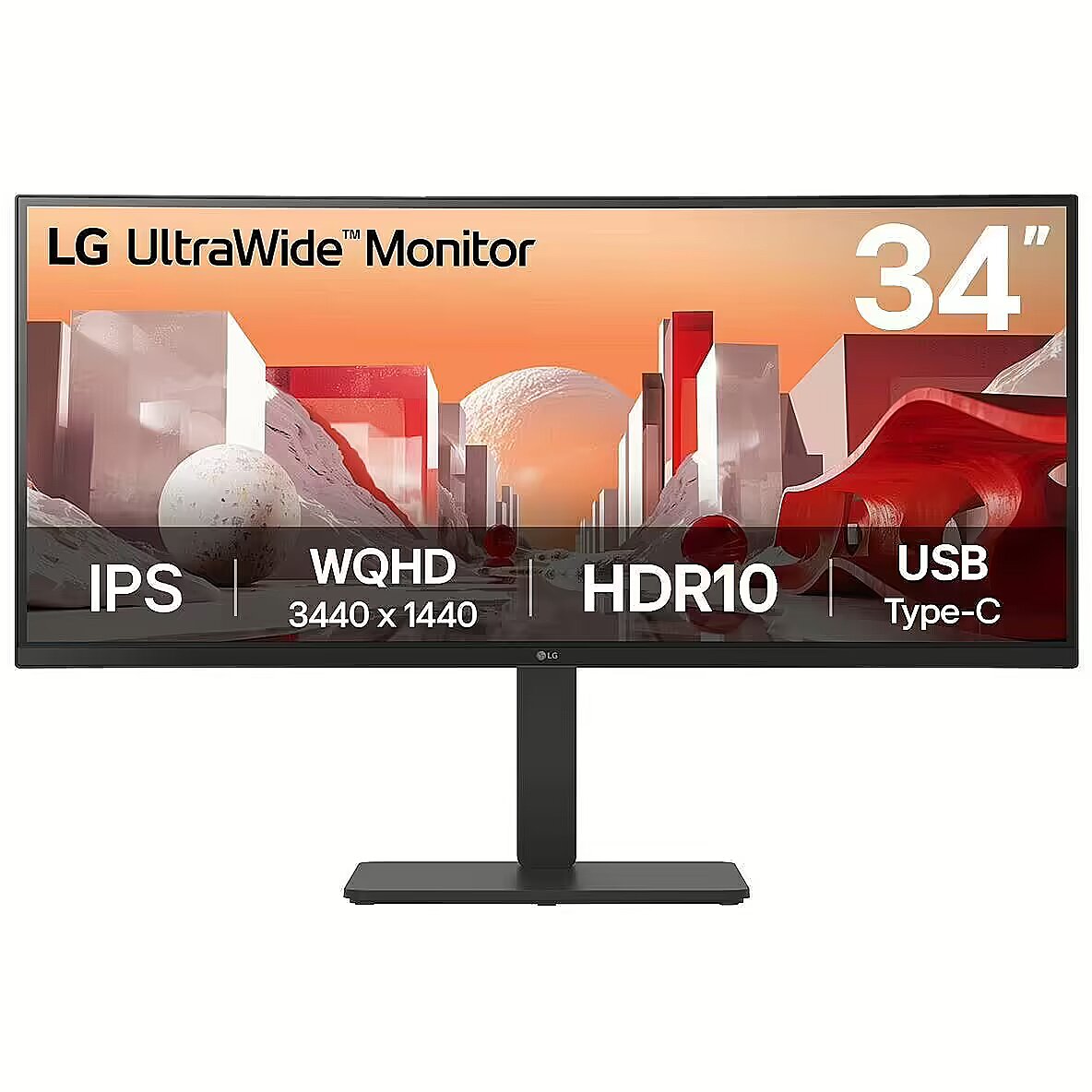
Description1 - LG LED monitor UltraWide 34BA75QE-B - 86.4 cm (34") - 3440 x 1440 WQHD
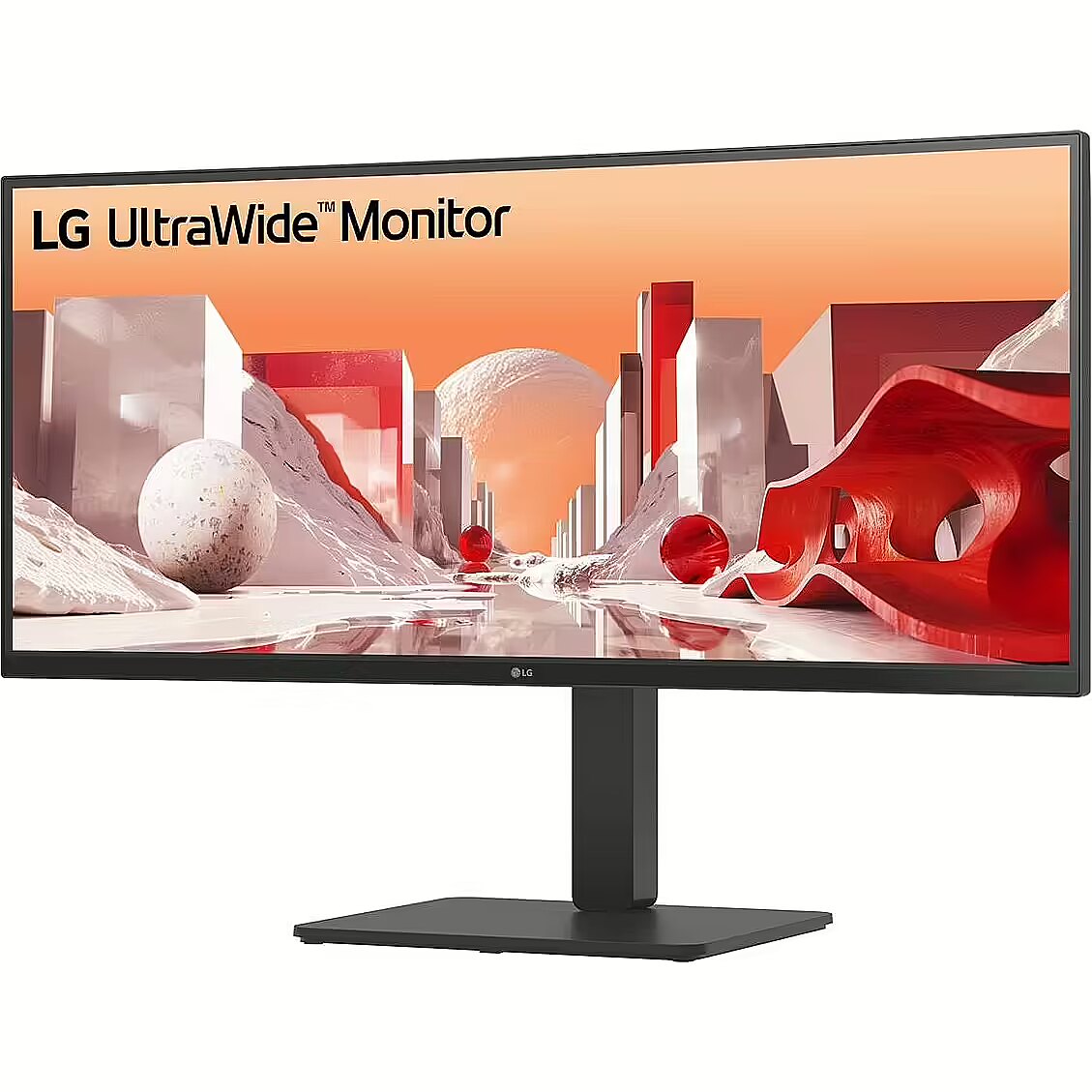
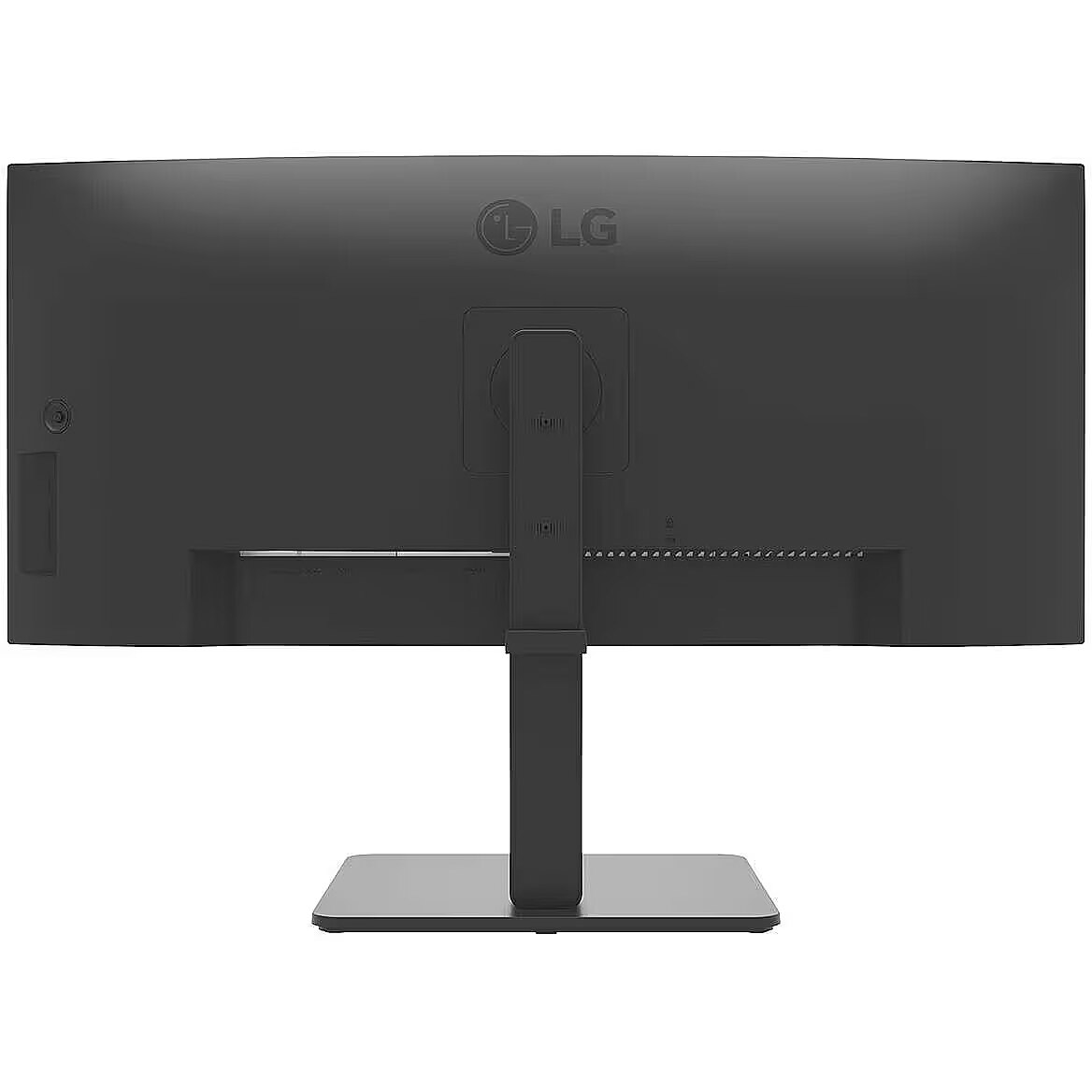
Description2 - The LG UltraWide 34BA75QE-B is a feature-rich monitor designed for those who value expansive screen real estate and stunning visuals. With a 34-inch diagonal size and a native resolution of 3440 x 1440, this monitor enhances productivity and entertainment through its wide aspect ratio of 21:9. The IPS TFT technology provides vibrant colors and excellent viewing angles, allowing for a clear image from virtually any position. Equipped with built-in devices such as a KVM switch and USB hub, this monitor fosters easy connectivity and efficient multitasking, making it suitable for home, office, or gaming settings. The monitor also emphasizes user comfort with adjustable features, including tilt, height, and swivel options, accommodating different work styles. Additionally, its ergonomic stand and Flicker Safe technology help reduce eye strain during long usage sessions. The presence of HDR support delivers enhanced dynamic range and improved color fidelity, while the audio system with stereo speakers ensures a quality sound experience. Enjoy HDR10 content and other media with brightness levels of 300 cd/m2 and a contrast ratio of 1000:1, effectively bringing visuals to life.
Design - Market positioning - Business
Design - Product colour - Black
Dimensions (W x D x H) with stand, mm - 816.7 x 267.5 x 393.5-543.5
Dimensions W x D x H, mm - 816.7 x 83.6 x 364.4
Display - Contrast ratio (typical) - 1000:1
Display - Display brightness (typical) - 300 cd/m²
Display - Display diagonal - 86.4 cm (34")
Display - Display diagonal (metric) - 87 cm
Display - Display number of colours - 1.07 billion colours
Display - Display resolution - 3440 x 1440 pixels
Display - Display technology - LCD
Display - HD type - Wide Quad HD
Display - High Dynamic Range (HDR) supported - Yes
Display - High Dynamic Range (HDR) technology - High Dynamic Range 10 (HDR10)
Display - Maximum refresh rate - 60 Hz
Display - Native aspect ratio - 21:9
Display - Panel type - IPS
Display - Response time - 5 ms
Display - Screen curvature rating - 3800R
Display - Screen shape - Curved
Display - sRGB coverage (typical) - 99%
Display - Touchscreen - No
Display - Viewing angle, horizontal - 178°
Display - Viewing angle, vertical - 178°
Display > Aspect ratio - 21:9
Display > Display - 3440 x 1440 pixels
Display > Display brightness - 300 cd/m²
Display > Display diagonal - 34 "
Display > Maximum refresh rate - 60 Hz
Display > Panel type - IPS
Display > Response time - 5 ms
Display > Viewing angle, horizontal - 178 °
Display > Viewing angle, vertical - 178 °
Display brightness (typical) Display - 300 cd/m²
Display brightness, cd/m² - 300
Display color - Black
Display diagonal (metric) Display - 87 cm
Display diagonal, " - 34
Display diagonal Display - 86.4 cm (34")
Display number of colours - 1.07 B
Display number of colours Display - 1.07 billion colours
DisplayPorts quantity - 1
DisplayPorts quantity Ports & interfaces - 1
Display resolution, pixels - 3440 x 1440
Display resolution Display - 3440 x 1440 pixels
Display technology Display - LCD
EAN - 8806096207345
ean - 8806096207345
EAN_code - 8806096207345
Energy consumption (HDR) per 1000 hours Power - 42 kWh
Energy consumption (SDR) per 1000 hours Power - 29 kWh
Energy efficiency class (HDR) Power - G
Energy efficiency class (SDR) Power - F
Energy efficiency class Energy Efficiency - F
EPREL Registration Number Energy Efficiency - 2029153
EPREL Version Number Energy Efficiency - 3
Ergonomics - Adjustable height (max) - 15 cm
Ergonomics - Height adjustment - Yes
Ergonomics - On Screen Display (OSD) - Yes
Ergonomics - Panel mounting interface - 100 x 100 mm
Ergonomics - Swivel angle range - -45 - 45°
Ergonomics - Swivelling - Yes
Ergonomics - Tilt adjustment - Yes
Ergonomics - Tilt angle range - -5 - 21°
Ergonomics - VESA mounting - Yes
Ergonomics > Height adjustment - Yes
Ergonomics > Swivelling - Yes
Ergonomics > Tilt adjustment - Yes
Ergonomics > VESA mounting - Yes
Ergonomics > VESA mounting interfaces - 100x100 mm
Ethernet LAN (RJ-45) ports quantity - 1
Ethernet LAN Network - Yes
Flicker-free technology Performance - Yes
Green certifications - Energy Star
Green certifications - EPEAT
Green certifications - TCO
Gross Weight Kg - 10,1
GTIN - 8806096207345
HDMI Ports & interfaces - Yes
HDMI ports quantity - 2
HDMI ports quantity Ports & interfaces - 2
HDMI version Ports & interfaces - 2.0
HD type Display - Wide Quad HD
Headphone out Ports & interfaces - Yes
Height - 480.000000
Height (without stand) Weight & dimensions - 364.4 mm
Height (with stand) Weight & dimensions - 543.5 mm
Height adjustment - Yes
Height adjustment, mm - 150
Height adjustment Ergonomics - Yes
High Dynamic Range (HDR) supported Display - Yes
High Dynamic Range (HDR) technology Display - High Dynamic Range 10 (HDR10)
Length - 985.000000
Link - https://www.lg.com/global/business/monitors/lg-34ba75qe
LongDesc - 34" WQHD IPS displayVivid color at wide anglesLG WQHD (3440x1440) monitor with IPS technology delivers a clear and consistent color. It can provide vivid color reproduction and help users to view the screen at a wide angle.21:9 WQHD (3440x1440) Curved (3800R)See more, do moreThe UltraWide™ QHD (3440x1440) monitor, featuring a 3800R curvature and a 21:9 aspect ratio, provides you with more screen real estate and elevates your work efficiency. You can have multiple files open side by side and view extended rows of data in a spreadsheet without wrapping.HDR10 with sRGB 99% (Typ.)See amazing colorsHDR technology is now applied to various content. This monitor is compatible with industry standard HDR10 (High Dynamic Range), based on the sRGB 99% color gamut, supporting specific levels of color and brightness that enables viewers to enjoy the dramatic colors of the content.Picture By Picture (PBP)One screen, multiple views34BA75QE allows you to see multiple contents from two computers with the picture-by-picture feature, so it helps to process work efficiently.Dual Controller (Built-in KVM)Multi devices, one monitorThe dual controller helps to work through a single monitor with two computers and transfer files to either computer. Also, the built-in KVM feature allows you to control both computers with a single keyboard and mouse.USB Type-C™Productivity hub with easy connectivityUSB Type-C™ port allows from display and data transferring to connected device charging (up to 90W), enabling support for your laptop all at the same time over a single cable.Multi portsA variety of interfaceThe 34BA75QE offers a variety of ports, solving the problem of limited connectivity for hardworking individuals. With its multiple ports, you can easily connect numerous devices for efficient desk setup. Say goodbye to the frustration of running out of ports.Integrated power moduleFully use your deskWith built-in power, workstations can have a streamlined, clutter-free layout. This improves space utilization and organization, resulting in a cleaner and more efficient work environment.Ergonomic designEasy and comfyAchieve optimal positioning with the Ergonomic Stand: Simple setting with one click as well as easily adjust Height, Tilt, and Swivel for your ideal viewing experience.Reader ModeReader Mode adjusts color temperature and luminance that helps to lessen eye fatigue and provide eye comfort while reading documents on a monitor.Flicker SafeFlicker Safe reduces invisible flickering on the screen, which helps reduce eye strain.Better life for all34BA75QE complies with multiple standards such as Energy Star and EPEAT.Color Weakness ModeColor Weakness Mode adjusts the color palette and contrast to help users with color vision deficiencies, making it easier to distinguish between red and green.
LongProductName - 34", UltraWide QHD IPS (3440x1440), HDR10, 3800R, 60 Hz, sRGB 99%, HDMI, DP, USB, PBP, Black Stabilizer, Flicker Safe
LongSummaryDescription - LG 34BA75QE-B. Display diagonal: 86.4 cm (34"), Display resolution: 3440 x 1440 pixels, HD type: Wide Quad HD, Display technology: LCD, Response time: 5 ms, Native aspect ratio: 21:9, Viewing angle, horizontal: 178°, Viewing angle, vertical: 178°. Built-in speaker(s). Built-in USB hub. VESA mounting, Height adjustment. Product colour: Black
Manufacturer - LG
Manufacturer - LG Electronics
Manufacturer Code - 34BA75QE-B.AEU
ManufacturerID - 34BA75QE-B.AEU
Manufacturer Name - LG Electronics
ManufacturerPartNumber - 34BA75QE-B
Manufacturer_code - 34BA75QE-B.AEU
Market positioning Design - Business
Maximum refresh rate Display - 60 Hz
MPN - 34BA75QE-B
Multimedia - Built-in camera - No
Multimedia - Built-in speaker(s) - Yes
Multimedia - Number of speakers - 2
Multimedia - RMS rated power - 10 W
Multimedia > Built-in speaker(s) - Yes
Multimedia > TV tuner integrated - No
Name - 86,72cm/34" (3440x1440) LG 34BA75QE-B 21:9 WQHD IPS Curved 5ms 60Hz HDR10 HDMI DP USB-C Speaker
Name - LG Electronics 34BA75QE-B.AEU - 34 - black, UWQHD, IPS, Curved, HDR
name - LG UltraWide 34BA75QE-B, 34 Zoll Curved Business Monitor, 60Hz, IPS
Name - LG | 34BA75QE-B | 34 " | IPS | 21:9 | 60 Hz | 5 ms | 3440 x 1440 pixels | 300 cd/m² | HDMI ports quantity 2
Native aspect ratio Display - 21:9
Network - Ethernet LAN - Yes
Networking > Ethernet LAN (RJ-45) ports - Yes
Number of speakers Multimedia - 2
Number of upstream ports Ports & interfaces - 1
NVIDIA G-SYNC Performance - No
On Screen Display (OSD) Ergonomics - Yes
Other features - Brand specific technologies - Black Stabilizer, Super+ Resolution
Other features - Picture-by-Picture (PbP) - Yes
Package depth Packaging data - 203 mm
Package features > Embeeded battery - No
Package features > Gross depth (mm) - 203.00 mm
Package features > Gross height (mm) - 482.00 mm
Package features > Gross width (mm) - 988.00 mm
Package features > Packing quantity - 1.00 pc(s)
Package features > Palette Qty - 24 pc(s)
Package features > Paper/Pasteboard - 2160.00 g
Package features > Plastic (No PET) - 540.00 g
Package features > Tare weight (kg) - 2.70 kg
Package features > Volume (m3) - 0.10 m³
Package features > WEE classification - CL109:2:2017-04-01
Package features > WEEE tax - Yes
PackageHeight - 480
Package height Packaging data - 482 mm
PackageLength - 980
PackageWeight - 13400
Package weight Packaging data - 13.7 kg
PackageWidth - 197
Package width Packaging data - 988 mm
Packaging data - Package depth - 203 mm
Packaging data - Package height - 482 mm
Packaging data - Package weight - 13.7 kg
Packaging data - Package width - 988 mm
Panel mounting interface Ergonomics - 100 x 100 mm
Panel type - IPS
Panel type Display - IPS
PDF - https://www.blobs.lt/products/3/1/4/8/8/4/04d7ffc825f8b05fb1aee6f9e00abadc/original.pdf
Performance - AMD FreeSync - No
Performance - Flicker-free technology - Yes
Performance - NVIDIA G-SYNC - No
PeriodofWarranty - 24 M
Picture-by-Picture (PbP) Other features - Yes
Pivot - No
Pixel pitch, mm - 0.2325 x 0.2325
Ports & interfaces - Built-in KVM switch - Yes
Ports & interfaces - Built-in USB hub - Yes
Ports & interfaces - DisplayPorts quantity - 1
Ports & interfaces - HDMI - Yes
Ports & interfaces - HDMI ports quantity - 2
Ports & interfaces - HDMI version - 2.0
Ports & interfaces - Headphone out - Yes
Ports & interfaces - Number of upstream ports - 1
Ports & interfaces - USB Power Delivery (USB PD) - Yes
Ports & interfaces - USB Power Delivery up to - 90 W
Ports & interfaces - USB Type-A downstream ports quantity - 4
Ports & interfaces - USB Type-C downstream ports quantity - 1
Ports & interfaces - USB upstream port type - USB Type-A
Ports & interfaces > DisplayPorts quantity - 1
Ports & interfaces > HDMI ports quantity - 2
Power - AC input frequency - 50/60 Hz
Power - AC input voltage - 100 - 240 V
Power - Energy consumption (HDR) per 1000 hours - 42 kWh
Power - Energy consumption (SDR) per 1000 hours - 29 kWh
Power - Energy efficiency class (HDR) - G
Power - Energy efficiency class (SDR) - F
Power - Power consumption (standby) - 0.5 W
Power - Power consumption (typical) - 29 W
Power - Power supply type - Internal
Power consumption (sleep mode), W - 0.5
Power consumption (standby) Power - 0.5 W
Power consumption (typical) Power - 29 W
Power consumption, W - 29
Power supply type Power - Internal
Product colour Design - Black
ProductName - 34BA75QE-B
Product Net Weight - 11 kg
Refresh rate, Hz - 60
Response time, ms - 5
Response time Display - 5 ms
RMS rated power Multimedia - 10 W
Screen curvature rating Display - 3800R
Screen shape Display - Curved
Short description - LG LCD 34BA75QE-B 34" black UltraWide
ShortSummaryDescription - LG 34BA75QE-B, 86.4 cm (34"), 3440 x 1440 pixels, Wide Quad HD, LCD, 5 ms, Black
Speaker power, W - 2 x 5
sRGB coverage (typical) Display - 99%
Summary - LG 34BA75QE-B. Display diagonal: 86.4 cm (34"), Display resolution: 3440 x 1440 pixels, HD type: Wide Quad HD, Display technology: LCD, Response time: 5 ms, Native aspect ratio: 21:9, Viewing angle, horizontal: 178°, Viewing angle, vertical: 178°. Built-in speaker(s). Built-in USB hub. VESA mounting, Height adjustment. Product colour: Black
Sustainability - Sustainability certificates - ENERGY STAR, EPEAT, TCO
Sustainability certificates Sustainability - ENERGY STAR, EPEAT, TCO
Swivel angle range Ergonomics - -45 - 45°
Swivelling Ergonomics - Yes
Technical details > Connectivity - HDMI, DisplayPort, USB-C, RJ45
Technical details > Dimensions with stand - 81.67 x 39.35-54.35 x 26.75 cm
Technical details > Gross weight - 13.70 kg
Technical details > Net weight - 11.00 kg
Technical details > Producer - LG
Technical details > Producer product name - 34BA75QE-B
Technical details > USB-C - Yes
Technical details > USB-C power delivery - 90W
Tilt adjustment Ergonomics - Yes
Tilt angle, ° - -5 - 21
Tilt angle range Ergonomics - -5 - 21°
Title - LG 34BA75QE-B computer monitor 86.4 cm (34") 3440 x 1440 pixels Wide Quad HD LCD Black
Touchscreen Display - No
Touch sensitive screen - No
Turn, ° - ±45
Unit Box Height - 0.49
Unit Box Length - 0.98
Unit Box Width - 0.2
Unit Calculated Volume - 0.09604 cubm
Unit Calculated Weight - 13.4 kg
Units per Pallet - 0
URL - https://www.lg.com/global/business/monitors/lg-34ba75qe
USB-A (USB 3.2) ports quantity - 4
USB-C charging power max, W - 90
USB-C power delivery - Yes
USB Power Delivery (USB PD) Ports & interfaces - Yes
USB Power Delivery up to Ports & interfaces - 90 W
USB Type-A downstream ports quantity Ports & interfaces - 4
USB Type-C downstream ports quantity Ports & interfaces - 1
USB Type-C ports quantity - 1
USB upstream port type Ports & interfaces - USB Type-A
VESA-standard, mm - 100 x 100
VESA mounting Ergonomics - Yes
Viewing angle, horizontal, ° - 178
Viewing angle, horizontal Display - 178°
Viewing angle, vertical, ° - 178
Viewing angle, vertical Display - 178°
Warranty - 24 months
Warranty - 36
Warranty - 36 month(s)
WarrantyInfo -
Weight - 7.780000
Weight - 13,50
Weight - 13.4
Weight & dimensions - Depth (without stand) - 83.6 mm
Weight & dimensions - Depth (with stand) - 267.5 mm
Weight & dimensions - Height (without stand) - 364.4 mm
Weight & dimensions - Height (with stand) - 543.5 mm
Weight & dimensions - Weight (without stand) - 7.5 kg
Weight & dimensions - Weight (with stand) - 11 kg
Weight & dimensions - Width (without stand) - 816.7 mm
Weight & dimensions - Width (with stand) - 816.7 mm
Weight (without stand) Weight & dimensions - 7.5 kg
Weight (with stand) Weight & dimensions - 11 kg
Weight, g - 7500
Weight with stand, g - 11000
Width - 200.000000
Width (without stand) Weight & dimensions - 816.7 mm
Width (with stand) Weight & dimensions - 816.7 mm



 DVI is a digital standard and ensures high image quality, however, thanks to the big size of the plug and the inability of the standard to develop further due to a few technical restrictions this type of connection is gradually losing its popularity to modern HDMI and DisplayPort standards.