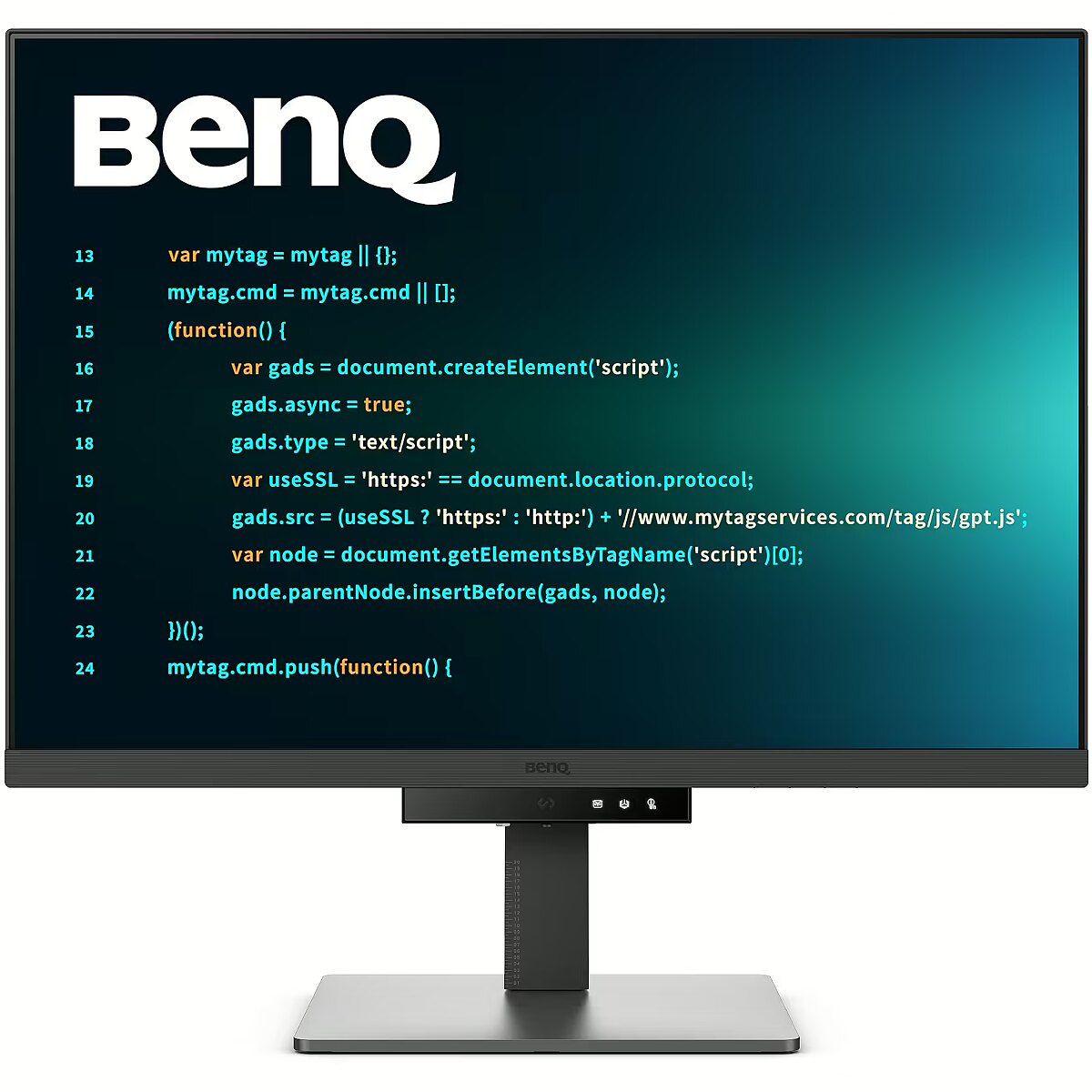
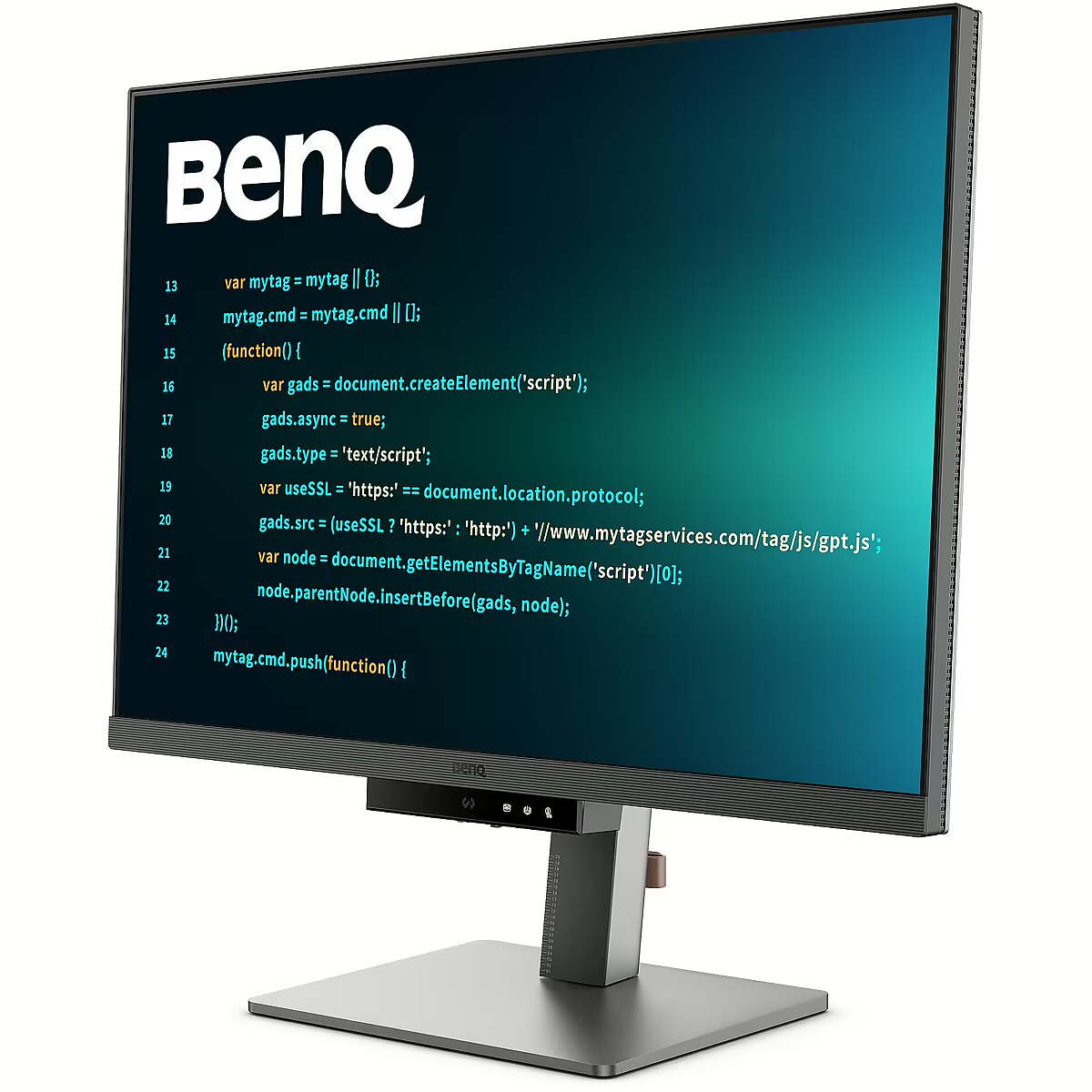
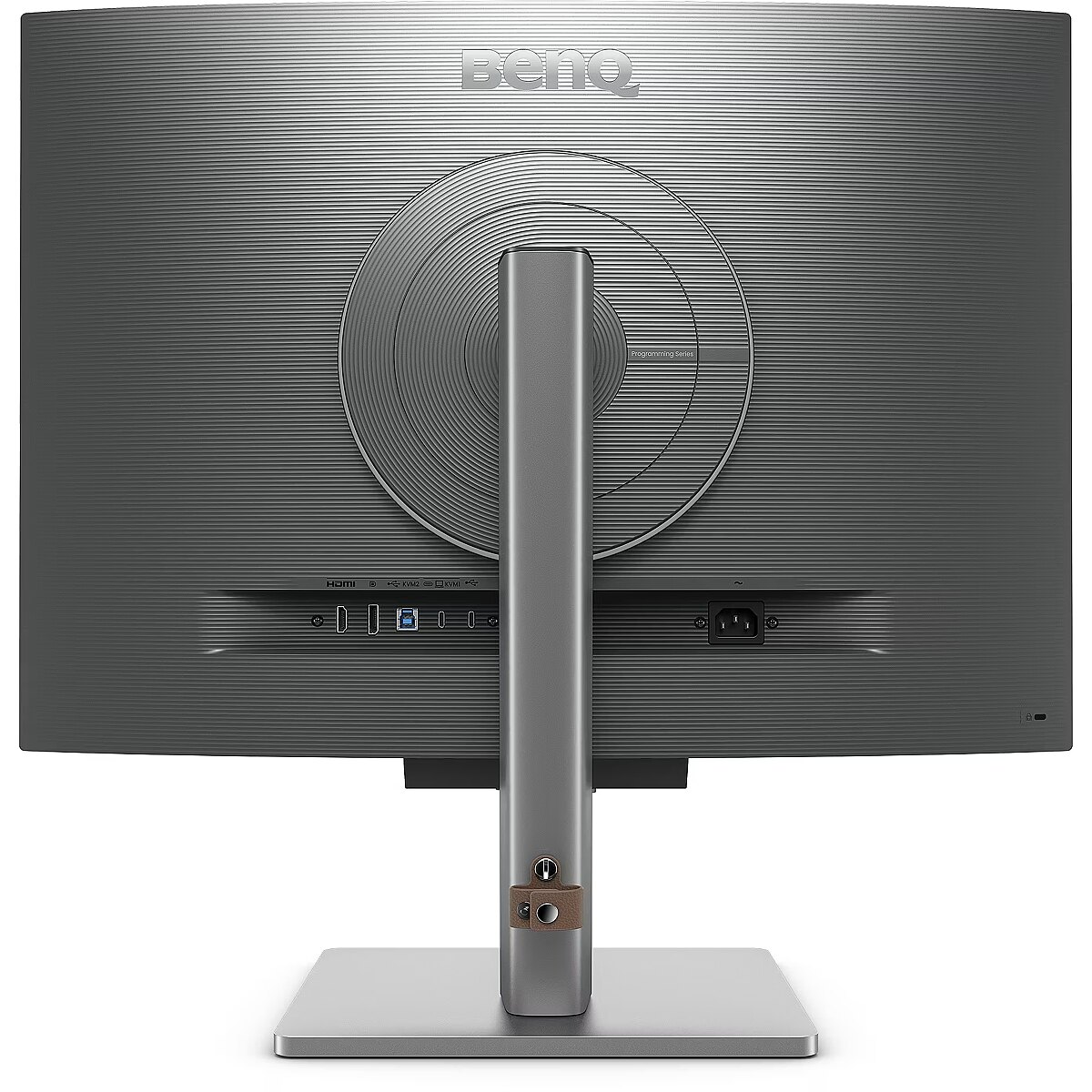
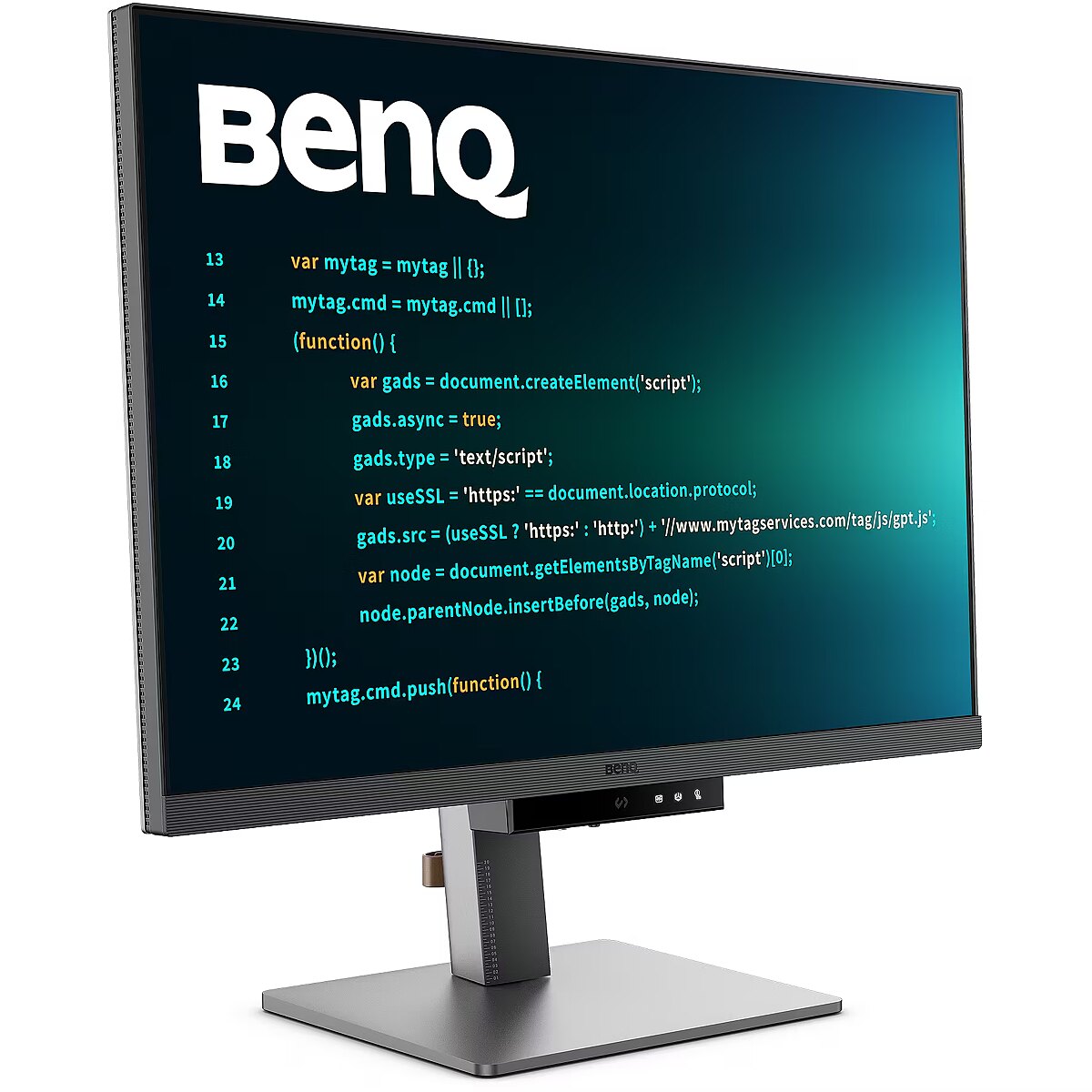
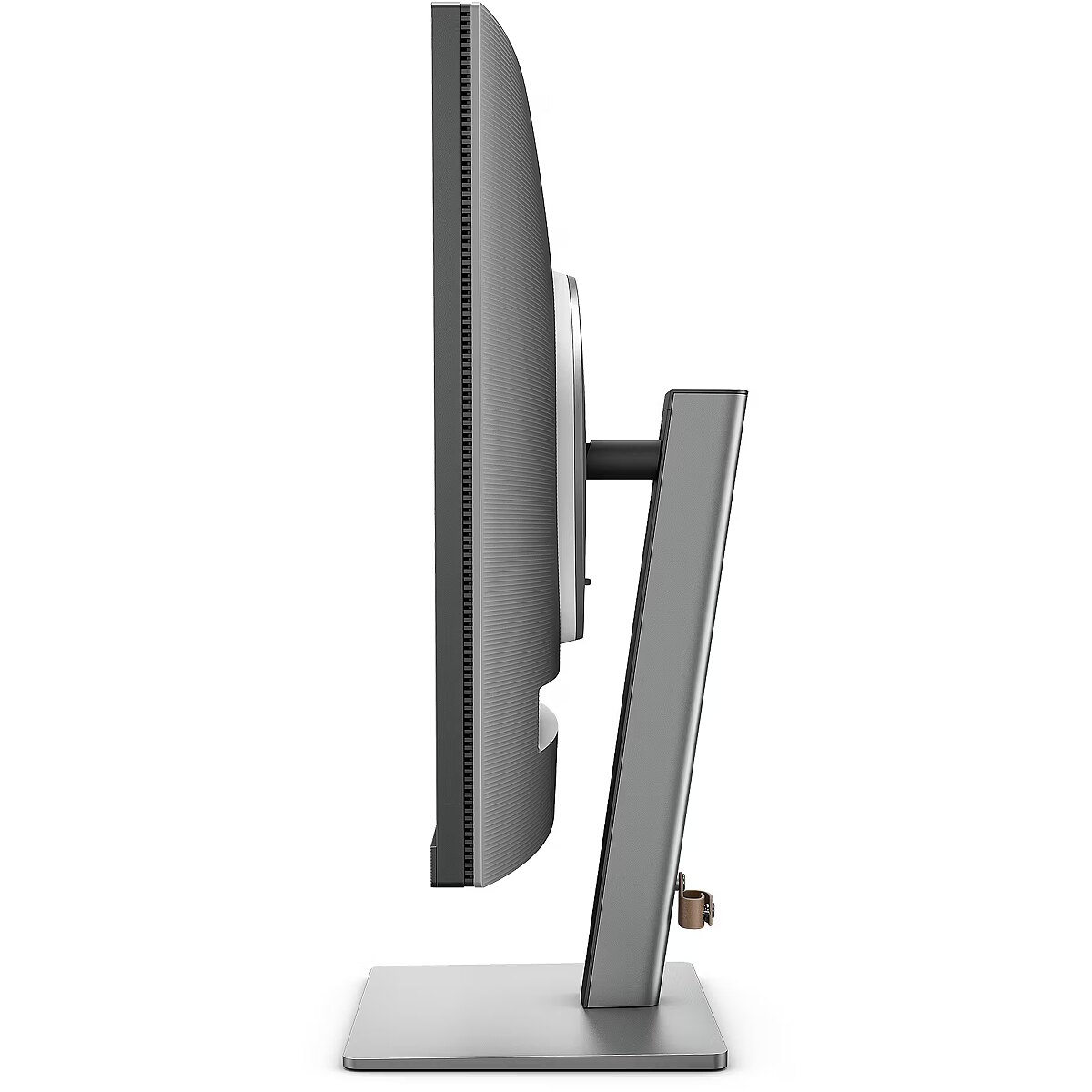
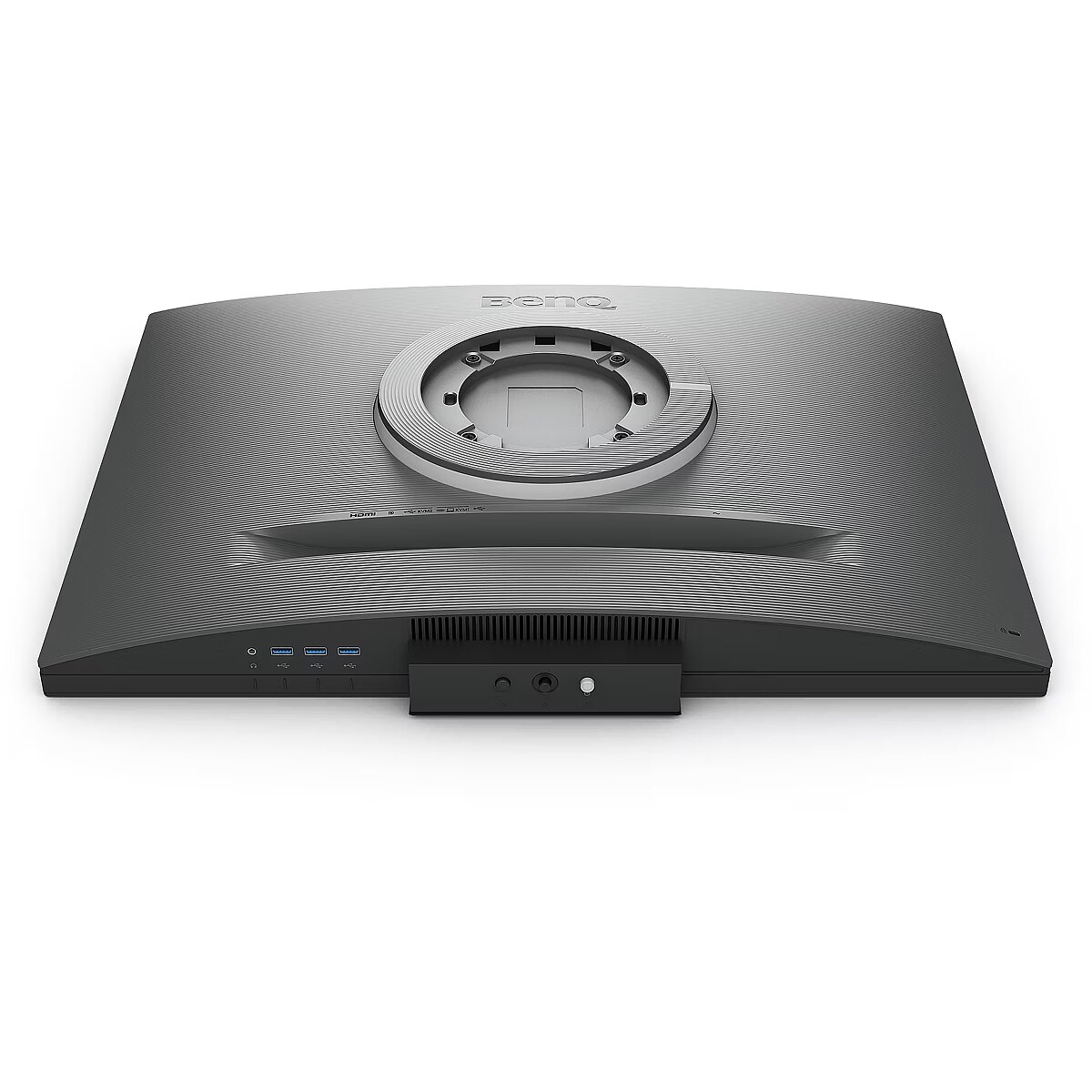
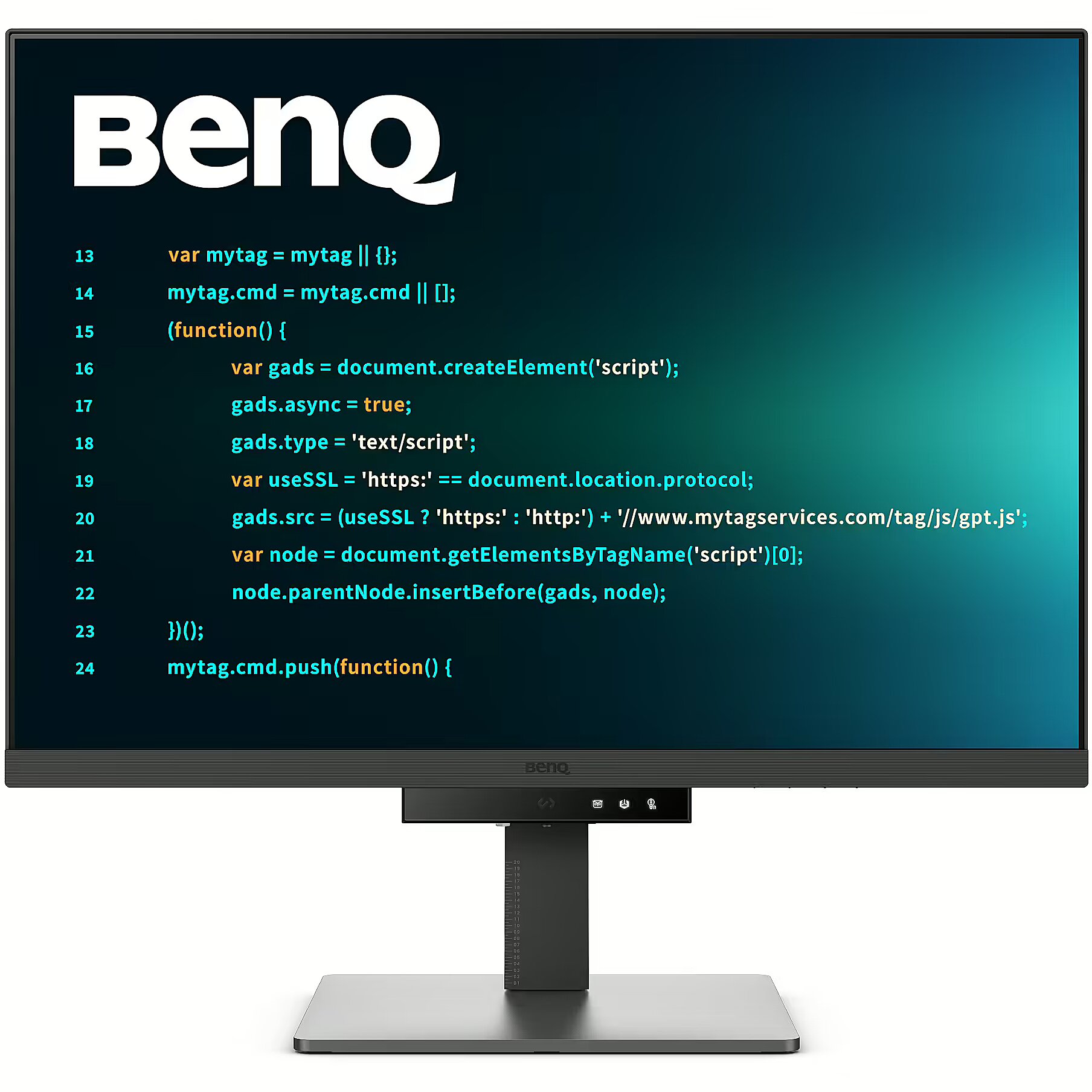
Benq RD280U. 28.2"

Picture may differ from actual product, there can be accessories and parts not supplied with the actual product.
ID: 1141916 Product code: 9H.LM1LJ.TBE
In stock 9 units
Warranty: 2 years
456.59 €
566.17 € with VAT
Ready for dispatch
on Friday, 16.10.2026
starting from 4.83 € w/o VAT
Delivery options
  • Delivery by courier to the address
    Within 1-2 working days
    4.83 €
Main product parameters All parameters
  • Curved: None
  • Panel Type: IPS
  • Refresh rate: 60 Hz
  • Response time: 5ms
  • Contrast ratio: 1200:1
  • Brightness: 400cd/m2
  • Size: 28.2"
  • Resolution: UHD 3840x2560
Description

This Benq RD280U. 28.2" monitor with UHD 3840x2560 resolution is suitable for comfortable work with documents, web content, and multimedia. It provides natural image reproduction, comfortable viewing, and stable performance, satisfying user needs for a universal work screen.

The response time 5ms reduces pixel transition delay, thereby minimizing blur and afterimage formation in moving images. Such an indicator is especially useful for dynamic content, ensuring clearer and more stable frame representation. The monitor responds faster to image changes, improving visual accuracy.

The IPS technology provides a stable image, thanks to wide viewing angles and consistent color reproduction across the entire screen area. Unlike TN and VA panels, IPS maintains accurate colors even when the viewing position is changed, reducing distortions and increasing reliability for precise visual work.

The refresh rate of 60 Hz ensures stable images and comfortable work in office and home applications. This mode reduces eye fatigue during prolonged use, minimizes flickering, and ensures smooth motion. It is ideally suited for everyday tasks, web browsing, and multimedia viewing.

The Flicker-Free technology reduces or completely eliminates flickering in lighting, ensuring a stable and uniform image. The reduced visual vibration lessens eye strain and improves comfort during prolonged use, especially when using the monitor at a lower brightness level.

The Pivot technology allows the screen to be rotated into vertical orientation, ensuring more efficient use of workspace when working with text, documents, or long lists. This design improves readability, reduces the need for scrolling, and enhances convenience.

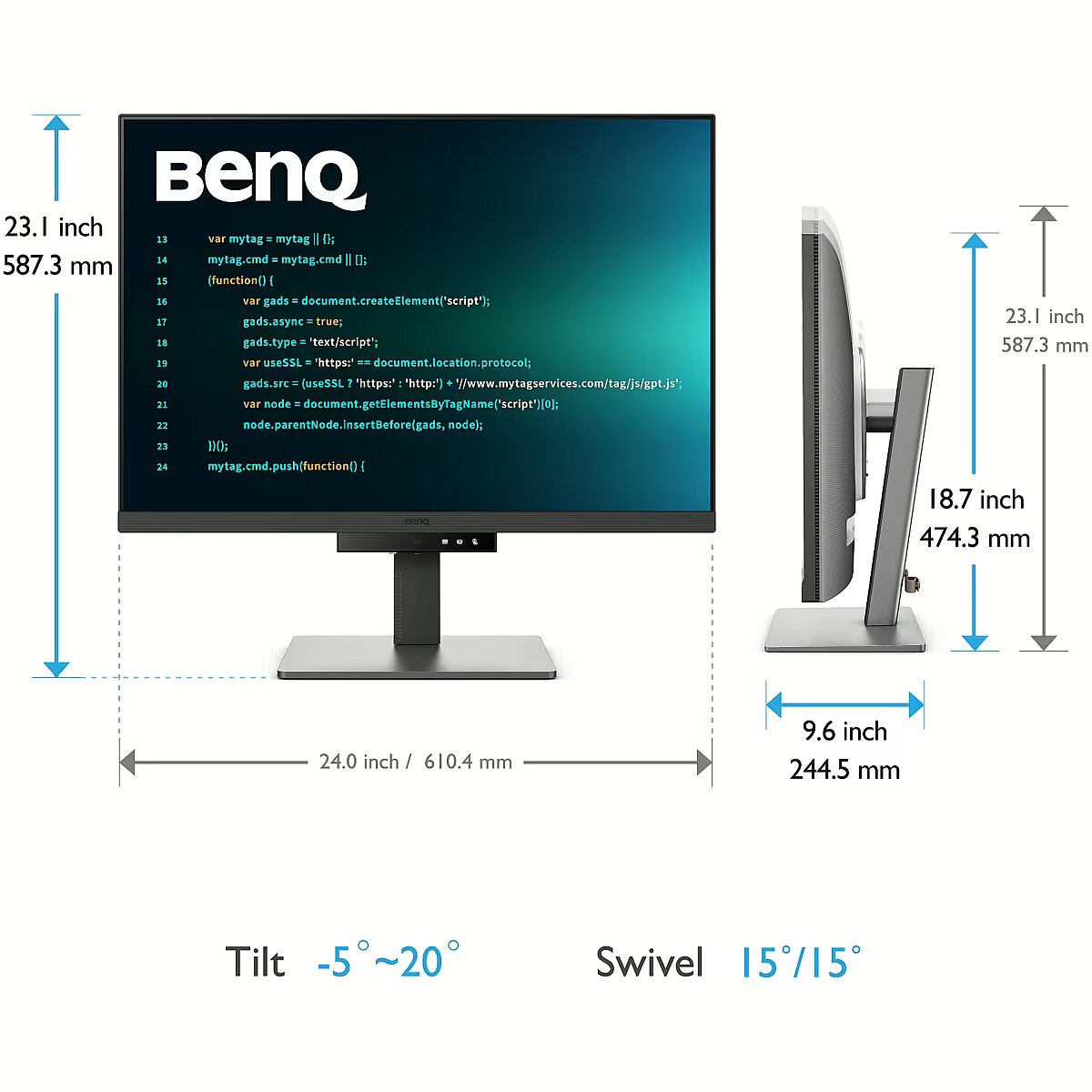
The Swivel technology allows the monitor to be rotated left and right around the vertical axis, ensuring precise screen positioning in relation to the user. Such a design improves the viewing angle, reduces neck strain, and makes the workspace more comfortable for collaboration or material demonstration.

Tilt mechanism allows to change the screen's vertical angle without moving the whole construction. Such adjustment improves workplace ergonomics, ensures stable image quality and helps to adapt the monitor to the user's individual preferences or specific tasks.

VESA wall mount provides a standardized mounting hole layout, allowing you to safely attach the monitor to the wall using compatible brackets. This type of installation frees up desk space, reduces vibrations from the table, and ensures a stable screen position for prolonged work.

Built-in speakers allow the monitor to independently process and play audio signals, reducing the need for additional devices. This makes the workplace more compact and facilitates connection. The speakers provide basic sound support for multimedia and communication applications.

HDMI is a digital interface designed for stable video and audio transmission with a single cable. This approach reduces the number of connections and prevents unnecessary signal conversion. HDMI ensures a reliable connection, high throughput, and precise operation with modern devices without loss of quality.

DisplayPort is the latest monitor interface standard that ensures stable image transmission with high resolution and refresh intensity. It supports HDR, frame synchronization and multiple monitor systems, maintaining detail accuracy and image quality for professional and gaming work.

The USB-C connection provides video, audio, and power transmission through a single cable, reducing the number of wires and facilitating the connection. It offers fast data transmission and a stable picture, making the monitor convenient for use with modern laptops and mobile devices without multiple separate connections.

Multiple USB-C ports expand monitor functions when using modern digital devices. Each port provides power, signal, and data transmission through a single cable, reducing the complexity of the connection. This allows for simultaneous use of various devices and optimal cable placement.

USB Power Delivery is capable of powering connected devices through a single cable, eliminating the need for additional chargers. This feature simplifies connection and maintains a more organized workspace. The technology ensures stable power supply and data transmission.

The presence of a USB-C video input allows the monitor to receive audio and video signals through a single universal cable, reducing the need for separate interfaces. Support for modern standards ensures quality data transmission and wide compatibility, making the connection more convenient and technically justified.

Warranty

Benq provides this model with a 3 year warranty at all certified service centres.
All parameters
Model : RD280U
Display characteristics
AMD FreeSync : None
Curved : None
NVIDIA G-SYNC : None
Panel Type IPS

Teh monitor panel is the main feature of the visible part of the screen or the technology where the display of the colour dots (pixels) is implemented.

TN is the standard technology with average contract, brightness and colour compliance indices.

IPS is the matrix with high colour compliance and good response speed, therefore it is well suited for graphics tasks and photo editing. IPS matrix provide an excellent viewing angle maintaining the colours and contrast from almost any angle.

VA matrix ensures superior colour compliance, however, the response time of this matrix is lagging behind that of the IPS and TN; the viewing angle is somewhere between both these technologies.

The TN type monitor is fully sufficient for an average user. If you have more money available the VA or IPS can be chosen.

Refresh rate : 60 Hz
Touchscreen : NO
VESA DisplayHDR : DisplayHDR 400
Response time 5ms
The response time of the monitor screen determines how fast the monitor will display moving images (films, games, animations, etc.). The response time is measured in miliseconds. The less the response time the better the ability of the monitor to display moving images.
www.toppc.ee recommends to buy monitors with 5ms response time or lower.
Contrast ratio 1200:1

Ekrāna kontrasts nosaka attēla asumu. Tā ir atšķirība starp vistumšāko (pilnīgi melnu) un visgaišāko (pilnīgi baltu) pikseli. Jo lielāks kontrasts, jo skaidrāk salasāms teksts uz ekrāna, kontrasts arī nosaka, cik izteiksmīgas līnijas būs redzamas monitora attēlā.

Augsts kontrasts ir nozīmīgs faktors izvēloties monitoru biroja, vai mācību vajadzībām, kad lielākoties tiek strādāts ar tekstuālu informāciju.

Mājas vajadzībām svarīgāks izvēles rādītājs ir gaišums un attēla reakcijas laiks. Kontrastu labāk novērtēt tumšā istabā.
Lielākais LCD monitoru trūkums ir tas, ka samazinot attēla spilgtumu, kontrasts var pazust.

Brightness 400cd/m2

Monitora gaišums ir attēla redzamības rādītājs, kas nosaka, cik labi saskatāms ir attēls pie spēcīga ārējā apgaismojuma (saules gaisma, gaiša telpa, utt.). LCD monitoru gaišums tiek mērīts kandelās uz kvadrātmetru (Cd/m2).
Izvēloties monitoru jāņem vērā - jo lielāks gaišuma rādītājs, jo labāka attēla redzamība.

Ikdienas vajadzībām TopPC.ee iesaka iegādāties monitoru ar gaišumu, ne mazāku par 250 cd/m2.

Basic information
Application : Home & Office
Aspect ratio : 3:2
Color : Black, Gray
Size 28.2"

The size of the monitor screen is measured in inches across the diagonal. The screen size must be proportionate to the resolution of the screen for achieving the maximum utilisation of the desktop and details of the image.

Mainly two forms of LCD monitors are available: with standard width and height proportion 4:3 or the widescreen proportion 16:9 or 16:10. A widescreen monitor is wider and its resolution is higher than that of the monitors with standard proportion.

The bigger the monitor size the higher resolution usually is supported. Possibilities to increase the resolution of the screen usually depend on the size and possibilities of the monitor and the type of the video card.

Resolution UHD 3840x2560

The resolution of the monitor screen determines the number of colour dots (pixels) a monitor can display. It refers to the clarity of the text and images displayed on the screen. The higher the resolution the sharper the items look.

The applied resolution depends on the resolution supported by the monitor. LCD monitors, including the screens of laptop computers usually work best if their local resolution has been set. The setting of this resolution for the monitor is not mandatory, but usually it is recommended to set it for ensuring the highest possible sharpness of texts and images. The bigger the monitor size the higher resolution usually is supported.

Possibilities to increase the resolution of the screen usually depend on the size and possibilities of the monitor and the type of the video card.
• 19 inches screen (standard proportions): 1280x1024 pixels
• 20 inches screen (standard proportions): 1600x1200 pixels
• 22 inches screen (widescreen): 1680x1050 pixels
• 24 inches screen (widescreen): 1900x1200 pixels

Functionality
Flicker-free : Is
Height adjustment : Is
Pivot : Is
Swivel : And
Tilt : YES
VESA wall mount : 100x100 mm
Ports and equipment
D-SUB 0

D-SUB is the classic (analogous) monitor connection plug. This standard is gradually disappearing from the market giving the place to the higher quality HDMI or DisplayPort (digital) plugs.

If the resolution of the monitor is FullHD or below the average user will experience no problems with this connection. Those who want to achieve higher image quality and resolution should look for the monitor with the DisplayPort or HDMI connection slot.

DisplayPort 1

DisplayPort is the digital connection for transmitting the image via a single wire at a high quality level. Contrary to the HDMI, this connection allows to connect several external monitors to the computer via a single connector.

Prior to buying the monitor with the DisplayPort you should verify whether your computer has the DisplayPort plug available!

DVI 0

DVI is a digital standard and ensures high image quality, however, thanks to the big size of the plug and the inability of the standard to develop further due to a few technical restrictions this type of connection is gradually losing its popularity to modern HDMI and DisplayPort standards.

DVI is compatible with HDMI and transitions of both directions are available.

DVI is not compatible with DisplayPort, however, there are DualMode DisplayPort connectors which contains the HDMI/DVI signal, and in the relevant direction DisplayPort -> DVI can transmit an image.

If the monitor resolution exceeds 1920px in any direction a graphics card with the DVI-D Dual Link support and the relevant quality cable will be required.

Before buying a monitor you should verify whether your graphics card has the corresponding connection slot!

HDMI port 1

HDMI is the digital high quality image transmission standard that allows to connect the monitor to the computer via a thin cable by using an elegant small-size connector. HDMI is compatible with DVI if the relevant transition or cable is used.

Speakers Is

Some monitors may have built-in speakers that quite often allow to give up external speakers thus freeing a space on the desk and saving money. The sound quality of built-in speakers is quite moderate and therefore we recommend to use this possibility just for infrequent needs.

For enjoying music, movies and games we recommend buying the corresponding quality and capacity speakers.

USB Hub : YES
USB-C Power Delivery : 90W
USB-C video input : 1
More detailed specification
Accessories included - QSG (Quick Start Guide) Warranty Card Safety Instructions
ARTIKEL1 - RD280U IPS 4K UHD USB-C HDR10
ARTIKEL2 - P3 KVM 28IN 3:2 IPS 5MS 1200:1 H
Aspect ratio - 3:2
Auto Pivot - No
Bluetooth - No
Brand - BenQ
BrandPartCode - 9H.LM1LJ.TBE
Brightness - 350 nits
Brightness HDR - 400 nits
Category - Computer Monitors
Category - Root/Electronics/PC peripherals/Monitors
Category 1 - Displays
Category 2 - Monitore
Certificates - Energy Star
Certificates - EPEAT
Certificates - Eyesafe Display
Certificates - TCO
Certificates - TUV
Code - 9H.LM1LJ.TBE
Color - Gray
Dane fizyczne: Głębokość - 244.5 mm
Dane fizyczne: Kolor obudowy - szary
Dane fizyczne: Standard VESA - 100 x 100
Dane fizyczne: Szerokość - 610.4 mm
Dane fizyczne: Waga - 10.4 kg
Dane fizyczne: Wysokość - 474.3 mm (474.3-587.3 mm)
Dane techniczne: HDR - tak
Dane techniczne: Czas reakcji - 5 ms
Dane techniczne: Częstotliwość odświeżania - 60 Hz
Dane techniczne: Grupa produktowa - Monitory BenQ
Dane techniczne: Gwarancja - 2 lata w serwisie zewnętrznym
Dane techniczne: Głośniki - tak
Dane techniczne: Jasność - 400 cd/m²
Dane techniczne: Możliwość regulacji - obrót na podstawie (swivel)
Dane techniczne: Możliwość regulacji - pochył
Dane techniczne: Możliwość regulacji - wysokość
Dane techniczne: Powłoka matrycy - antyrefleksyjna
Dane techniczne: Producent - BenQ
Dane techniczne: Przekątna - 28.2 cali
Dane techniczne: Rodzaj podświetlenia - LED
Dane techniczne: Rozdzielczość ekranu - 3840 x 2560 piksele
Dane techniczne: Standard portów wideo - DisplayPort 1.4
Dane techniczne: Standard portów wideo - HDMI 2.0
Dane techniczne: Standard portów wideo - USB-C
Dane techniczne: Typ - do biura i domu
Dane techniczne: Typ ekranu - płaski
Dane techniczne: Typ matrycy - IPS
Data Act - Link
Depth - 244.5 mm
Description - Crystal-clear coding, clarity without glare  Designed for developers: BenQ programming monitors let you fully immerse yourself in your code, wherever you are. Innovative BenQ Nano Matte Panel Get into coding within seconds with the Nano Matte Panel. Its low-reflection surface minimizes distractions, helping you stay focused with advanced anti-glare technology. Superior code differentiation BenQs advanced Coding Modes deliver crystal-clear fonts and enhanced code differentiation, reducing eye strain during extended coding sessions. Code with comfort and efficiency Support for both dark and light themes in customizable coding environments. Quickly adjust brightness, sharpness, and contrast for the optimal coding experience. Productivity with an anti-glare panel Unlock maximum productivity with BenQs exclusive anti-glare, low-reflection Nano Matte Panel, designed specifically for developers. Enhance your coding experience with technology that minimizes visual distractions. Exceptional code differentiation BenQs advanced Coding Modes deliver crystal-clear fonts and enhanced code differentiation, reducing eye strain during long coding sessions. Code with comfort and efficiency Support for both dark and light themes in customizable coding environments. Quickly adjust brightness, sharpness, and contrast for the optimal coding experience. Stay focused anytime with MoonHalo Experience BenQ MoonHalo, the integrated rear monitor lighting system. With adjustable color temperature, brightness, lighting modes, and automatic dimming powered by Brightness Intelligence Gen2, MoonHalo delivers optimal eye comfort and helps you stay focused whether you're working from home or in the office. Take control of your display settings with Display Pilot 2 Display Pilot 2 gives you complete control over your display settings. Easily customize features including MoonHalo controls, shortcuts, Desktop Partition, Application Mode, Software Dimming, Circadian Mode, and more. Assign different modes to different applications Application Mode makes it easy to assign different color modes and remembers your preferred settings for each application. Pair your IDE with the advanced Coding Modes of the RD Series for the ultimate coding workflow. Circadian Mode for enhanced eye comfort BenQ Low Blue Light Plus includes Circadian Mode, which automatically adjusts the screens color temperature throughout the day to reflect the natural cycle from sunrise to sunset. Enjoy lasting eye comfort throughout the day. Boost productivity with Display Pilot 2 shortcuts Exclusive Shortcuts let you easily assign frequently used functions to keyboard shortcuts. With Display Pilot 2, copy and paste shortcuts are no longer limited to a single shortcut set-it conveniently remembers two clipboard sets simultaneously. Ergonomic monitor adjustments for your comfort Enhance your coding workspace with height, tilt, and swivel adjustments, ensuring optimal productivity and long-lasting comfort. Optimal posture, outstanding performance Relieve long-term neck and body strain. BenQ programming monitors prioritize your comfort during extended development projects. Endless horizons, intuitive workflows Whether you're working across multiple displays or comparing data on a single screen, BenQ programming monitors are built to support your multitasking workflow. See more, scroll less With its distinctive 3:2 aspect ratio, the RD280U is purpose-built for developers, providing a larger vertical viewing area. Seamless connectivity with effortless plug-and-play BenQ programming monitors offer a wide range of connectivity options, including USB-C for convenient all-in-one connectivity. Maximum efficiency and multitasking Boost productivity with seamless integration across multiple devices, flexible screen partitioning, and a built-in KVM (Keyboard, Video, Mouse) switch for effortless source switching. 90W USB Type-C daisy chaining Multi-Stream Transport (MST) technology lets you extend your desktop across multiple displays using USB Type-C. The 90W USB Type-C connection enables fast transfer of photos, videos, and other data while simultaneously charging your mobile devices-all with a single cable. Please note that Mac and MacBook devices support daisy chaining only through Thunderbolt. Daisy chaining is not supported via HDMI or standard USB ports on any device. In addition, Mac devices with M1 or M2 chips support only one external display. For more information about connecting different Mac models to external displays, please visit the Apple website. Coding HotKey and Function Bar Boost your productivity effortlessly with our unique Coding HotKey and Function Bar. A quick press of the Coding HotKey at the center of the Function Bar instantly immerses you in your coding environment. Keep your eyes free from fatigue Experience outstanding eye comfort during nighttime use with Night Hours Protection and Brightness Intelligence Gen2. BenQ Eye-Care technology is designed to enhance visual comfort throughout your workday. Night Hours Protection Take advantage of minimum brightness technology to reduce eye strain and enjoy enhanced eye protection at night with Night Hours Protection. Intelligent ambient light detection and automatic switching require minimal user intervention, providing effortless and continuous eye care. Brightness Intelligence Gen2 BenQ Brightness Intelligence Gen2 automatically detects ambient lighting conditions and adjusts screen brightness accordingly, while still allowing you to fine-tune brightness manually. Code with fresh eyes The TÜV Reflection Free certification ensures distraction-free coding by minimizing screen reflections for a clearer and more productive programming experience. TÜV Rheinland has also certified the RD280Us Low Blue Light technology as truly eye-friendly. The Eyesafe 2.0 certification ensures reduced blue light exposure while preserving vivid, accurate colors. BenQs green commitment: a vision for sustainability BenQ prioritizes environmentally responsible practices throughout the development of its products, reinforcing its commitment to sustainability. BenQ programming monitors incorporate eco-friendly technologies, recycled materials, and energy-efficient design.
Design - Market positioning - Business
Design - Product colour - Black
Designation - CE+WEEE
dimension depth - 840 mm
dimension height - 515 mm
dimension weight - 15000 g
dimension width - 220 mm
Display - Anti-glare screen - Yes
Display - Colour gamut - 95%
Display - Colour gamut standard - DCI-P3
Display - Contrast ratio (typical) - 1200:1
Display - Display brightness (peak) - 400 cd/m²
Display - Display brightness (typical) - 350 cd/m²
Display - Display diagonal - 71.6 cm (28.2")
Display - Display diagonal (metric) - 72 cm
Display - Display number of colours - 1.07 billion colours
Display - Display resolution - 3840 x 2560 pixels
Display - HD type - 4K Ultra HD
Display - High Dynamic Range (HDR) supported - Yes
Display - High Dynamic Range (HDR) technology - DisplayHDR 400, High Dynamic Range 10 (HDR10)
Display - LED backlight - Yes
Display - Maximum refresh rate - 60 Hz
Display - Native aspect ratio - 3:2
Display - Panel type - IPS
Display - Pixel density - 164 ppi
Display - Response time - 5 ms
Display - Screen shape - Flat
Display - Touchscreen - No
Display - Viewing angle, horizontal - 178°
Display - Viewing angle, vertical - 178°
Display > Aspect ratio - 3:2
Display > Display - 3840 x 2560 pixels
Display > Display brightness - 350 cd/m²
Display > Display diagonal - 28 "
Display > Maximum refresh rate - 60 Hz
Display > Panel type - IPS
Display > Response time - 5 ms
Display > Viewing angle, horizontal - 178 °
Display > Viewing angle, vertical - 178 °
Display surface - Matt
Dodatkowe informacje o matrycy: Format obrazu - 3:2
Dodatkowe informacje o matrycy: Kontrast - 1200:1
Dodatkowe informacje o matrycy: Kąt widzenia w pionie - 178 °
Dodatkowe informacje o matrycy: Kąt widzenia w poziomie - 178 °
Dodatkowe informacje o matrycy: Liczba wyświetlanych kolorów - 1070 mln
EAN - 4718755093296
ean - 4718755093296
EANCode - 4718755093296
Eans - 4718755093296
Efektywność energetyczna: Klasa energetyczna - G
Efektywność energetyczna: Zużycie energii w trybie pracy - 34 W
Energy class - G
Energy label - Pobierz
Ergonomics - Adjustable height (max) - 11 cm
Ergonomics - Cable lock slot - No
Ergonomics - Height adjustment - Yes
Ergonomics - On Screen Display (OSD) - Yes
Ergonomics - On Screen Display (OSD) languages - Arabic, Simplified Chinese, Traditional Chinese, Czech, German, Dutch, English, Spanish, French, Hungarian, Italian, Japanese, Korean, Polish, Portuguese, Romanian, Russian, Swedish
Ergonomics - Panel mounting interface - 100 x 100 mm
Ergonomics - Pivot - Yes
Ergonomics - Pivot angle - 0 - 90°
Ergonomics - Swivel angle range - -15 - 15°
Ergonomics - Swivelling - Yes
Ergonomics - Tilt adjustment - Yes
Ergonomics - Tilt angle range - -5 - 20°
Ergonomics - VESA mounting - Yes
Ergonomics - Wall mountable - Yes
Ergonomics > Height adjustment - Yes
Ergonomics > Swivelling - Yes
Ergonomics > Tilt adjustment - Yes
GRUPPE1 - Displays
GRUPPE2 - Lcd Monitor
GTIN - 0840046049928
GTIN - 840046049928
GTIN - 4718755093296
guarantee - 24
guarantee_type - external
Height - 474.3 mm
Height (max) - 587.3 mm
Height adjustment - Yes
Height adjustment range - 110 mm
HERSTELLER - BENQ
HSTNUMMER - 9H.LM1LJ.TBE
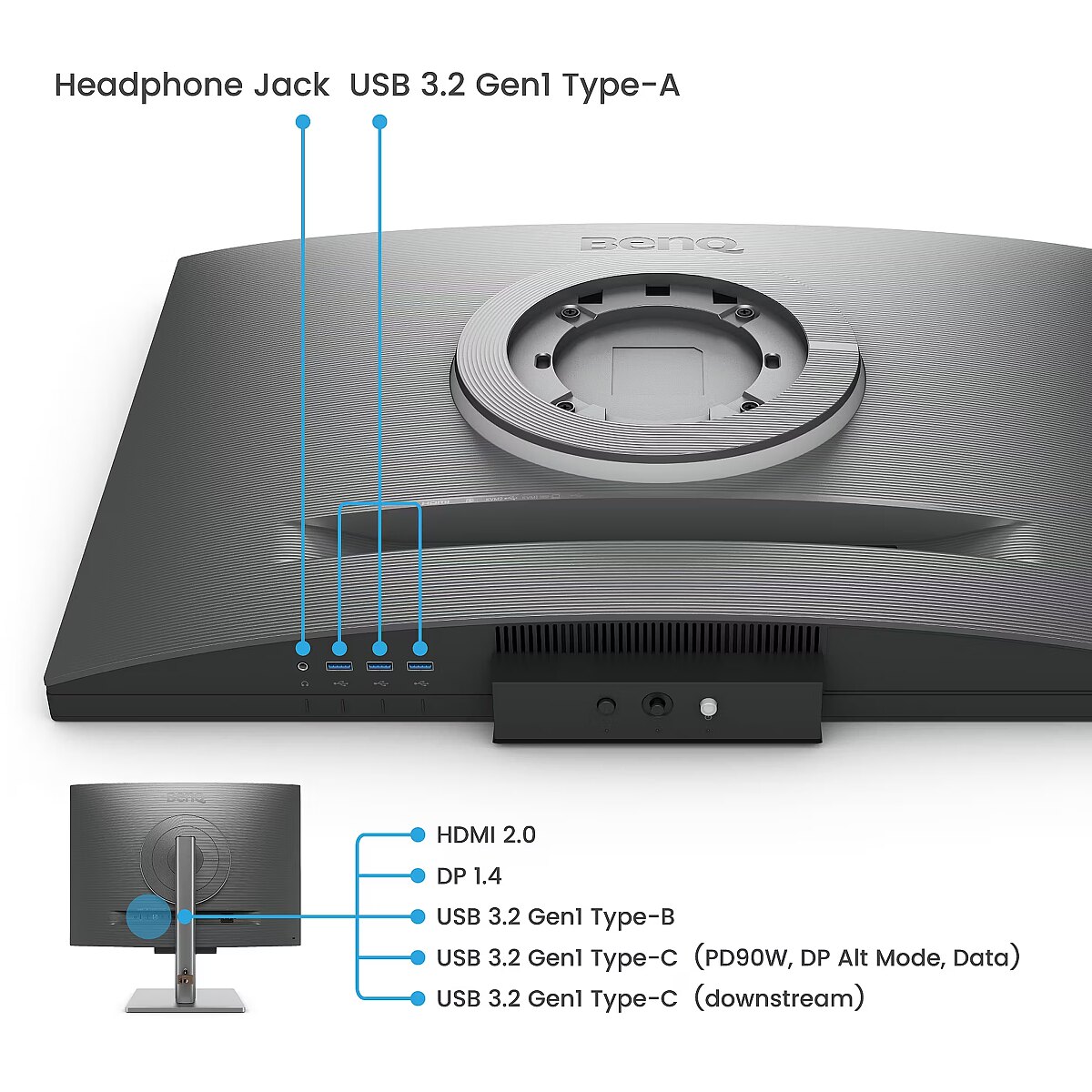
I/O connectors - 1 x 3,5 mm minijack
I/O connectors - 1 x DisplayPort
I/O connectors - 1 x HDMI
I/O connectors - 1 x USB (Type B)
I/O connectors - 2 x USB 3.2 Type-C Gen 1
I/O connectors - 3 x USB 3.2 Type-A Gen 1
Informacje podstawowe: Moc głośników - 2 x 2W
Informacje podstawowe: Standard HDR - HDR400
Link - https://www.benq.com/en-us/monitor/programming/rd280u.html
LongSummaryDescription - BenQ RD280U. Display diagonal: 71.6 cm (28.2"), Display resolution: 3840 x 2560 pixels, HD type: 4K Ultra HD, Response time: 5 ms, Native aspect ratio: 3:2, Viewing angle, horizontal: 178°, Viewing angle, vertical: 178°. Built-in speaker(s). Built-in USB hub, USB hub version: 3.2 Gen 1 (3.1 Gen 1). VESA mounting, Height adjustment. Product colour: Black
Manufacturer - BenQ Deutschland
Matrix type - TFT IPS
Model - RD280U
MPN - 9H.LM1LJ.TBE
Multimedia - Built-in camera - No
Multimedia - Built-in speaker(s) - Yes
Multimedia - Number of speakers - 2
Multimedia - RMS rated power - 4 W
Multimedia > Built-in speaker(s) - Yes
Multimedia > TV tuner integrated - No
Name - BenQ 71.6cm RD280U 3:2 HDMI/USB-C/DP sil. lift/piv UHD
Name - BenQ RD280U - 60Hz | 3840 x 2560 | 28.2'' | IPS | 5ms
Name - Benq | RD280U | 28 " | IPS | 3:2 | 60 Hz | 5 ms | 3840 x 2560 pixels | 350 cd/m² | HDMI ports quantity 1 | Warranty 36 month(s)
name - Monitor 28 inches RD280U 4K IPS 5ms/IPS/1200:1/HDMI/DP
Networking > Ethernet LAN (RJ-45) ports - No
Number of colors - 1,07 mld
Ochrona oczu: Filtr światła niebieskiego - tak
Ochrona oczu: Redukcja migotania - tak
Package features > Embeeded battery - No
Package features > Gross depth (mm) - 480.00 mm
Package features > Gross height (mm) - 250.00 mm
Package features > Gross width (mm) - 590.00 mm
Package features > Packing quantity - 1.00 pc(s)
Package features > Palette Qty - 12 pc(s)
Package features > Paper/Pasteboard - 2300.00 g
Package features > Plastic (No PET) - 600.00 g
Package features > Tare weight (kg) - 2.90 kg
Package features > Volume (m3) - 0.07 m³
Package features > WEE classification - CL109:2:2017-04-01
Package features > WEEE tax - Yes
Packaging content - Bundled software - Display Pilot 2
Packaging content - Quick start guide - Yes
PDF - https://www.blobs.lt/products/2/5/6/7/4/4/53f36703a70e9f226ac9864e75c57ba9/original.pdf
Performance - Flicker-free technology - Yes
Performance - Low Blue Light technology - Yes
Performance - Smart modes - ePaper
Ports & interfaces - Built-in USB hub - Yes
Ports & interfaces - DisplayPorts quantity - 1
Ports & interfaces - DisplayPort version - 1.4
Ports & interfaces - HDCP - Yes
Ports & interfaces - HDCP version - 2.2
Ports & interfaces - HDMI - Yes
Ports & interfaces - HDMI ports quantity - 1
Ports & interfaces - HDMI version - 2.0
Ports & interfaces - Headphone out - Yes
Ports & interfaces - Headphone outputs - 1
Ports & interfaces - Number of USB Type-B upstream ports quantity - 1
Ports & interfaces - USB hub version - 3.2 Gen 1 (3.1 Gen 1)
Ports & interfaces - USB Power Delivery (USB PD) - Yes
Ports & interfaces - USB Power Delivery up to - 90 W
Ports & interfaces - USB Type-A downstream ports quantity - 3
Ports & interfaces - USB Type-C DisplayPort Alternate Mode - Yes
Ports & interfaces - USB Type-C downstream ports quantity - 1
Ports & interfaces > DisplayPorts quantity - 1
Ports & interfaces > HDMI ports quantity - 1
Power - AC input voltage - 100 - 240 V
Power - Energy consumption (HDR) per 1000 hours - 31 kWh
Power - Energy consumption (SDR) per 1000 hours - 29 kWh
Power - Energy efficiency class (HDR) - G
Power - Energy efficiency class (SDR) - G
Power - Energy efficiency scale - A to G
Power - Power consumption (max) - 205 W
Power - Power consumption (off) - 0.3 W
Power - Power consumption (standby) - 0.4 W
Power - Power consumption (typical) - 34 W
Power - Power supply type - Internal
Power consumption - 34 W
Pozostałe cechy: Model - Benq RD0U
Producent: Nazwa producenta / importera - BenQ
BenQ Europe B.V.
Meerenakkerweg
1-17, 5652 AR Eindhoven, The Netherlands producer - Benq
Producer - BenQ
ProducerCode - 9H.LM1LJ.TBE
ProductName - RD280U
Refresh rate - 60 Hz
Resolution - 3840 x 2560
Response time - 5 ms
Screen size (diag.) - 28.2"
ShortDescription - 28" | IPS | 3840 x 2160 | 8 ms | 60 Hz | Eye-Care, Pivot
ShortSummaryDescription - BenQ RD280U, 71.6 cm (28.2"), 3840 x 2560 pixels, 4K Ultra HD, 5 ms, Black
Speakers built-in - Yes
Static contrast - 1 200:1
Stck_Kart - 1
Stck_Pal - 10
Storno - Y
Sustainability - Sustainability certificates - ENERGY STAR, EPEAT Bronze, TCO
TCO Certified - Yes
Technical details > Gross weight - 10.40 kg
Technical details > Net weight - 7.50 kg
Technical details > Producer - Benq
Technical details > Producer product name - RD280U
Technical details > USB-C - Yes
Technical details > USB-C power delivery - 90W
Title - BenQ RD280U computer monitor 71.6 cm (28.2") 3840 x 2560 pixels 4K Ultra HD Black
Touch screen - No
Transreflective technology - LED
TV tuner built-in - No
vendpn - 9H.LM1LJ.TBE
VESA - 100 x 100
Viewing angle, horizontal - 178 °
Viewing angle, vertical - 178 °
Warranty - 36
Warranty - 36 month(s)
Web camera - None
Weight - 7.5 kg
Weight & dimensions - Depth (without stand) - 87.1 mm
Weight & dimensions - Depth (with stand) - 244.5 mm
Weight & dimensions - Height (without stand) - 427.8 mm
Weight & dimensions - Height (with stand) - 474.3 mm
Weight & dimensions - Weight (without stand) - 7.5 kg
Weight & dimensions - Weight (with stand) - 10.4 kg
Weight & dimensions - Width (without stand) - 610.4 mm
Weight & dimensions - Width (with stand) - 610.4 mm
Weight with stand - 10.4 kg
Width - 610.4 mm
WiFi - No
Złącza: Złącza - 1 x DisplayPort
Złącza: Złącza - 1 x HDMI 2.0
Złącza: Złącza - 1 x USB Type-C
Złącza: Złącza - 4 x USB
456.59 €
566.17 € with VAT
Benq RD280U. 28.2"
Intel technology provider Platinum 2020
All categories