Accessories included -
AC input frequency Power - 50 - 60 Hz
AC input voltage Power - 220 - 240 V
Application - Home
Application - Office
ARTIKEL1 - I-SENSYS LBP6030B MONO LASER
ARTIKEL2 - 2400X600DPI USB WIFI
Bluetooth Network - No
Brand - Canon
BrandPartCode - 8468B006
Breite - 0.31
Built-in display Design - No
Built-in processor Performance - No
Category - Laser Printers
Category - Root/Electronics/PC peripherals/Printers, 3D printers and plotters/Inkjet printer
Category 1 - Drucker & Scanner
Category 2 - Drucker
Category 3 - Drucker Laser
Category Code - LAS
category_en - Computers & Components > Printers and accessories > Laser printers
category_lv - Datortehnika > Printeri un piederumi > Lāzerprinteri
category_ru - Datortehnika > Printeri un piederumi > Lāzerprinteri
CnCode - 84433210
Code - 8468B006
Color - Black
Color printing - No
Colour Printing - No
Connectors - 1 x USB 2.0
Copier specifications -
Custom media length Paper handling - 188 - 356 mm
Custom media width Paper handling - 76.2 - 216 mm
Dane techniczne: Funkcje - drukowanie
Dane techniczne: Grupa produktowa - Drukarki Canon
Dane techniczne: Gwarancja - 1 rok w serwisie zewnętrznym
Dane techniczne: Interfejs - USB 2.0
Dane techniczne: Pojemność podajnika papieru - 150 szt.
Dane techniczne: Producent - Canon
Dane techniczne: Rodzaj - monochromatyczna
Dane techniczne: Rodzaj produktu - drukarka
Dane techniczne: Rozmiar nośnika - A4
Dane techniczne: Technologia druku - laserowa
Data Act - Link
Depth - 199 mm
Depth Weight & dimensions - 249 mm
Description - Canon i-SENSYS LBP6030B
Fast, compact and energy-efficient monochrome laser printer
Affordable, low cost monochrome laser printer for home or small office use. Quiet, reliable, highly energy efficient and low power consumption - ensures high speed and high print quality.
Monochrome laser printer with small dimensions
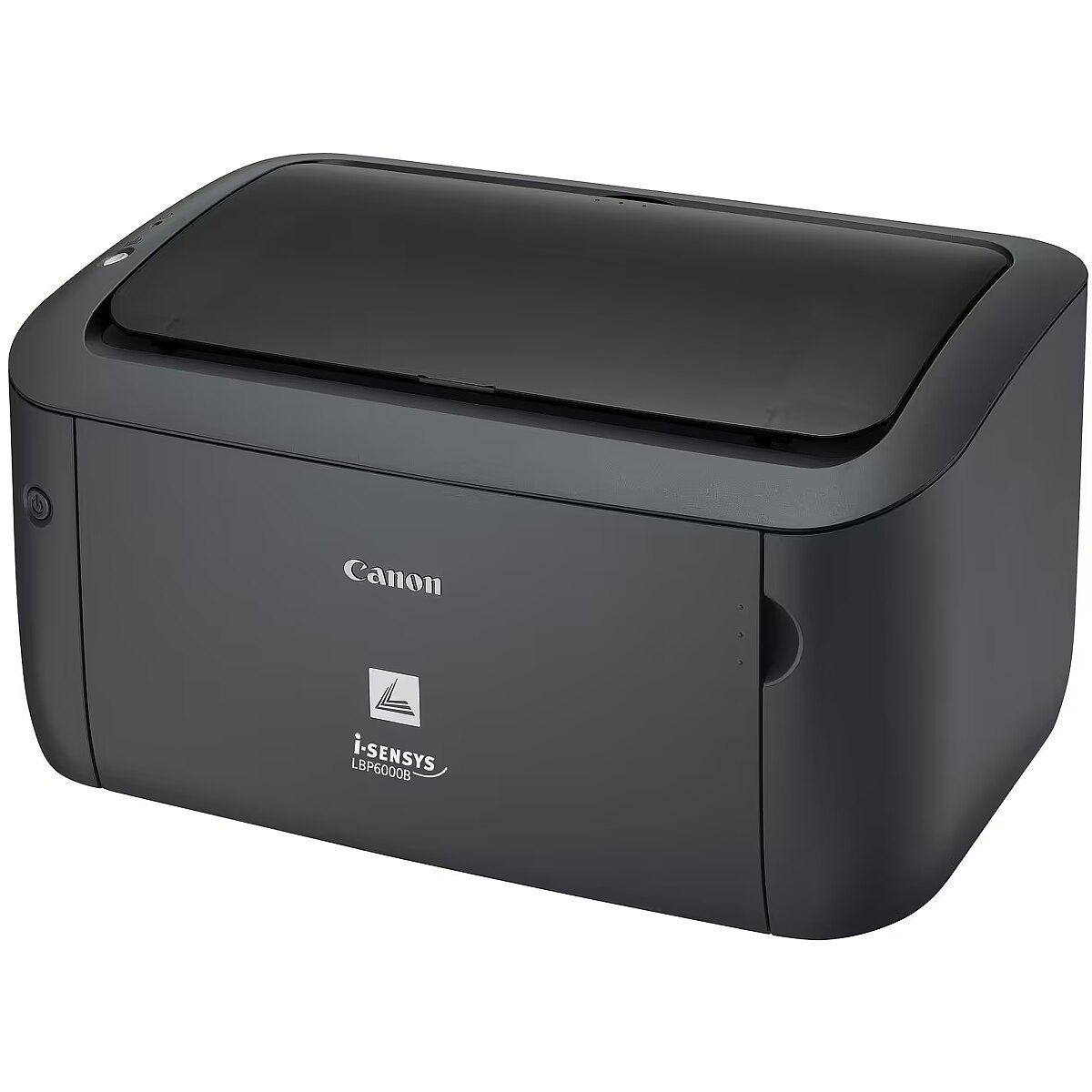
This compact, fast and affordable monochrome laser printer, which is conveniently located on your desk, is ideally suited for personal use or small office use. Elegant, compact, stylish black is 364 x 249 x 198 mm (W x D x H) and features a retractable paper tray cover.
Fast and efficient operation
I-SENSYS LBP6030B is ready to go wherever you need it. The first-of-its-kind front-end technology, which dramatically reduces waiting times for first printouts when you exit sleep mode. FPOT of just 7.8 s and professional laser speed of 18 ppm make it a long wait for printouts - so you can get back to what's really important faster.
Excellent laser print quality
Print resolution up to 2400 x 600 dpi with automatic image sharpening ensures excellent print quality with clear text and detailed graphics. Our specially developed MS (Magnetic Spherical) toner cartridges deliver optimum results when printing on each page.
Energy efficiency
With Canon's on-demand technology, the printer features low power consumption of just 0.8 watts in sleep mode, while reducing the warm-up time to virtually zero. The convenient, front-mounted power switch makes it easy to switch off the unit, reducing energy costs and damaging the environment even more.
Low noise level
Thanks to the design of the engine developed by Canon, the i-SENSYS LBP6030B remains silent in the standby mode and surprisingly quietly works, allowing the user to focus unobstructed on his own work.
Integrated cassette
The integrated, recyclable cassette reduces maintenance and ensures consistent, high quality prints. The Canon-approved laser cartridge contains toner, drum and cleaning components and can be replaced for a few seconds without causing any dirt.
Description - Quick, compact and energy efficient mono laser printer
An affordable, space saving mono laser printer designed for personal or small office use. Quiet, reliable and highly energy efficient with low power consumption it delivers fast, high quality prints.
Benefits
- Affordable mono laser printer – ideal for a small or home office
- Fast, high quality mono prints at 18 pages per minute
- No waiting for prints with Quick First Print
- Stylish, space saving design to enhance any desktop
- Enjoy class leading energy efficiency Space saving, mono laser printer
Designed to fit comfortably on the desk, this fast, compact and affordable mono laser printer is perfect for personal and small office use. Its sleek, space-saving design in a stylish black colour includes a retractable paper tray cover and keeps dimensions to a mere 364 x 249 x 198 mm (W x D x H). Fast, productive performance
The i-SENSYS LBP6030B springs into the action the moment you need it thanks to Canon’s Quick First-Print technologies, which ensure quick recovery from sleep mode. With a First Print Out Time (FPOT) of just 7.8 seconds and professional laser print speeds of 18 ppm there’s no waiting around for your prints – so you can quickly get back to what’s important. Exceptional laser quality
Enjoy the sharpest, crispest text and most detailed graphics thanks to a print resolution of up to 2400 x 600 dpi with Automatic Image Refinement. Our MS (Magnetic Spherical) Toner has been specifically developed to deliver optimum results print after print. Energy efficient
Thanks to Canon’s On Demand fixing technology this energy efficient printer uses only 0.8 watts in sleep mode and there’s virtually no warm up time. A convenient front power switch makes it easy to turn off, cutting energy costs and reducing its environmental impact even further. Quiet operation
Thanks to Canon’s engine design, the i-SENSYS LBP6030B is silent in standby mode and exceptionally quiet during operation – so you can focus on your work without distraction. All-in-One cartridge
The recyclable All-in-One cartridge ensures maintenance-free operation and reliable high quality output. The Authentic Canon Laser Cartridge contains toner, drum and cleaning units and can be replaced in seconds without any fuss or mess.
description_en - Print Technology: Laser
Print Speed (Black, Normal Quality, A4/US Letter): 18 ppm
Maximum paper size (ISO): A4
Ethernet / LAN connection: Yes
Wi-Fi: Yes
description_lv - Drukāšanas tehnoloģija: Lāzers
Drukāšanas ātrums (melns, normāla kvalitāte, A4/US Letter): 18 ppm
Maksimālais papīra izmērs (ISO): A4
Ethernet / LAN savienojums: Ir
Wi-Fi: Ir
description_ru - Технология печати: Лазер
Скорость печати (черно-белая, нормальное качество, A4/US Letter): 18 стр./мин.
Максимальный размер бумаги (ISO): A4
Соединение Ethernet/LAN: Да
Wi-Fi: Да
Design - Built-in display - No
Design - Market positioning - Home & office
Design - Product colour - Black
Design > Built-in display - No
Designation - CE+WEEE
dimension depth - 255 mm
dimension height - 410 mm
dimension weight - 7000 g
dimension width - 305 mm
Drukowanie: Maks. szybkość druku mono - 18 str./min.
Drukowanie: Maksymalne obciążenie - 5000 str./mies.
Drukowanie: Rozdzielczość druku w czerni - 600 x 600 dpi
Duplex printing - None
Duplex printing Printing - No
Duty cycle (monthly) - 5000 sheets/month
EAN - 4960999996615
ean - 4960999996615
EANCode - 4960999996615
Eans - 4960999996615
Eksploatacja: Gramatura papieru - 60 - 163 g/m²
Eksploatacja: Symbol tonera - Canon 725
Energy Star Typical Electricity Consumption (TEC) Power - 0.47 kWh/week
Envelopes sizes Paper handling - 10, C5, DL, Monarch
Ethernet - No
Ethernet LAN Network - No
Extended warranty -
Extension options -
Fax specifications -
Features - Maximum duty cycle - 5000 pages per month
Features - Number of print cartridges - 1
Features - Page description languages - UFRII-LT
Features - Printing colours - Black
Features > Colour of product - Black
Features > Media type - Plain paper, Heavy Paper, Transparency, Label, Envelope
Features > Print media weight - Multi-purpose tray: 60 to 163 g/m g/m²
Features > Product type - Printer
Format - A4
Functions - Printer
Gewicht - 6.59
Gross weight - 6.5 kg
gross_weight - 2.04 kg
GRUPPE1 - Printer/Copier/Fax
GRUPPE2 - Laser Monochrome
GTIN - 4960999996615
guarantee - 24
guarantee_type - external
Harmonized System (HS) code Logistics data - 84433210
Height - 249 mm
Height Weight & dimensions - 199 mm
HERSTELLER - CANON
Hoehe - 0.27
HSTNUMMER - 8468B006
Input & output capacity - Paper input type - Paper tray
Input & output capacity - Total input capacity - 150 sheets
Input & output capacity - Total number of input trays - 1
Input & output capacity - Total output capacity - 100 sheets
Input capacity > Standard input capacity - 150 sheets
Installed memory - 32 MB
Internal memory Performance - 32 MB
ISO A-series sizes (A0...A9) Paper handling - A4, A5
ISO B-series sizes (B0...B9) Paper handling - B5
ISO C-series sizes (C0...C9) Paper handling - C5
Laenge - 0.41
Link - http://www.canon-europe.com/for_home/product_finder/printers/laser/i-sensys_lbp6030/
Linux operating systems supported System requirements - Yes
Logistics data - Harmonized System (HS) code - 84433210
LongDesc - Quick, compact and energy efficient mono laser printerAn affordable, space saving mono laser printer designed for personal or small office use. Quiet, reliable and highly energy efficient with low power consumption it delivers fast, high quality prints.Benefits- Affordable mono laser printer – ideal for a small or home office- Fast, high quality mono prints at 18 pages per minute- No waiting for prints with Quick First Print- Stylish, space saving design to enhance any desktop- Enjoy class leading energy efficiencySpace saving, mono laser printerDesigned to fit comfortably on the desk, this fast, compact and affordable mono laser printer is perfect for personal and small office use. Its sleek, space-saving design in a stylish black colour includes a retractable paper tray cover and keeps dimensions to a mere 364 x 249 x 198 mm (W x D x H).Fast, productive performanceThe i-SENSYS LBP6030B springs into the action the moment you need it thanks to Canon’s Quick First-Print technologies, which ensure quick recovery from sleep mode. With a First Print Out Time (FPOT) of just 7.8 seconds and professional laser print speeds of 18 ppm there’s no waiting around for your prints – so you can quickly get back to what’s important.Exceptional laser qualityEnjoy the sharpest, crispest text and most detailed graphics thanks to a print resolution of up to 2400 x 600 dpi with Automatic Image Refinement. Our MS (Magnetic Spherical) Toner has been specifically developed to deliver optimum results print after print.Energy efficientThanks to Canon’s On Demand fixing technology this energy efficient printer uses only 0.8 watts in sleep mode and there’s virtually no warm up time. A convenient front power switch makes it easy to turn off, cutting energy costs and reducing its environmental impact even further.Quiet operationThanks to Canon’s engine design, the i-SENSYS LBP6030B is silent in standby mode and exceptionally quiet during operation – so you can focus on your work without distraction.All-in-One cartridgeThe recyclable All-in-One cartridge ensures maintenance-free operation and reliable high quality output. The Authentic Canon Laser Cartridge contains toner, drum and cleaning units and can be replaced in seconds without any fuss or mess.
LongProductName - 18 ppm, 600 x 600 dpi, 5000 ppm, 32 MB, USB 2.0, 49.2 dB
LongSummaryDescription - Canon i-SENSYS LBP6030B. Print technology: Laser. Number of print cartridges: 1, Maximum duty cycle: 5000 pages per month. Maximum resolution: 2400 x 600 DPI. Maximum ISO A-series paper size: A4. Print speed (black, normal quality, A4/US Letter): 18 ppm. Product colour: Black
Mac operating systems supported System requirements - Mac OS X 10.10 Yosemite, Mac OS X 10.11 El Capitan, Mac OS X 10.12 Sierra, Mac OS X 10.6 Snow Leopard, Mac OS X 10.7 Lion, Mac OS X 10.8 Mountain Lion, Mac OS X 10.9 Mavericks
Manufacturer - Canon
Market positioning Design - Home & office
Max. printing speed (mono) - 18 p/min
Maximum duty cycle Features - 5000 pages per month
Maximum ISO A-series paper size Paper handling - A4
Maximum print size Paper handling - 216 x 356 mm
Maximum resolution Printing - 2400 x 600 DPI
Media kind - Envelopes
Media kind - Foil
Media kind - Labels
Media kind - Paper
Memory > Internal memory - 32 MB GB
Model - 8468B006
Model - i-SENSYS LBP6030B
MPN - 8468B006
Name - Canon i-Sensys LBP6030B
Name - Canon I-SENSYS LBP6030B
Name - Canon LBP6030B | Mono | Laser | Printer | Maximum ISO A-series paper size A4 | Black
name - LBP6030B EU printer 8468B006AA
Name - PRINTER LASER I-SENSYS/LBP6030B 8468B006 CANON
Network - Bluetooth - No
Network - Ethernet LAN - No
Network - Wi-Fi - No
Networking > Ethernet LAN - No
Networking > Wi-Fi - No
Non-ISO print media sizes Paper handling - 16K, Executive, Letter
Number of print cartridges Features - 1
Operating relative humidity (H-H) Operational conditions - 20 - 80%
Operating temperature (T-T) Operational conditions - 10 - 30 °C
Operational conditions - Operating relative humidity (H-H) - 20 - 80%
Operational conditions - Operating temperature (T-T) - 10 - 30 °C
Operational conditions > Operating relative humidity (H-H) - 20 - 80 %
Operational conditions > Operating temperature (T-T) - 10 - 30 °C
Original consumables - Universal Cartridges: Standard: Cartridge 725 (1600 pages)
Other features - Power requirements:
220-240 V (± 10%), 50/60 Hz (± 2 Hz)
Power consumption:
--Max. (About): 870 W or less
- Work: an average of about 330 W
- Standby: Approximately 1.8 W or less
- Sleep Mode: Approximately 0.8 W or less
- Standard power consumption (TEC): 0.47 kWh / week
Other features - Power LED - Yes
Other features > Dimensions (WxDxH) - 364 mm x 249 mm x 199 mm mm
Other features > Media size (1 slide) - A4/B5/A5/LGL/LTR/EXE/16K/Custom sizeEnv. COM10/Env. Monarch/Env. C5/Env. DLwidth76.2~216mm x length 188~356mm
Other features > Standard tray media types - Envelopes, Heavy pap
Output capacity > Standard output capacity - 100 sheets
Package features > Embeeded battery - No
Package features > Gross depth (mm) - 305.00 mm
Package features > Gross height (mm) - 410.00 mm
Package features > Gross width (mm) - 255.00 mm
Package features > Packing quantity - 1.00 pc(s)
Package features > Palette Qty - 81 pc(s)
Package features > Paper/Pasteboard - 1259 g
Package features > Plastic (No PET) - 241 g
Package features > Tare weight (kg) - 1.50 kg
Package features > TI weight (kg) - 0 kg
Package features > Volume (m3) - 0.03 m³
Package features > WEE classification - CL109:5:2017-04-01
Package features > WEEE tax - Yes
Page description languages Features - UFRII-LT
Paper handling - Custom media length - 188 - 356 mm
Paper handling - Custom media width - 76.2 - 216 mm
Paper handling - Envelopes sizes - 10, C5, DL, Monarch
Paper handling - ISO A-series sizes (A0...A9) - A4, A5
Paper handling - ISO B-series sizes (B0...B9) - B5
Paper handling - ISO C-series sizes (C0...C9) - C5
Paper handling - Maximum ISO A-series paper size - A4
Paper handling - Maximum print size - 216 x 356 mm
Paper handling - Non-ISO print media sizes - 16K, Executive, Letter
Paper handling - Paper tray media types - Envelopes, Labels, Plain paper, Thick paper, Transparencies
Paper handling - Paper tray media weight - 60 - 163 g/m²
Paper handling > Custom media length - 188 - 356 mm
Paper handling > Custom media width - 76.2 - 216 mm
Paper handling > Envelopes sizes - 10, C5, DL, Monarch
Paper handling > ISO A-series sizes (A0...A9) - A4, A5
Paper handling > ISO B-series sizes (B0...B9) - B5
Paper handling > Maximum ISO A-series paper size - A4
Paper handling > Multi-Purpose Tray media weight - 60 - 163 g/m²
Paper handling standard/output - 100-sheet
Paper input tray - 150-sheet multipurpose feeder
Paper input type Input & output capacity - Paper tray
Paper output tray - Print up to 100 sheets
Paper tray media types Paper handling - Envelopes, Labels, Plain paper, Thick paper, Transparencies
Paper tray media weight Paper handling - 60 - 163 g/m²
Paper weight (max) - 163 g/m²
Paper weight (min) - 60 g/m²
Performance - Built-in processor - No
Performance - Internal memory - 32 MB
Performance - Sound pressure level (printing) - 49.2 dB
Performance - Sound pressure level (quiet mode) - 6.34 dB
Performance > Duplex functions - No
Performance > Mac operating systems supported - Yes
Performance > Maximum duty cycle - 5000 pages per month
Performance > Number of print cartridges - 1
Performance > Printing - Mono
Performance > Printing colours - Black
Performance > Print technology - Laser
Performance > Windows operating systems supported - Yes
Photo printing - No
PictBridge - No
Ports & interfaces - Standard interfaces - USB 2.0
Ports & interfaces - USB 2.0 ports quantity - 1
Ports & interfaces - USB port - Yes
Ports & interfaces > Interface - USB 2.0 Hi-Speed
Ports & interfaces > Standard interfaces - USB 2.0
Ports & interfaces > USB 2.0 ports quantity - 1
Power - AC input frequency - 50 - 60 Hz
Power - AC input voltage - 220 - 240 V
Power - Energy Star Typical Electricity Consumption (TEC) - 0.47 kWh/week
Power - Power consumption (max) - 870 W
Power - Power consumption (PowerSave) - 0.8 W
Power - Power consumption (printing) - 330 W
Power - Power consumption (standby) - 1.8 W
Power > Input frequency - 50/60 Hz
Power > Input voltage - 220-240 V
Power > Power - Maximum: Approx. 870 W or lessActive: Average approx. 330 WStandby: Average approx. 1.8 W or lessSleep: Average approx. 0.8 W or lessTypical Electricity Consumption (TEC): 0.47 kWh/week W
Power > Power consumption (max) - 870 W
Power > Power consumption (standby) - 1.8 W
Power > Power consumption (typical) - 330 W
Power > Power supply - AC 220-240V (±10%), 50/60Hz (±2Hz) W
Power consumption (max) Power - 870 W
Power consumption (PowerSave) Power - 0.8 W
Power consumption (printing) Power - 330 W
Power consumption (standby) Power - 1.8 W
Power LED Other features - Yes
Pozostałe cechy: Przewód do połączenia z komputerem w zestawie - brak
Pozostałe cechy: Seria - Canon i-SENSYS
Pozostałe cechy: Zainstalowana pamięć - 32 MB
Printer language - Canon UFR
Printer processor -
Printing - Colour - No
Printing - Duplex printing - No
Printing - Maximum resolution - 2400 x 600 DPI
Printing - Print margins (top, bottom, right, left) - 5 mm
Printing - Print speed (black, normal quality, A4/US Letter) - 18 ppm
Printing - Print technology - Laser
Printing - Time to first page (black, normal) - 7.8 s
Printing - Warm-up time - 10 s
Printing - Warm-up time (from sleep mode) - 1 s
Printing > Print margins (top, bottom, right, left) - 5 mm
Printing > Print resolution (black, normal quality) - 600 x 600 dpi DPI
Printing > Print resolution (colour, normal quality) - 600 x 600 DPI
Printing > Print speed (black, normal quality, A4/US Letter) - 18 ppm
Printing > Print speed (ISO/IEC 24734) mono - 18 ipm
Printing > Time to first page (black, normal) - 7.8 s
Printing > Warm-up time - 10 s
Printing colours Features - Black
Printing supplies performance -
Printing type - Laser
Print margins (top, bottom, right, left) Printing - 5 mm
Print resolution - 600 x 600 dpi
Print speed (black, normal quality, A4/US Letter) Printing - 18 ppm
Print technology > Colour - No
Print technology > Maximum resolution - 2400 x 600 DPI
Print technology > Paper input type - 150-sheet tray
Print technology > Print speed - 18ppm mono (A4)¹ mm/sec
Print technology Printing - Laser
Producent: Nazwa producenta / importera - Canon
Canon EUROPA N.V.
Bovenkerkerweg 59
1185XB Amstelveen
producer - Canon
Producer - Canon
ProducerCode - 8468B006AA
Producer product family - i-SENSYS
Producer product name - LBP6030B
Product colour Design - Black
ProductName - LBP6030B
Product Net Weight ELKO Logistics Data - 5 kg
Scanner specifications -
Server operating systems supported System requirements - Windows Server 2003, Windows Server 2003 x64, Windows Server 2008, Windows Server 2008 R2 x64, Windows Server 2008 x64, Windows Server 2012, Windows Server 2012 R2, Windows Server 2012 R2 x64, Windows Server 2012 x64
Shipping Box Depth ELKO Internal Logistics Data - 41 cm
Shipping Box Height ELKO Internal Logistics Data - 26 cm
Shipping Box Weight ELKO Internal Logistics Data - 6.55 kg
Shipping Box Width ELKO Internal Logistics Data - 30.5 cm
ShortDescription -
ShortSummaryDescription - Canon i-SENSYS LBP6030B, Laser, 2400 x 600 DPI, A4, 18 ppm, Black
Sound emission > Noise level (quiet mode) - 6.34 dB
Sound emission > Printing noise level - 49.2 dB
Sound pressure level (printing) Performance - 49.2 dB
Sound pressure level (quiet mode) Performance - 6.34 dB
Standard interfaces Ports & interfaces - USB 2.0
Stck_Kart - 1
Stck_Pal - 0
Storage > Internal memory - 32 MB
Storno - N
Summary - Canon i-SENSYS LBP6030B. Print technology: Laser. Number of print cartridges: 1, Maximum duty cycle: 5000 pages per month. Maximum resolution: 2400 x 600 DPI. Maximum ISO A-series paper size: A4. Print speed (black, normal quality, A4/US Letter): 18 ppm. Product colour: Black
Supported operating systems - Linux
Supported operating systems - Mac OS
Supported operating systems - Windows 7
Supported operating systems - Windows 8
Supported operating systems - Windows 8.1
Supported operating systems - Windows Server 2003
Supported operating systems - Windows Server 2008
Supported operating systems - Windows Vista
Supported operating systems - Windows XP
Sustainability - Sustainability certificates - ENERGY STAR
Sustainability certificates Sustainability - ENERGY STAR
System Requirements -
System requirements - Linux operating systems supported - Yes
System requirements - Mac operating systems supported - Mac OS X 10.10 Yosemite, Mac OS X 10.11 El Capitan, Mac OS X 10.12 Sierra, Mac OS X 10.6 Snow Leopard, Mac OS X 10.7 Lion, Mac OS X 10.8 Mountain Lion, Mac OS X 10.9 Mavericks
System requirements - Server operating systems supported - Windows Server 2003, Windows Server 2003 x64, Windows Server 2008, Windows Server 2008 R2 x64, Windows Server 2008 x64, Windows Server 2012, Windows Server 2012 R2, Windows Server 2012 R2 x64, Windows Server 2012 x64
System requirements - Windows operating systems supported - Windows 7 Enterprise, Windows 7 Enterprise x64, Windows 7 Home Basic, Windows 7 Home Basic x64, Windows 7 Home Premium, Windows 7 Home Premium x64, Windows 7 Professional, Windows 7 Professional x64, Windows 7 Starter, Windows 7 Starter x64, Windows 7 Ultimate, Windows 7 Ultimate x64, Windows 8, Windows 8 Enterprise, Windows 8 Enterprise x64, Windows 8 Pro, Windows 8 Pro x64, Windows 8 x64, Windows 8.1, Windows 8.1 Enterprise, Windows 8.1 Enterprise x64, Windows 8.1 Pro, Windows 8.1 Pro x64, Windows 8.1 x64, Windows Vista Business, Windows Vista Business x64, Windows Vista Enterprise, Windows Vista Enterprise x64, Windows Vista Home Basic, Windows Vista Home Basic x64, Windows Vista Home Premium, Windows Vista Home Premium x64, Windows Vista Ultimate, Windows Vista Ultimate x64, Windows XP Home, Windows XP Home x64, Windows XP Professional, Windows XP Professional x64
Technical details > Functions - Printing
Technical details > Net weight - 5 kg
Technical details > Producer - Canon
Technical details > Warranty - 24 month(s)
Time to first page (black, normal) Printing - 7.8 s
Title - Canon i-SENSYS LBP6030B 2400 x 600 DPI A4
title_en - Canon i-SENSYS LBP6030B Laser printer
title_lv - Canon i-SENSYS LBP6030B Lāzerprinteris
title_ru - Canon i-SENSYS LBP6030B Лазерный принтер
Total input capacity Input & output capacity - 150 sheets
Total number of input trays Input & output capacity - 1
Total output capacity Input & output capacity - 100 sheets
Unit Box Height - 0.26
Unit Box Length - 0.41
Unit Box Width - 0.305
Unit Calculated Volume ELKO Internal Logistics Data - 0.03251 cubm
Unit Calculated Weight ELKO Logistics Data - 6.55 kg
Unit Depth ELKO Logistics Data - 41 cm
Unit Height ELKO Logistics Data - 26 cm
Units per Shipping Box ELKO Logistics Data - 1
Unit Width ELKO Logistics Data - 30.5 cm
URL - https://www.canon-europe.com/For_Home/Product_Finder/Printers/Laser/i-SENSYS_LBP6030B
USB 2.0 ports quantity Ports & interfaces - 1
USB port Ports & interfaces - Yes
Vendor Homepage - https://www.canon-europe.com/For_Home/Product_Finder/Printers/Laser/i-SENSYS_LBP6030B
vendpn - 8468B006
Warm-up time (from sleep mode) Printing - 1 s
Warm-up time Printing - 10 s
Warranty - 12 months
Warranty - 12/24 months
Warranty - 24
WarrantyInfo - 2 years
weight - 2 kg
Weight - 5 kg
Weight - 6.542
Weight & dimensions - Depth - 249 mm
Weight & dimensions - Height - 199 mm
Weight & dimensions - Weight - 5 kg
Weight & dimensions - Width - 364 mm
Weight & dimensions > Depth - 24.9 cm
Weight & dimensions > Height - 19.9 cm
Weight & dimensions > Weight - 5 g
Weight & dimensions > Width - 36.4 cm
Weight Weight & dimensions - 5 kg
Wi-Fi Network - No
Width - 364 mm
Width Weight & dimensions - 364 mm
Windows operating systems supported System requirements - Windows 7 Enterprise, Windows 7 Enterprise x64, Windows 7 Home Basic, Windows 7 Home Basic x64, Windows 7 Home Premium, Windows 7 Home Premium x64, Windows 7 Professional, Windows 7 Professional x64, Windows 7 Starter, Windows 7 Starter x64, Windows 7 Ult
Wireless communication - No
Wymiary: Głębokość - 249 mm
Wymiary: Szerokość - 364 mm
Wymiary: Waga - 5 kg
Wymiary: Wysokość - 199 mm