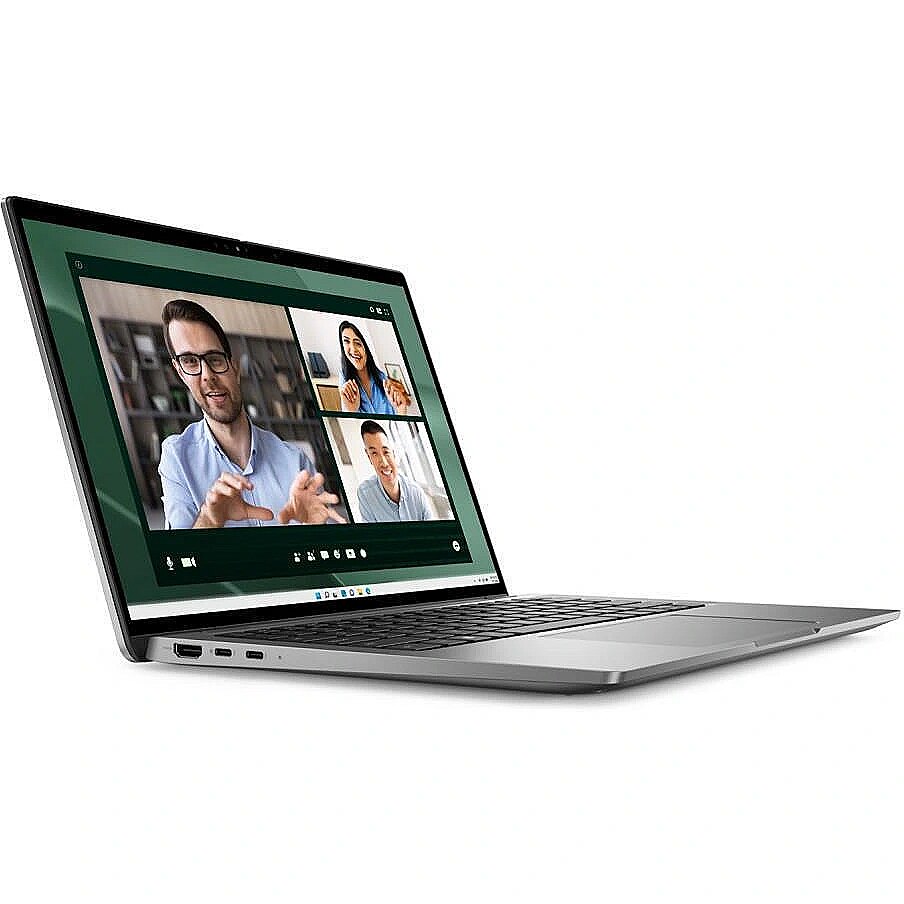
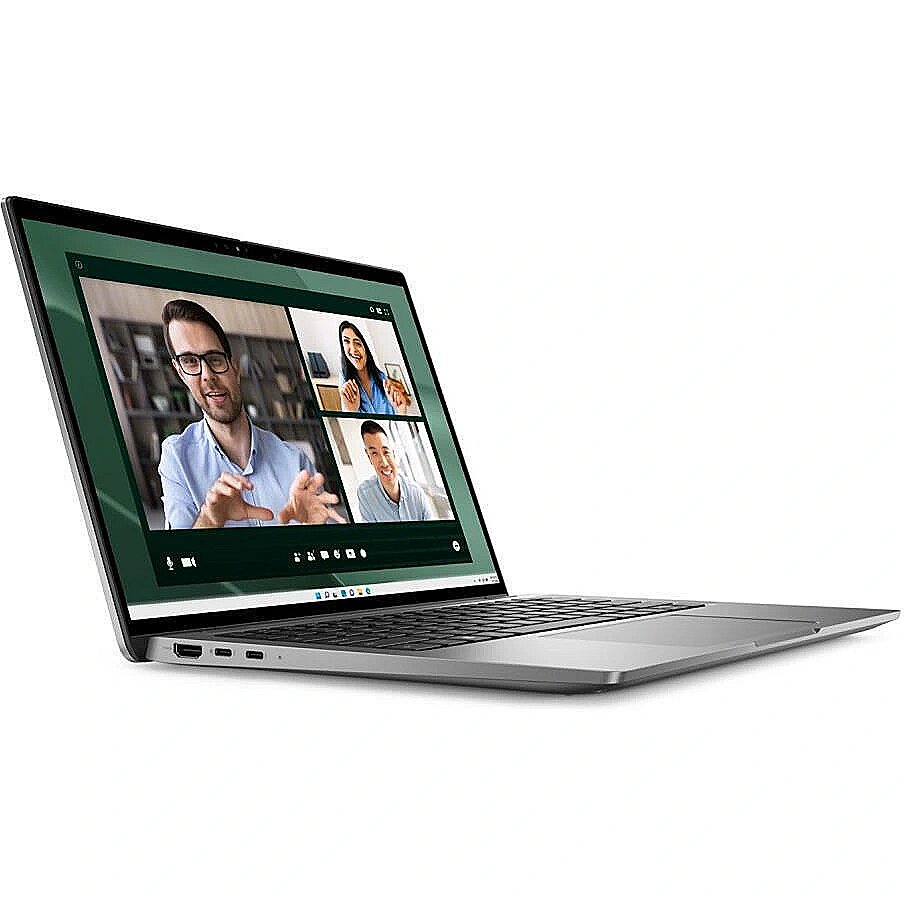
Dell Notebook|DELL|Latitude|7450|CPU Core Ultra|u7-165U|1700 MHz|CPU features vPro|14"|1920x1200|RAM 16GB|LPDDR5x|6400 MHz|SSD 512GB|Intel Graphics|Integrated|EST|Smart Card Reader|Windows 11 Pro|1.058 kg|N010L745014EMEA_VP_EST

Picture may differ from actual product, there can be accessories and parts not supplied with the actual product.
ID: 1155519 Product code: N010L745014EMEA VP EST
In stock 9 units
Warranty: 3 years
1,966.88 €
Ready for dispatch
tomorrow, 08.04.2026
starting from 1.99 €
Delivery options
  • Omniva parcel machine
    Within 1-2 working days
    1.99 €
  • SmartPosti parcel terminal
    Within 1-2 working days
    1.99 €
  • Unisend parcel terminal
    Within 1-2 working days
    1.99 €
  • Delivery by courier to the address
    Within 1-2 working days
    5.99 €
Main product parameters All parameters
  • Screen size: 14"
  • Screen resolution: 1920x1200 (WUXGA)
  • RAM: 16 GB
  • SSD: 512 GB
  • Operating system: Windows 11 Pro
  • Keyboard language: EST
  • Keyboard lighting: Ir (Single colour)
Display characteristics
Screen size 14"

The display size describes the size of the visible part of the screen of your portable computer across the diagonal in inches. Average portable computers have 15.4" standard or 15.6" wide-screen displays. The ultra compact category portable computers have the display size of about 10,1".

Some portable computers have the option of turning the screen to the angle of 180 degrees and close it with the keyboard – the result is a true tablet computer without a keyboard. These models are sometimes referred to as transformers or tablets - they can be used both as a standard portable computer and as a tablet computer. This option is very handy for reading or, for example, drawing when the keyboard is not required.

Portable computers that are positioned as a replacement of desktop computers sometimes have the screen as big as 17". A bigger monitor is usually required for editing graphics or reviewing big-size tables, etc. However, it has to be considered that a bigger screen means a bigger size and usually also a bigger weight of the computer, besides it can be damaged more easily during opening and closing.

Screen resolution 1920x1200 (WUXGA)

The maximum resolution of the display indicates the number of colour points (pixels) on the computer screen. The higher the resolution the better quality (more detailed) image. For example, 1366x768px means that your computer has 1366 points horizontally x 768 points vertically. High resolution provides more information on the screen and this is directly related to the size of the screen. Nowadays even a 12.1 inches screen can have 1024x768 resolution. At the first glance it looks that this resolution is too high for this size of the screen, however, high resolution provides more comfort.

WVGA (800x480) is characteristic for old portable computers and mini tablet computers of the new generation. WSVGA – ultra mobile portable computers with the display of 10.1’’ (the resolution of 1024x600 can be seen more often).

WXGA (1280x800) – this resolution is mainly characteristic of 12.1’’, 13.3’’, 14.1’’ screen with the relation of sides of 16:9.

HD 1366x768 and 1600x900 is a widespread resolution for the budget and middle class portable computers.

Full HD (1920x1200) resolution combined with high capacity video cards (NVidia Quadro FX vai ATI FireGL) is intended for the professional level 3D modelling work.

WUXGA (1920x1200) – ultra extended graphical arrangement (screen16:10) is intended for watching HD TV.

Attention has to be paid also to the contrast and brightness of the screen. The screen must have the maximum brightness for using the portable computer even in very bright lighting conditions.

Display type LED AntiGlare

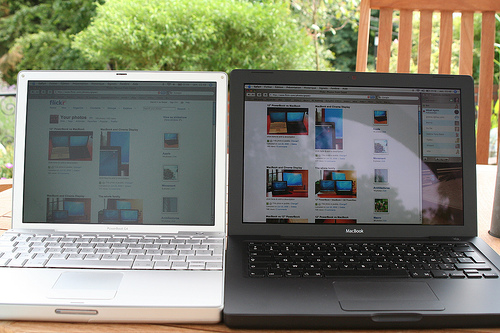
The screens of portable computers are divided into Glare, or flossy and AntiGlare, or mat. The advantage of the flossy screen is better contrast, colours and sharpness, therefore this type of monitor is preferred by home users. The disadvantage of this screen is the glare which disturbs seeing the image in bright lighting.

AntiGlare, or mat screens to some extent prevent the glare problem by "scattering". This type of screen is usually used in business class computers intended for working with documents and accounting systems.

Processor parameters
CPU core clock 1.70 GHz

The processor clock frequency is among the main criteria of the processor performance. This index determines the number of operations that each CPU core can perform per second. The higher the CPU clock frequency the faster the computer will be perform the given computing tasks.

Random-access memory (RAM)
RAM 16 GB

RAM is a short-term data storage. This component determining the operation speed:

  • allows the CPU of your computer to have fast access to the information that needs to be processed used by the computer application which you have opened;
  • at the moment of opening an application stores it in its microchips, thus the memory capacity determines how many applications can be run by your computer simultaneously and also with how big data volume (pictures, texts, webpages) you can operate at once.

Thanks to the dense placement of chipsets the RAM of a portable computer has the same characteristics as the RAM of desktop computers. TopPC.ee recommends to use 3Gb or higher capacity RAM for general use.

Hard drive
SSD 512 GB

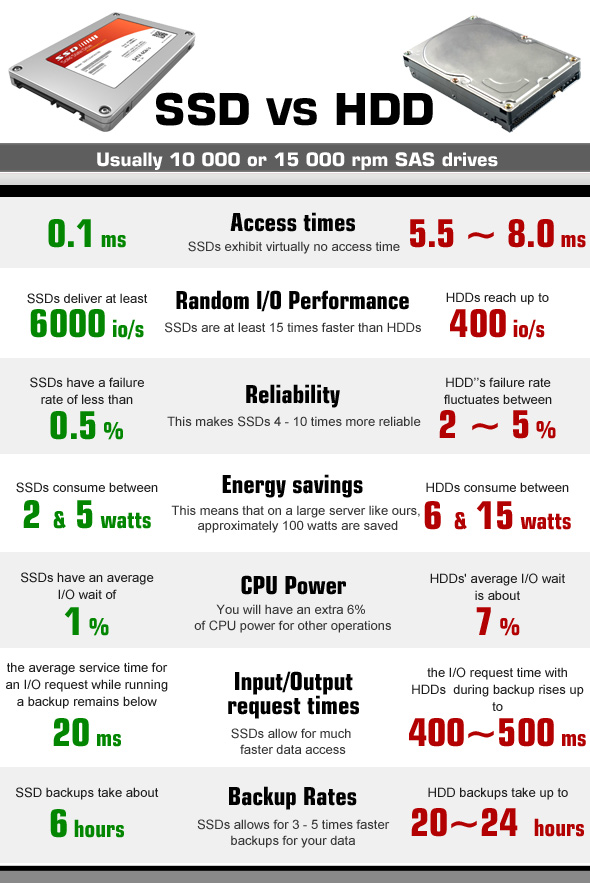
AnSSD, or Solid State Drive, is a modern storage device that, unlike hard disk drives (HDDs), has no moving parts and stores all information on NAND memory chips. This is why SSDs are much more reliable, as they can withstand shock, vibrations and temperature changes much better. The main advantage is the high data transfer speeds as well as the lowaccess time. Currently, SSDs equipped with a SATA 3 port deliver data transfer speeds of 500 MB/s on average. However, some drives using M.2 or PCI-Express ports have data throughputs

of up to

2000 MB/s.

Graphics card
Video card Performance : Dynamic (uses RAM)
Operating system
Operating system Windows 11 Pro

The indicator "operating system" determines what legal operating system license is included with the computer. The license of the operating system guarantees the legal use of the computer operating system attested by a legal document – Genuine sticker on the housing of your portable computer.

OEM means that you are buying a computer with the operating system enclosed and you use this operating system in the computer with the relevant Genuine license sticker on teh housing. The price of the OEM license is much lower than the standard Retail license price that you have to pay if you want to buy software after you have bought the computer.

TopPC.ee recommends to buy a portable computer with MS Windows 7 OEM operating system.

The Microsoft® Windows® 7 OS is secure and easy to use. Your daily tasks can be performed and browsing can be done with a less number of clicks, the tasks can be performed better, it is fast, secure and reliable. With Windows 7 you will discover new possibilities of your portable computer.

Windows® 7 Home Premium – opens unbelievable entertainment possibilities offered by your portable computer, you will be able to watch your favourite TV shows, enjoy photos, films or the music collection.

Windows® 7 Professional – provides all that is necessary for your work and home.

Windows® 7 Ultimate – has been created for people who want to have all. It combines both Home Premium entertainment features, as well as business features for professionals with added security and flexibility making the work in several languages easier.

*The operating system of portable computers has been partially installed which means that when the computer is switched on it is necessary to enter the user's login data. After the data are entered the installation procedure of the operating system is automatically completed. This process can take up to 1 hour. During this time the portable computer must remain switched on and connected to a continuous power supply source.

Ports and equipment
Headphone Jack Yes

If you want to connect portable headphones or stand-alone, more powerful speakers to your computer you should certainly look for a computer with the connection slot for headphones.

If you don't make your choice at once later it will be necessary to buy an external sound card which is an additional expense and quite often not a very convenient solution.

Pieslēgvietas USB Type-A 3.0 2

USB 3.0 is the newest and fastest USB standard that allows to connect all the devices of the preceding USB2.0 generation and the new USB3.0 generation.

The true advantage of this connection can be seen when the USB3.0 external HDD or the USB3.0 flash memory is connected to the USB3.0 connector. This speed of operation of this solution can exceed the predecessor USB2.0 standard by several times and even the current speed record holder - FireWire connection.

HDMI Is

HDMI is the digital image and sound transmission standard that allows to connect a TV set, monitor or projector supporting HDMI to the computer via the HDMI cable.

Wireless connections
Bluetooth Is

Bluetooth connection provides secure wireless data transmission among various devices (at the distance of up to 150 m). This is a possibility for your portable computer to connect with your mobile phone, another portable computer, palmtop and other bluetooth devices without using any wires for exchanging Mp3 music, photos and documents. You can use bluetooth for connecting wireless headphones with a microphone, mouse, keyboard, printer and other devices supporting bluetooth connection.

Examples of use of the Bluetooth technology:

• transfer of files between computers or between a computer and another device;

• printing using Bluetooth enabled wireless printer;

• use of a Bluetooth equipped keyboard or mouse, listening to music via wireless headphones;

• synchronisation of the personal digital assistant (PDA) with a computer or another device;

• wireless connection to the Internet via the mobile phone or the modem server;

• connection to the Bluetooth personal network (PAN - this is the technology that allows to establish the Ethernet network with wireless links between portable computers, mobile phones and hand devices).

*For establishing a connection with a portable computer with bluetooth; all the devices to be connected need the bluetooth support.

Wi-Fi Wi-Fi 6 (802.11ax)

Wireless is the wireless network connection via which the computer will be connected to the router or the access point. Nowadays the 802.11 B/G/N connection with the highest speed operation (150 -300 Mb/s) and highest security is most popular.

Via 802.11 B/G it is also possible to connect to virtually all network, just the maximum speed will be 54 Mb/s in connections to the N type network.

Keyboard
Keyboard language EST

Which keyboard should be chosen - English or English/Russia - this choice depends on your needs and the language you use on daily basis. The arrangement of the keys of the keyboard should be as close as possible to the version of the keyboard of desktop computers.

currently almost all the portable computers are equipped with the full-size keyboard (with a separate number pad). Function keys have to be located in a rational way, so that it is not necessary to get used to them by searching for them in unusual corners of the keyboard.

Trackpoint is a small-size cursor-lever placed directly in the middle of the keyboard keys. It can be very handy because it is not necessary to take your hands off the keyboard as it is in case of a touch pad. This function is characteristics of many Lenovo ThinkPad series portable computers.

Keyboard lighting : Ir (Single colour)
Mouse
Headset
Speakers
External hard drive
USB flash
More detailed specification
AC adapter frequency Power - 50 - 60 Hz
AC adapter input voltage Power - 100 - 240 V
AC adapter power Power - 65 W
AI datatype support on NPU Neural processor unit (NPU) - FP16, FP32, Int8
AI software frameworks supported by NPU Neural processor unit (NPU) - DirectML, ONNX RT, OpenVINO, Windows ML
Ambient light sensor Performance - Yes
Antenna type Network - 2x2
Anti-glare screen Display - Yes
Audio chip Audio - Realtek ALC3281
Battery capacity Battery - 57 Wh
Battery charge indicator Battery - Yes
Battery recharge time Battery - 4 h
Battery voltage Battery - 11.4 V
Battery weight Battery - 227 g
Bluetooth Network - Yes
Browsing time (Wi-Fi) Battery - 4 h
Built-in microphone Audio - Yes
Cable lock slot Security - Yes
Cable lock slot type Security - Wedge
Cables included Packaging content - AC
Carbon emissions, end-of-life (kg of CO2e) Carbon footprint - 2
Carbon emissions, energy usage (kg of CO2e) Carbon footprint - 14
Carbon emissions, logistics (kg of CO2e) Carbon footprint - 4
Carbon emissions, manufacturing (kg of CO2e) Carbon footprint - 88
Category Code - NB
CnCode - 84713000
Colour gamut Display - 100%
Combo headphone/mic port Ports & interfaces - Yes
Contrast ratio (typical) Display - 1200:1
Depth Weight & dimensions - 222.8 mm
Description - Latitude Laptop Computers & 2-in-1 PCs
Make work an experience wherever you are with Dell Latitude laptops—the world’s most intelligent PCs, featuring built-in AI.Windows 11 Pro 64-bitIntel Core Ultra 7 165U (12MB Cache)35.6 cm (14") Full HD+ 1920 x 1200 WVA16GB LPDDR5x-SDRAM & 512GB SSDActual configuration might differ from illustration
Product Carbon Footprint (PCF)
1. Dell calculates the Product Carbon Footprint using one of two methodologies, depending on the product: the Dell PCF calculator (GaBi version XXX, YYYY) or the Product Attribute to Impact Algorithm (PAIA, X.X.X, YYYY). The methodology used is indicated in the "Version of PCF tool used" column.
2. PAIA (Product Attribute Impact Algorithm) is a streamlined LCA tool developed by MIT ‘s Materials System Laboratory. PAIA estimates the product’s carbon footprint using limited system attributes of the product such as component dimension, screen size, system weight, and annual energy consumption.
3. Please note the emission estimate in this report is calculated using the mean value along with the standard deviation for that product model.
4. Use of default inputs (i.e. not primary data) and assumptions on location of use and other fields can introduce a standard deviation which must be taken into account while completing the calculations. For more information refer to the PCF pages on Dell.com.
5. For the PAIA PCF methodology, the transportation from assembly to customer includes the emissions generated during air, ocean and land transportation of finished or semi-finished Dell products between Dell facilities and between Dell facilities to customers.
6. For the Dell PCF calculator and methodology, the transportation phase the default delivery assumptions are 90% of transport happening by sea and 10% happening by air. Trucking distances don’t contribute as much to the PCF impact compared to more influential by sea or by air distances modes.
7. Please note, PAIA uses the ecoinvent Database (https://ecoinvent.org/the-ecoinvent-database/) whenever primary data is not made available for calculations.
8. For client and commercial end user computing products, minimum configurations were assumed for calculations. For Server and Storage products, typical configurations or ENERGY STAR (https://www.energystar.gov/products) configurations were used for calculations.
9. Use Phase emissions were calculated based on the location of use as "Europe" i.e. the Use Phase emissions are not specific to a single country / location.The Dell PCF Calculator also estimates Use Phase emissions for the U.S. and China, which are available in the PCF PDF documents on Dell.com.
10. The report provides the total emissions separated by the 4 lifecycle phases: manufacturing, transport, use, and end of life to understand the impact of each phase.
11. The Dell PCF Calculator lifetime usage assumption at the product family level is as follows: Desktop, Notebook - 5 years, Display - 6 years and Servers/Storage - 4 years.
12. For Displays, total product weight refers to the weight of the typical product configuration, including any cables and the power cord.
* Blanks indicate we do not have the corresponding metric calculated or data is currently unavailable for the specific product at this time.
Discrete graphics card Graphics - No
Discrete graphics card model Graphics - Not available
Display brightness Display - 400 cd/m²
Display diagonal Display - 35.6 cm (14")
Display resolution Display - 1920 x 1200 pixels
Display response rise/fall Display - 35 ms
Efficient-core base frequency Processor - 1.2 GHz
Efficient-core Max Turbo Frequency Processor - 3.8 GHz
Efficient cores Processor - 8
Ethernet LAN Network - No
Fast charging Battery - Yes
Fingerprint reader Security - Yes
Form factor Design - Clamshell
Front camera Camera - Yes
Front camera HD type Camera - Full HD
Front camera resolution Camera - 1920 x 1080 pixels
HDMI ports quantity Ports & interfaces - 1
HDMI version Ports & interfaces - 2.1
HD type Display - Full HD+
Height (front) Weight & dimensions - 1.71 cm
Height (rear) Weight & dimensions - 1.82 cm
Infrared (IR) camera Camera - Yes
Intel® Thunderbolt 4 Ports & interfaces - Yes
Internal memory Memory - 16 GB
Internal memory type Memory - LPDDR5x-SDRAM
Keyboard backlit Keyboard - Yes
LED backlight Display - Yes
Low Power Efficient-core Base Frequency Processor - 700 MHz
Low Power Efficient-core Max Turbo Frequency Processor - 2.1 GHz
Low Power Efficient-cores Processor - 2
Market positioning Design - Business
Maximum frequency NPU Neural processor unit (NPU) - 1.4 GHz
Maximum internal memory Memory - 16 GB
Maximum refresh rate Display - 60 Hz
Maximum turbo power Processor - 57 W
Memory channels Memory - Dual-channel
Memory data transfer rate Memory - 6400 MT/s
Memory form factor Memory - On-board
Mobile network connection Network - No
Model name - 7450
Native aspect ratio Display - 16:10
NB Family name - Latitude
Neural processor unit (NPU) Neural processor unit (NPU) - Intel AI Boost
Non-operating altitude Operational conditions - -15.2 - 10668 m
Non-operating shock Operational conditions - 160 G
Non-operating vibration Operational conditions - 1.3 G
Number of battery cells Battery - 3
Number of built-in speakers Audio - 4
Number of SSDs installed Storage - 1
Numeric keypad Keyboard - No
NVMe Storage - Yes
On-board GPU manufacturer Graphics - Intel
On-board graphics card Graphics - Yes
On-board graphics card model Graphics - Intel® Graphics
Operating altitude Operational conditions - -15.2 - 3048 m
Operating relative humidity (H-H) Operational conditions - 10 - 90%
Operating shock Operational conditions - 110 G
Operating system architecture Software - 64-bit
Operating system installed Software - Windows 11 Pro
Operating temperature (T-T) Operational conditions - 0 - 35 °C
Operating vibration Operational conditions - 0.66 G
Optical drive type Storage - No
PAIA version Carbon footprint - GaBi version 1, 2024
Panel type Display - WVA
Performance-core base frequency Processor - 1.7 GHz
Performance-core Max Turbo Frequency Processor - 4.9 GHz
Performance cores Processor - 2
Pixel density Display - 162 ppi
Pixel pitch Display - 0.157 x 0.157 mm
Pointing device Keyboard - Clickpad
Privacy camera Camera - Yes
Privacy type Camera - Privacy shutter
Processor base power Processor - 15 W
Processor boost frequency Processor - 4.9 GHz
Processor cache Processor - 12 MB
Processor cache type Processor - Smart Cache
Processor cores Processor - 12
Processor family Processor - Intel Core Ultra 7
Processor generation Processor - Intel® Core™ Ultra (Series 1)
Processor manufacturer Processor - Intel
Processor model Processor - 165U
Processor threads Processor - 14
Product colour Design - Grey
Product type Design - Laptop
RGB colour space Display - sRGB
Sparsity support Neural processor unit (NPU) - Yes
Speaker power Audio - 2 W
SSD capacity Storage - 512 GB
SSD form factor Storage - M.2
SSD interface Storage - PCI Express 4.0
Storage media Storage - SSD
Storage relative humidity (H-H) Operational conditions - 0 - 95%
Storage temperature (T-T) Operational conditions - -40 - 65 °C
Summary - DELL Latitude 7450. Product type: Laptop, Form factor: Clamshell. Processor family: Intel Core Ultra 7, Processor model: 165U. Display diagonal: 35.6 cm (14"), HD type: Full HD+, Display resolution: 1920 x 1200 pixels. Internal memory: 16 GB, Internal memory type: LPDDR5x-SDRAM. Total storage capacity: 512 GB, Storage media: SSD. On-board graphics card model: Intel® Graphics. Operating system installed: Windows 11 Pro. Product colour: Grey. Weight: 1.33 kg
Sustainability certificates Sustainability - ENERGY STAR, EPEAT Climate +, TCO
Sustainability compliance Sustainability - Yes
Thunderbolt 4 ports quantity Ports & interfaces - 2
Top Wi-Fi standard Network - Wi-Fi 7 (802.11be)
Total carbon emissions, w/o use phase (kg of CO2e) Carbon footprint - 94
Total carbon footprint (kg of CO2e) Carbon footprint - 108
Total SSDs capacity Storage - 512 GB
Total storage capacity Storage - 512 GB
Touchscreen Display - No
Trusted Platform Module (TPM) Security - Yes
Trusted Platform Module (TPM) version Security - 2.0
Unit Box Height - 0.345
Unit Box Length - 0.4
Unit Box Width - 0.063
Unit Calculated Volume - 0.008694/0.008892 cubm
Unit Calculated Weight - 2.26 kg
Units per Shipping Box - 1
USB 3.2 Gen 1 (3.1 Gen 1) Type-A ports quantity Ports & interfaces - 2
USB charging current Power - 3 A
USB charging voltage Power - 20,5,9,15 V
USB Power Delivery (USB PD) Power - Yes
USB Type-C charging port Power - Yes
USB Type-C DisplayPort Alternate Mode Ports & interfaces - Yes
Vendor Homepage - https://www.dell.com/
Video capturing speed Camera - 30 fps
Warranty - 36 months
Weight Weight & dimensions - 1.33 kg
Wi-Fi certified Certificates - Yes
Wi-Fi standards Network - 802.11a, 802.11b, 802.11g, Wi-Fi 5 (802.11ac), Wi-Fi 6E (802.11ax), Wi-Fi 7 (802.11be)
Width Weight & dimensions - 313 mm
Windows Studio effects support Neural processor unit (NPU) - Yes
WLAN controller manufacturer Network - Intel
WLAN controller model Network - Intel Wi-Fi 7 BE200
1,966.88 €
Dell Notebook|DELL|Latitude|7450|CPU Core Ultra|u7-165U|1700 MHz|CPU features vPro|14"|1920x1200|RAM 16GB|LPDDR5x|6400 MHz|SSD 512GB|Intel Graphics|Integrated|EST|Smart Card Reader|Windows 11 Pro|1.058 kg|N010L745014EMEA_VP_EST
Intel technology provider Platinum 2020
All categories